
Hidden Gem AI Tools That Should Be Bigger
Five AI tools worth knowing in 2026 that never make the mainstream roundups - Granola, Napkin AI, Wispr Flow, ResearchRabbit, and Cleanup.pictures.
 10 min read
The AI tools conversation in 2026 runs on a short loop: ChatGPT, Claude, Gemini, Midjourney, maybe Cursor or GitHub Copilot if you're a developer. That list covers the tools with the largest marketing budgets, not the most useful tools for a specific job. A handful of tools solve truly hard problems - meeting friction, visual communication, voice-first writing, literature discovery, and image cleanup - at a quality level that should have made them household names. They have not gotten there yet.
TL;DR
- Granola: AI meeting notes that run locally on your device with no bot in the call, 90-92% transcription accuracy, free tier + Business at $14/user/month
- Napkin AI: Turns any paragraph into a diagram, flowchart, or visual in seconds, free (500 credits/week) + Plus at $9/month
- Wispr Flow: AI dictation that cleans up your speech and adapts tone per application automatically, Basic free + Pro $15/month
- ResearchRabbit: Maps citation networks visually for literature discovery, completely free for core features
- Cleanup.pictures: Brush-and-remove object erasure from photos using AI inpainting, free (720px) + Pro at $3/month
These aren't hobbyist experiments. Granola processes meetings for teams at companies you have heard of. ResearchRabbit has over 2 million researchers using it. The tools work. The problem is that none of them have a billion-dollar parent company to fund the awareness campaigns that would make them obvious.
Granola - Meeting Notes Without the Meeting Bot
Every AI meeting tool in 2026 works the same way: a bot joins your call, records everyone, and transcribes the audio. Your participants see "Otter Bot joined the meeting." Your clients wonder what their words are being used for. Your security team flags the third-party recording service in the vendor risk review.
Granola doesn't join the meeting. It runs locally on your device and captures only what comes through your machine's audio - the system output plus your microphone. No bot joins. No recording service has a seat at your call. The only data leaving your device is what you choose to send for note generation after the call ends.
The transcription accuracy sits at 90-92% in third-party testing, outperforming Otter.ai (85-88%) and matching Fireflies. The output is meeting notes with decisions and action items extracted automatically, organized by the custom templates you set per recurring meeting type. The AI chat feature lets you ask questions across multiple meetings: "What did we decide about the Q3 launch date across all project meetings this month?" works out of the box.
The April 2026 update added MCP integration for enterprise users, which connects Granola's meeting context directly to other tools via Claude's Model Context Protocol. A sales call transcript can populate CRM fields in HubSpot without manual copy-paste.
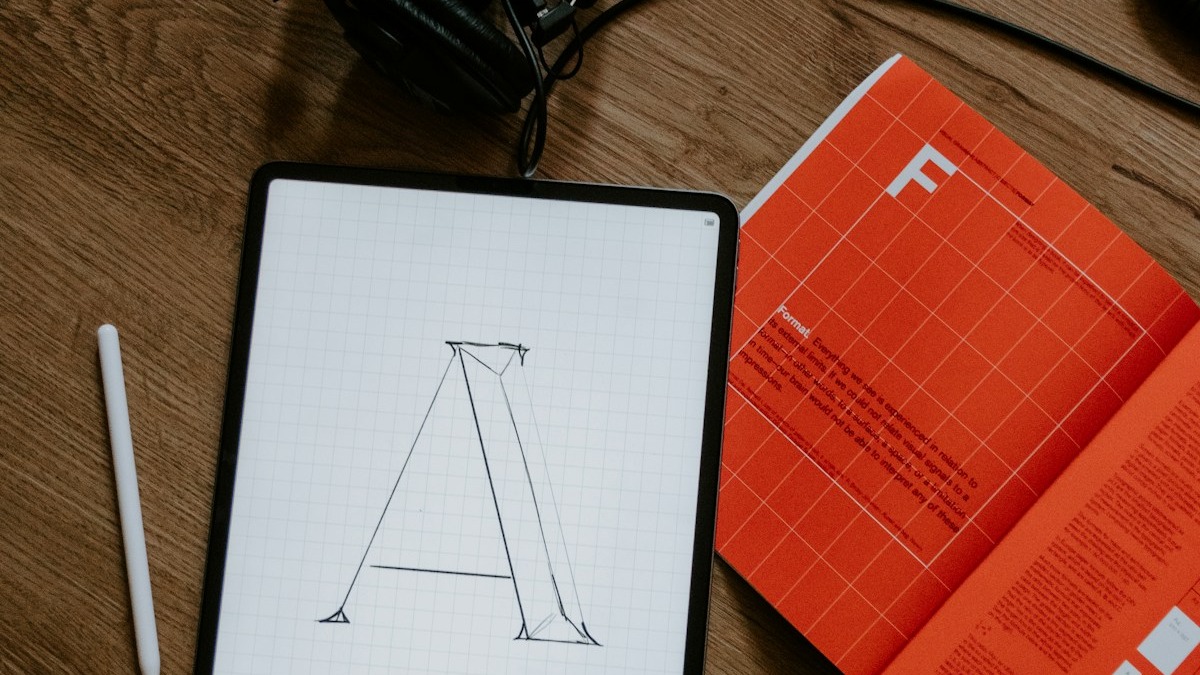 Granola captures meeting audio locally on your device without rolling out a bot into the call - avoiding the privacy friction and participant discomfort that traditional AI meeting recorders create.
Source: unsplash.com
Granola captures meeting audio locally on your device without rolling out a bot into the call - avoiding the privacy friction and participant discomfort that traditional AI meeting recorders create.
Source: unsplash.com
The free tier caps meeting history. Business at $14/user/month removes the cap and adds integrations with Notion, Slack, HubSpot, Attio, Affinity, and Zapier plus API access. Enterprise at $35/user/month adds SSO, org-wide admin controls, and data deletion periods.
Pricing: Basic free (limited history). Business $14/user/month. Enterprise $35/user/month.
Napkin AI - From Paragraph to Diagram in Seconds
Most professionals who need a diagram open PowerPoint or Figma, spend 20-30 minutes arranging shapes, give up, and paste in a text wall instead. Napkin AI is built completely around breaking that friction: paste any paragraph or outline, click one button, and the tool returns four or five visual interpretations of the same content.
The tool covers the diagram types that actually show up in real work: flowcharts, comparisons, timelines, process flows, stakeholder maps, numbered lists, and decision trees. You pick the layout that matches what you were trying to communicate, then edit it - swap icons, adjust colors, change labels, add or remove nodes. The Brand Style Extraction feature lets you upload brand colors and fonts once; every new diagram matches your visual identity automatically.
Most AI tools make writing faster. Napkin AI addresses a different bottleneck - the 30-minute gap between having an idea and having a visual that communicates it.
The free plan provides 500 AI credits per week (refreshing every Monday), which covers several diagrams for most users. Export on the free tier includes PNG and PDF. Removing the Napkin watermark requires the Plus plan at $9/person/month, which also adds PowerPoint and SVG export and unlimited branding customization.
Napkin has no API and no native integrations with Notion, Google Slides, or WordPress as of May 2026. The tool is completely browser-based. You copy the generated image and paste it wherever you need it. That limitation defines where it fits: it is a fast visual generator for ideas that already exist in text, not an integrated design platform.
Pricing: Free (500 credits/week, PNG/PDF export, Napkin branding). Plus $9/person/month (10K credits/month, SVG/PPT export, branding removal). Pro $22/person/month (30K credits, custom branding with font uploads). Annual billing saves 25%.
Wispr Flow - The Voice-First Input Layer
Typing is how people interact with computers by default. It isn't how people think. Wispr Flow is a system-level dictation layer for macOS and Windows that lets you speak into any text field - email, Slack, Google Docs, a code editor, a browser address bar - and receive cleaned, punctuated, formatted text in return.
The cleaning pipeline runs multiple models simultaneously. One handles transcription. Others remove filler words ("um", "uh", "like"), apply intelligent punctuation, correct self-corrections mid-sentence (saying "meet Tuesday - wait, Wednesday" becomes "meet Wednesday"), and adapt writing style to match the application you're using. A Slack reply comes out casual. The same thought expressed through Gmail becomes a properly formatted professional email.
The 2026 Personalized Style update added per-application tone settings. You configure a tone category per app from Very Casual to Formal, and the transcription layer matches that register automatically without prompting.
The platform covers macOS (most feature-complete), Windows (March 2025), iOS (June 2025), and Android (February 2026). Accuracy ranges from 96-97% in a quiet room with a good microphone to roughly 88% in noisy environments - in line with other AI dictation tools at comparable price points.
One transparency note worth flagging: Wispr Flow captures screenshots of your active window every few seconds for "context awareness" and transmits them to cloud servers. This behavior is documented in the app but not prominent in the marketing copy. For users working with sensitive documents - legal files, financial records, confidential business data - that data handling warrants review before deployment.
Pricing: Basic free (2,000 words per week, all platforms). Pro $15/month or $144/year. Teams $12/user/month or $10/user/month annually.
ResearchRabbit - Citation Networks as a Visual Map
Academic literature review in 2026 is a broken process for most researchers. You find one relevant paper, check its references, find three more, check those references, lose track of what you have already read, and spend hours that should go toward analysis. ResearchRabbit fixes the discovery part.
The tool maps citation networks as interactive visual graphs. Each paper is a node linked to the papers it cites and the papers that cite it. Click any node and the graph expands to show its network. The layout makes thematic clusters visible - you can see at a glance which papers form a core methodological lineage versus which are outlier citations. Author tracking sends email alerts when researchers whose work you follow publish new papers or preprints.
 ResearchRabbit maps citation relationships visually - clusters of related papers become visible at a glance instead of requiring manual cross-referencing through reference lists.
Source: unsplash.com
ResearchRabbit maps citation relationships visually - clusters of related papers become visible at a glance instead of requiring manual cross-referencing through reference lists.
Source: unsplash.com
The core ResearchRabbit product remains completely free. More than 2 million researchers use it across academia and industry research functions. Collections sync with Zotero for reference management integration. The paid RR+ plan at $12.50/month adds two-way sync, unlimited projects, and advanced filters including SJR Quartiles and journal H-index rankings for evaluating source quality.
For the literature review use case, ResearchRabbit handles discovery while Elicit handles extraction - finding which papers exist versus pulling structured data from specific papers. Most serious academic researchers use both in sequence.
Pricing: Free (core citation mapping, unlimited papers, Zotero sync). RR+ $12.50/month (two-way sync, unlimited projects, advanced journal quality filters).
Cleanup.pictures - Brush Out What Should Not Be There
Object removal in images used to require Photoshop skills, manual content-aware fill, and cleanup passes. Cleanup.pictures reduces that to a brush-and-click operation: upload any photo, paint over the object or person or text you want removed, click Clean, and the AI fills the area with contextually appropriate content using inpainting. The result is a photo without the removed element, with no obvious seam.
The tool handles the use cases that come up constantly but rarely justify firing up full photo-editing software: removing a stray person from a product shot, erasing a watermark from a reference image, clearing text from a background, or removing an object from a scene to see how it reads without it.
The free tier caps export at 720px - sufficient for social media and document use but not for print or large-format output. Pro at $3/month (billed annually as $36/year) removes the resolution cap, adds batch processing for multiple images at once, and enables background replacement. At $3/month, the tool costs less than a single image from a stock photo service.
The inpainting quality holds up for typical use cases: removing objects from areas with repeating textures (grass, sky, brick walls, pavement) produces clean results. Areas with complex structure behind the removed object - a chair in front of a bookshelf with visible spines, for example - can require a second pass. The tool flags problem areas rather than hiding them.
Pricing: Free (unlimited photos, 720px export limit). Pro $5/month or $36/year ($3/month annually). Batch processing included in Pro.
Comparison Table
| Tool | Best For | Free Tier | Paid Entry | What You Actually Pay For |
|---|---|---|---|---|
| Granola | Bot-free meeting notes | Limited meeting history | $14/user/mo (Business) | Unlimited history + integrations |
| Napkin AI | Text-to-diagram generation | 500 credits/week | $9/person/mo (Plus) | Higher credits + SVG/PPT export |
| Wispr Flow | Cross-app voice dictation | 2K words/week | $15/mo (Pro) | Unlimited + tone controls |
| ResearchRabbit | Citation network visualization | Full core features | $12.50/mo (RR+) | Two-way sync + journal filters |
| Cleanup.pictures | AI image object removal | 720px export | $3/mo (Pro annual) | Full resolution + batch |
Which Tool Fits Which Use Case
Professional who leads or attends multiple calls per day without wanting a bot in the meeting: Granola free tier first. The free plan covers enough meeting history to assess whether bot-free note quality meets your bar. Business at $14/month is the upgrade if you need unlimited history and the Notion/HubSpot integrations.
Consultant, product manager, or executive who explains complex ideas in writing: Napkin AI Plus at $9/month. The weekly credit reset on the free tier is enough for occasional use, but regular users will want the monthly credit allowance and the PPT/SVG export. The time-to-visual-from-text improvement is visible from the first use.
Anyone who types more than they should: Wispr Flow Basic free tier first. The 2K words/week limit is sufficient to test whether the voice dictation workflow fits before committing to the Pro tier. The key question is whether you're comfortable with the screenshot-based context feature - review the privacy documentation before use if your work involves sensitive materials.
Researcher doing literature review: ResearchRabbit free. The core citation network is free and fully functional. Upgrade to RR+ only if you need the advanced journal quality filters or multi-device sync. Pair with the deep research tools comparison to understand how it fits alongside Elicit for extraction work.
Anyone doing product photography, social media content, or image cleanup: Cleanup.pictures free tier. The 720px limit works for most digital use cases. Upgrade to Pro at $3/month if you need full resolution output or batch processing.
The five tools above occupy very different parts of the productivity stack. None of them are trying to compete with ChatGPT or Midjourney - they are filling narrow gaps that the general-purpose AI platforms don't address. If one of those gaps matches a real friction point in your day, the tool that addresses it directly is worth testing before assuming the popular option is the only option.
Sources
- Granola Pricing - granola.ai
- Granola AI Review 2026: Features, Pricing & Alternatives - max-productive.ai
- Napkin AI Pricing - napkin.ai
- Napkin AI Review 2026: Is It Worth the Hype? - getalai.com
- Wispr Flow Review 2026: Worth $15/mo? - spokenly.app
- Wispr Flow Review 2026: Features, Pricing & Is It Worth It? - max-productive.ai
- ResearchRabbit: AI Tool for Smarter Literature Reviews - researchrabbit.ai
- ResearchRabbit Review 2026: What It Does Well - usercall.co
- ResearchRabbit Review 2026 - comparateur-ia.com
- Cleanup.pictures - cleanup.pictures
- Cleanup.pictures: Features, Pricing & Review Guide - aitoolsmagic.com
- Underrated AI Tools 2026: The Hidden Gems Nobody's Talking About - techandproductivity.com
✓ Last verified May 24, 2026

