
Best Open-Source LLMs You Can Self-Host in 2026
Top open-weight models for self-hosting in 2026, with verified VRAM requirements, benchmark data, and tools to deploy them on consumer and server hardware.
 11 min read
Running a language model on your own hardware used to mean real trade-offs: months-old weights, throughput measured in words per minute, and a persistent sense that the proprietary APIs were running laps around you. In 2026, that calculus has shifted. Open-weight models from Alibaba, Meta, Mistral, Google, and Microsoft now match or beat closed-API equivalents across most general-purpose tasks. The tooling - Ollama, LM Studio, vLLM - handles quantization, serving, and OpenAI-compatible endpoints without requiring a PhD in CUDA.
The challenge is no longer "can I run a good open-weight model?" but "which one should I run on my specific hardware?" This guide answers that question. Every recommendation is matched to a real VRAM tier, with verified download sizes and deployment requirements.
TL;DR
- Best for 8GB VRAM: Qwen3 8B (5.2GB download, Apache 2.0, runs on any RTX 4060 or equivalent)
- Best for a single RTX 4090: Qwen3 32B (20GB) for quality or Qwen3 30B-A3B (19GB) for 256K context
- Best long-context pick: Llama 4 Scout (10M-token context, MoE architecture, needs 48GB+ combined memory)
How We Evaluated These
Models were assessed on four criteria: practical VRAM footprint at Q4_K_M quantization, benchmark performance, license flexibility for commercial deployments, and verified availability in Ollama or llama.cpp. Models requiring multiple H100s are noted in a separate enterprise tier at the end - the main recommendations target developers and teams with 8-48GB of VRAM available.
Size in Ollama reflects the Q4-quantized download (what you actually download with ollama pull), not the FP16 weights. All license claims were verified against current model cards and official documentation.
Model Comparison
| Model | Download (Q4) | Min VRAM | Context | License |
|---|---|---|---|---|
| Qwen3 4B | 2.5GB | 4GB | 40K | Apache 2.0 |
| Qwen3 8B | 5.2GB | 6-8GB | 40K | Apache 2.0 |
| Qwen3 14B | 9.3GB | 12GB | 40K | Apache 2.0 |
| Phi-4 14B | ~9GB | 12GB | 16K | MIT |
| Qwen3 30B (MoE) | 19GB | 20GB | 256K | Apache 2.0 |
| Qwen3 32B (dense) | 20GB | 22GB | 40K | Apache 2.0 |
| Llama 4 Scout | ~55GB (Q4) | 48GB+ combined | 10M | Llama 4 Community |
| Gemma 4 27B (MoE) | ~18GB | 20GB | Varies | Apache 2.0 |
| Mistral Small 4 | ~60GB (Q4) | 64GB+ | 256K | Apache 2.0 |
| DeepSeek V4 Flash | ~142GB (Q4) | Server only | 1M | MIT |
Download size = Q4_K_M Ollama format unless noted. Min VRAM figures assume full GPU load; RAM offloading can reduce VRAM at the cost of throughput.
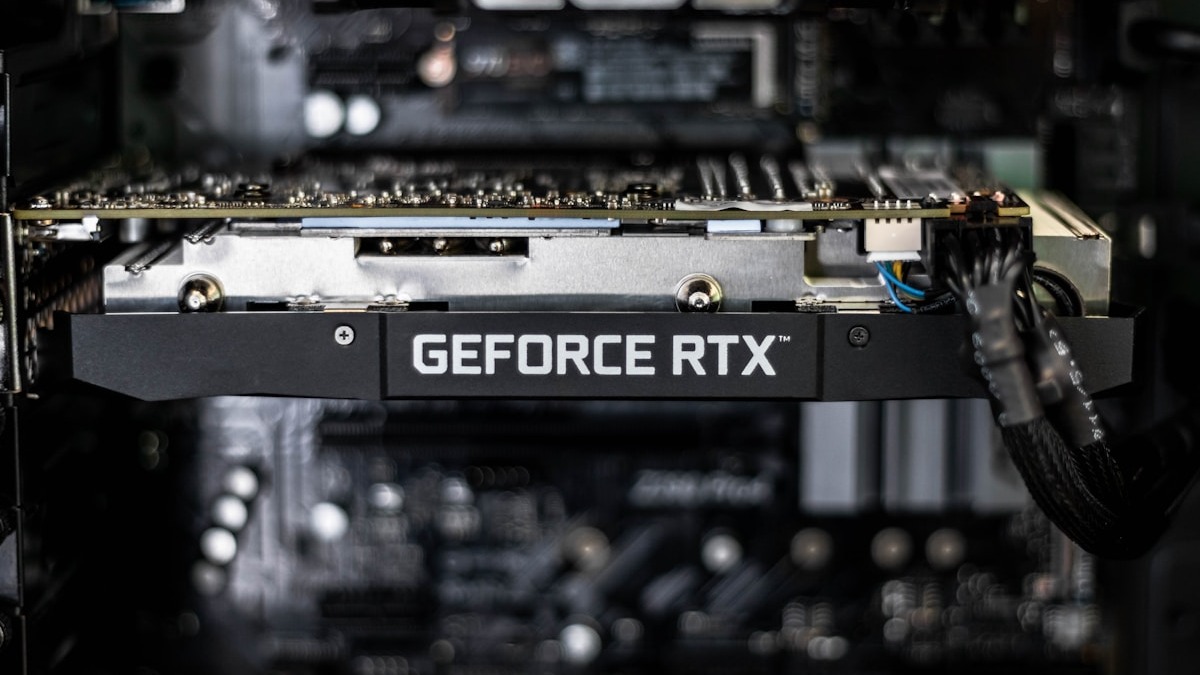 Consumer GPUs like the RTX 3090 and RTX 4090 can now run 30B-parameter models at practical throughput.
Source: unsplash.com
Consumer GPUs like the RTX 3090 and RTX 4090 can now run 30B-parameter models at practical throughput.
Source: unsplash.com
Qwen3 Family - The Default Choice for Most People
Alibaba's Qwen3 is the fastest-growing model family in the Ollama library as of May 2026, and for good reason: it scales from a 2.5GB edge model to a 142GB frontier flagship, ships completely under Apache 2.0, and delivers the best quality-per-VRAM-byte ratio at every tier from 8B to 32B. It also natively supports 100+ languages, which matters if your users or data aren't in English.
The standout feature is the combined thinking/non-thinking mode. In thinking mode, the model reasons through problems before answering - useful for math, coding, and multi-step reasoning. In non-thinking mode, it responds immediately. You switch at inference time with a prompt parameter; no separate download is required.
At 8GB VRAM
ollama run qwen3:8b pulls 5.2GB and gives you a capable general-purpose assistant. Useful for coding help, document Q&A, and summarization. Not the state of the art, but genuinely production-ready for low-throughput workloads.
At 24GB VRAM
Two reasonable options: qwen3:32b (20GB) is the dense model that delivers maximum quality on a single RTX 3090 or 4090. If you need a longer context window - for ingesting long documents or large codebases - qwen3:30b (19GB) uses Mixture-of-Experts routing with 256K context at similar VRAM cost. The 30B MoE variant has fewer active parameters per token, so it can feel snappier on common tasks despite similar total size.
For the flagship Qwen 3.6-35B-A3B (not yet in Ollama's standard library at time of writing), active parameter count drops to 3B, enabling 196 tokens/second on a RTX 4090 while maintaining frontier-class coding benchmark scores.
Llama 4 Scout - The Long-Context Specialist
Meta's Llama 4 Scout is a 109B-parameter MoE model with 17B parameters active per token and a 10M-token context window - the longest native context of any open-weight model available today. For tasks like analyzing an entire codebase, processing large document repositories, or maintaining extended multi-turn memory, no other self-hostable model comes close.
The memory requirement is the honest limitation. Scout's full weights at Q4 occupy around 55GB. That fits a Mac M4 Max with 64GB unified memory, or a workstation running llama.cpp with 24GB VRAM and 40GB+ of system RAM using partial GPU offload (expect slower inference in the latter setup). Pure single-GPU inference on a 24GB card isn't practical. If you're on a single RTX 4090, stay with Qwen3 32B.
Benchmark-wise, Scout hits MMLU-Pro 74.3% - solid for most tasks but below Qwen3 32B and Mistral Small 4 for raw reasoning. Scout is a specialist tool for long-context workloads, not a general daily driver.
The Llama 4 Community License permits commercial use up to 700M monthly active users, with EU deployment restrictions noted in section 2.
Gemma 4 - Google's Efficient Open Alternative
Google's Gemma 4 covers a wide range: dense models from 2B to 27B, plus a 26B MoE variant with just 3.8B active parameters per token. Apache 2.0 license across the full size range, though the terms include Google's Gemma Prohibited Use Policy - worth reading before production deployment.
The MoE variant stands out for coding: an independently verified SWE-Bench Verified score of 80.0% puts it ahead of several models three times its total parameter count. It also ships with native multimodal support for text and images across the full size range, which is useful for document analysis workflows that mix text and visual content.
The main limitation is community support. Quantized GGUF versions and Ollama integration are less broadly available for Gemma 4 than for Qwen3 or Llama 4. Verify the specific tag you need is available before building production dependencies on it.
Mistral Small 4 - Configurable Reasoning, Server-Grade
Mistral Small 4 ships 119B total parameters through a 128-expert MoE architecture with 6B active per token and a 256K context window. Apache 2.0 license. The distinctive feature is a configurable reasoning_effort parameter that switches the same weights between fast-response mode and deep chain-of-thought reasoning - you don't need separate models for different task types.
The hardware requirement is the downside. At Q4, 119B parameters means roughly 60GB of storage and memory. That puts it at Mac M4 Max 128GB territory, or a dual-GPU workstation (2x RTX 4090, 48GB total VRAM). Single-RTX-4090 owners need RAM offload and accept clearly slower inference. For organizations with proper server hardware - A100 PCIe 80GB or H100 - it runs cleanly and the cost economics against Claude or GPT-4o APIs become favorable quickly at sustained load.
Mistral Small 4's configurable reasoning_effort lets you use one set of weights for both quick responses and deep analysis - no separate downloads or model switching.
Phi-4 - Microsoft's Compact Math and Code Specialist
Microsoft's Phi-4 is a 14B dense transformer with MIT licensing and surprisingly strong performance on mathematics and code generation. The model card describes it as consistently beating models five times its size on MATH and GPQA benchmarks, driven by high-quality synthetic training data rather than raw parameter count.
At Q4 quantization, Phi-4 fits in approximately 9GB of VRAM - accessible on a RTX 3060 or 4060 Ti with headroom to spare. That makes it the best pick for developers constrained to 10-12GB VRAM who need reliable coding assistance or numerical reasoning. The context window (16K) is the meaningful limitation: long document summarization and large codebase work will hit the ceiling fast. For those tasks, step up to Qwen3 14B even though the parameter count is the same.
Hardware Tiers at a Glance
Hardware Tier Guide
| VRAM | Best Pick | Runner-Up | Notes |
|---|---|---|---|
| 6-8GB | Qwen3 8B | Qwen3 4B | RTX 4060, RX 7600, M3 Pro 24GB |
| 10-16GB | Qwen3 14B | Phi-4 14B | RTX 4070, RX 7900 GRE |
| 20-24GB | Qwen3 32B | Qwen3 30B (MoE) | RTX 3090, RTX 4090 |
| 48-64GB unified | Qwen3 72B | Llama 4 Scout | Mac M4 Max 64GB, Mac Studio |
| 80GB+ | Mistral Small 4 | Llama 4 Maverick | A100 PCIe, H100 |
A note on quantization: Q4_K_M is the practical starting point for most self-hosters. Research on quantization impact suggests a quality drop of roughly 1-3 MMLU-Pro points compared to full BF16, which is well within acceptable range for most applications. Our quantization impact leaderboard has a more detailed breakdown if you need to tune this for a specific workload. Q5_K_M adds about 15% more VRAM for a marginal quality gain; Q3_K_M below that sees noticeably steeper quality drops.
Tools to Run These Models
You have three main paths, and the right one depends on your setup.
Ollama is the fastest way to get started. A single command (ollama pull qwen3:8b) handles the download, quantization selection, and model serving. The API on port 11434 is OpenAI-compatible, so any tool built for ChatGPT will work with a one-line config change. We have a full breakdown of local LLM running tools if you want a deeper comparison between Ollama, LM Studio, llama.cpp, and vLLM.
llama.cpp gives you maximum control: specific quantization levels, precise GPU layer allocation, and optimized GGUF kernels. It's the backend Ollama uses under the hood, but direct access means you can tune things Ollama doesn't expose. Relevant for squeezing a 30B model onto 20GB with partial offload.
vLLM is the production choice. It handles multi-user request batching, PagedAttention for memory efficiency, and OpenAI-compatible endpoints with tool calling support. If you're serving a team rather than running a personal assistant, vLLM at version 0.9+ is the standard.
Our guide on running open-source LLMs locally covers all three with installation steps.
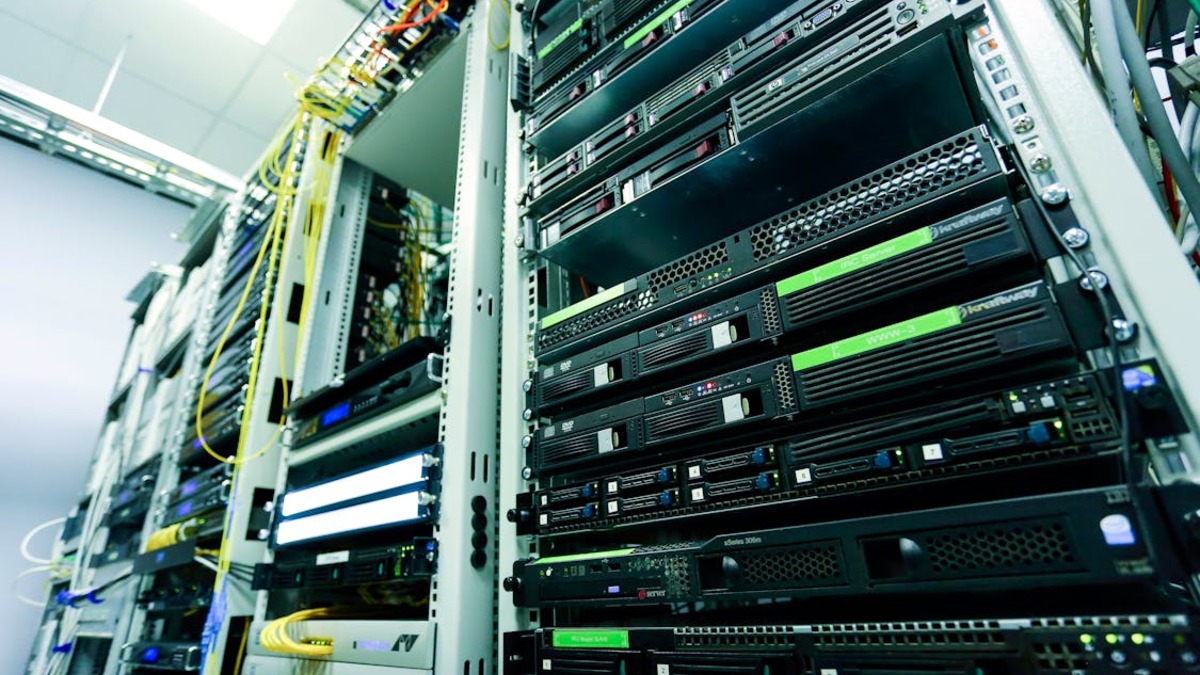 Server-grade hardware unlocks frontier-class open-weight models like DeepSeek V4 Flash and Mistral Small 4.
Source: pexels.com
Server-grade hardware unlocks frontier-class open-weight models like DeepSeek V4 Flash and Mistral Small 4.
Source: pexels.com
Enterprise Tier: When You Have Server Hardware
For organizations with A100 or H100 access, two additional models are worth considering:
DeepSeek V4 Flash (full card) packs 284B total parameters with 13B active per token, 1M-token context, and a full MIT license. At Q4, it needs around 142GB of storage and memory - two H100 80GB nodes. For teams already paying $2-10 per million tokens on proprietary APIs, the economics of self-hosting break even in weeks at meaningful scale. The MIT license also means no contractual restrictions on use cases or fine-tuning.
GLM-5.1 (Z.AI, 744B / 40B active, MIT) leads published coding benchmarks with 75.37 on LiveCodeBench and 77.8% on SWE-Bench Verified as of May 2026, but requires significant multi-node infrastructure. Not recommended unless you have dedicated GPU clusters.
Best Picks by Use Case
General-purpose assistant with budget hardware: Qwen3 8B. It runs on 8GB VRAM, ships under Apache 2.0, and handles the majority of common assistant tasks without drama.
Coding assistant on a single GPU: Qwen3 32B if you have 24GB VRAM. For pure coding focus with less VRAM, Phi-4 14B at 9GB is hard to beat on math and code quality within its 16K context window.
Long document analysis: Llama 4 Scout is the only practical option for 10M-token workloads. Accept the hardware cost or fall back to Qwen3 30B-A3B (256K) for most real-world needs.
Production deployment, reasoning tasks: Mistral Small 4 on an A100 or better. The configurable reasoning mode is truly useful for mixed workloads that need both fast responses and deep analysis in the same API endpoint.
Enterprise coding at scale: GLM-5.1 or DeepSeek V4 Flash, both MIT licensed, both with SWE-Bench Verified scores above 73%. Hardware cost is the barrier, not capability.
FAQ
What quantization level should I use to start?
Q4_K_M is the right default. It cuts VRAM usage by roughly 70% compared to FP16 with a quality drop of 1-3 points on MMLU-Pro benchmarks. Only drop below Q4 if you absolutely can't fit the model otherwise.
Can I run Llama 4 Scout on a single RTX 4090?
Technically yes with llama.cpp's partial GPU offload and 64GB+ system RAM, but performance will be limited by RAM bandwidth rather than GPU compute. Expect slow throughput. For most workloads, Qwen3 32B on 24GB VRAM is a better choice.
Which models are safe for commercial use?
Apache 2.0 and MIT are the cleanest choices: Qwen3, Phi-4, DeepSeek V4 Flash, Mistral Small 4, Gemma 4. Llama 4's Community License permits commercial use but includes EU restrictions and caps on monthly active users. Verify the specific model's license page before production deployment.
Does Apple Silicon run these models well?
Yes. Mac M3 Pro (24-36GB) handles Qwen3 14B-30B range well. Mac M4 Max (48-128GB) can run Llama 4 Scout, Qwen3 72B, and Mistral Small 4. The unified memory architecture means you're not split between VRAM and RAM - all available memory is usable for inference.
What's the minimum hardware to run anything useful?
8GB of VRAM and Qwen3 8B. If you're on integrated graphics or 4-6GB VRAM, Qwen3 4B (2.5GB) is the floor for acceptable quality.
Sources
- Ollama Library - Qwen3 Models - Verified download sizes and context windows
- Llama 4 Models - Meta - Parameters, context, and license terms
- Mistral Small 4 - Mistral AI Blog - Architecture and reasoning_effort feature
- Best Open Source Self-Hosted LLMs for Coding 2026 - Pinggy - Benchmark comparisons including SWE-Bench scores
- Best Open-Source LLM in May 2026 - CoderSera - Model comparison and Gemma 4 SWE-Bench data
- Devstral 2 - Mistral Coding Agent, run locally - DEV Community - Mistral self-hosting requirements
- DeepSeek V4 Model Card - Awesome Agents - V4 Flash and V4 Pro architecture details
✓ Last verified May 22, 2026

