
Best LLM Gateways 2026 - LiteLLM, Portkey, and 5 More
A hands-on comparison of seven LLM gateway and routing tools - LiteLLM, Portkey, Helicone, OpenRouter, Martian, Cloudflare AI Gateway, and Bifrost.
 11 min read
Once you're running more than one LLM provider - OpenAI for one workflow, Anthropic for another, a self-hosted Llama model for cost-sensitive tasks - managing credentials, fallbacks, cost tracking, and rate limits inside application code turns into a mess fast. LLM gateways solve that. They sit in front of your providers as a unified proxy, handle routing logic, normalize the API format, and give you observability without modifying every service that calls a model.
TL;DR
- Self-hosting with broad provider support: LiteLLM is the standard - free MIT license, 140+ provider support, enterprise plans for managed deployments
- Zero-infra start: OpenRouter gets you to 400+ models in under five minutes with pay-as-you-go credits
- Production compliance: Portkey (Apache 2.0 since March 2026) has the strongest guardrails story - PII redaction, jailbreak filtering, and audit trails baked into the gateway layer
In 2024, the real choice was LiteLLM or OpenRouter. In 2026, the category has fragmented into tools optimized for specific things: observability (Helicone), AI-powered model selection (Martian), raw throughput (Bifrost), and teams already on Cloudflare have a free option built in. The right pick depends on what you're actually trying to solve.
What an LLM Gateway Does
A gateway routes API calls to LLM providers, but that description covers a lot of ground. Core capabilities fall into four buckets:
- Routing and fallback - If your primary provider hits a rate limit or returns errors, the gateway retries against a backup automatically. This is table stakes at this point.
- Unified API - All gateways normalize calls to OpenAI's format, so switching providers means changing a URL and API key, not rewriting integration code.
- Cost and usage tracking - Per-user, per-team, and per-model spend breakdowns. Some tools enforce hard budget caps at the key level.
- Observability - Request logging, latency metrics, error traces. Quality varies significantly between tools.
The more capable tools add semantic caching (skip the model entirely for semantically similar queries), guardrails (PII redaction, jailbreak detection), and intelligent routing that picks the cheapest model capable of handling a given prompt. Semantic caching alone can cut 40-70% of extra model calls in real workloads, according to production benchmarks published earlier this year.
Quick Comparison
| Tool | Self-Host | License | Free Tier | Paid From | Models | Best For |
|---|---|---|---|---|---|---|
| LiteLLM | Yes | MIT | Full (self-hosted) | ~$250/mo enterprise | 140+ providers | Dev teams managing infra |
| Portkey | Yes | Apache 2.0 | 10K logs/mo | $49/mo | 1,600+ | Production safety, guardrails |
| Helicone | Yes | MIT | 10K req/mo | $79/mo | 100+ providers | Observability-first teams |
| OpenRouter | No | Hosted SaaS | 200 req/day | Pay-as-you-go | 400+ models | Fast prototyping, no infra |
| Martian | No | Hosted SaaS | 2,500 requests | Usage-based | 100+ | Automatic cost optimization |
| Cloudflare AI Gateway | Yes | Free | 100K logs/mo | Included in CF plan | Any provider | Cloudflare-native teams |
| Bifrost | Yes | Apache 2.0 | Full (self-hosted) | N/A | 15+ providers | High-throughput workloads |
LiteLLM - The Reference Implementation
LiteLLM is where most developers start, and a lot of teams never leave. The core Python SDK and proxy server are MIT-licensed and free to self-host. You get a single endpoint that translates requests to any of 140+ LLM providers - OpenAI, Anthropic, AWS Bedrock, Azure, Vertex AI, HuggingFace, local models via Ollama - all using the standard OpenAI format.
The proxy adds virtual keys for team-based access control, per-key and per-model budget caps, and an admin dashboard for spend tracking. Fallback chains are straightforward to configure: you define a priority list of models and LiteLLM tries each one in order on failures or rate limits. The community is large enough that most edge cases have been documented somewhere on GitHub.
The main hidden cost is infrastructure. Running a production LiteLLM instance means a server, a database, and monitoring tooling. For moderate traffic, that typically runs $200-500/month in cloud costs - before you pay anything for model usage. If you'd rather not operate it yourself, BerriAI's enterprise plans start around $250/month for managed support and SLAs, scaling to roughly $30,000/year for fully managed deployments.
One legitimate complaint: at very high concurrency, P99 latency can climb sharply. LiteLLM is a Python process and hits the same GIL-related ceiling any Python server hits under sustained load. At 500 RPS and above, that starts to show in tail latencies. For most teams this doesn't matter, but it's worth knowing before you commit.
Pricing
- Open source: Free - you pay only for your own infrastructure and model usage
- Enterprise Basic: ~$250/month - managed support and SLA
- Enterprise Premium: ~$30,000/year - fully managed deployment
Portkey - Best for Production Safety
Portkey moved its gateway code to Apache 2.0 in March 2026, and that decision changed its competitive position. The gateway now supports 1,600+ models across 40+ providers - the broadest catalog of any tool in this comparison.
What sets Portkey apart is the guardrails layer. PII redaction, jailbreak detection, topic filtering, and audit trails are built into the gateway itself, not added as plugins on top. For compliance-sensitive workloads, that matters: in healthcare or financial services, guardrails enforced at the infrastructure layer can't be accidentally bypassed by application code. Portkey's acquisition by Palo Alto Networks - announced April 30, 2026 and completed in early June - put a sharp point on where enterprise demand is headed. The deal positions Portkey as the AI Gateway inside Palo Alto's Prisma AIRS security platform, handling agent-to-agent traffic governance at scale.
For teams that don't need the full enterprise product, the self-hosted Apache 2.0 version includes routing, fallbacks, and basic guardrails at no cost. The managed platform charges based on log volume, not raw request throughput - a pricing model that treats observability as the paid service. The Developer tier (free) gives you 10,000 recorded logs per month with 3-day retention, enough for prototyping. Production use starts at $49/month.
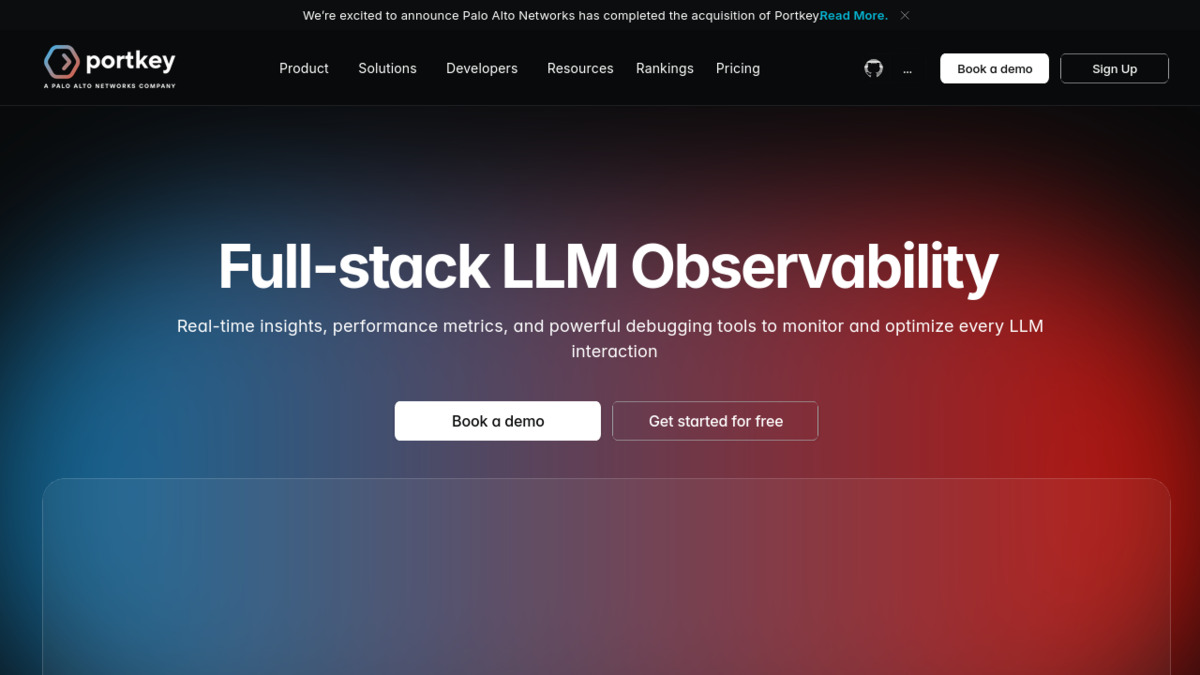 Portkey's observability dashboard tracks cost, latency, and request volume across providers.
Source: portkey.ai
Portkey's observability dashboard tracks cost, latency, and request volume across providers.
Source: portkey.ai
Pricing
- Open source (self-hosted): Free, no limits
- Developer: Free - 10K logs/month, 3-day retention
- Production: $49/month - 100K logs/month, 30-day retention, RBAC
- Enterprise: Custom - SSO, VPC hosting, HIPAA, SOC2, custom retention
Helicone - Observability First
Helicone is the right pick when your primary question is "what is my application actually doing?" rather than "how do I route between providers?" Every request is automatically logged, turned into a trace, and queryable via HQL - Helicone's purpose-built query language for searching request history. The dashboard does cost attribution by user, model, and session without any manual configuration.
The gateway does handle routing, caching, and failover, but that's secondary. Helicone occupies a slightly different position than LiteLLM or Portkey: it's primarily a production monitoring layer that happens to sit in the request path, not a routing proxy that optionally exposes logs.
Helicone is MIT-licensed and self-hostable. The managed platform's Hobby tier (10,000 requests/month, 7-day retention) is enough to assess it but won't carry production workloads. Pro at $79/month adds alerts, reports, HQL access, and 30-day retention. For teams that need SOC2 and HIPAA, the Team plan runs $799/month.
One generous policy: startups under two years old with under $5M in funding get 50% off the first year. That's a better deal than most tools in this space offer early-stage teams.
For teams wanting deeper observability, our comparison of LLM observability platforms covers standalone monitoring tools that can pair with any gateway.
Pricing
- Hobby: Free - 10K requests/month, 7-day log retention
- Pro: $79/month - alerts, reports, HQL query language, 30-day retention
- Team: $799/month - SOC2, HIPAA, 3-month retention, 5 organizations
- Enterprise: Custom - unlimited retention, on-prem deployment, dedicated support
OpenRouter - Zero Setup Required
OpenRouter has no self-hosting option, and that's deliberate. It serves a different audience. You point your OpenAI-compatible client at https://openrouter.ai/api/v1, swap in an OpenRouter API key, and right away reach 400+ models across providers - including free-tier open-weight models like Llama 4, Qwen 3.5, and Gemma 3. The free tier allows 200 requests per day against those free models, which is enough to build and test most prototypes.
Paid usage is purely pay-as-you-go through credit purchases. There's no monthly subscription. OpenRouter passes model costs through at near-direct provider rates, though some models carry a markup that averages around 5-6% over what you'd pay calling the provider directly. For teams that bring their own API keys (BYOK), the first million requests per month are free, then OpenRouter charges 5% of the equivalent platform cost.
Routing is shallower than LiteLLM or Portkey. You get model fallback (try model B if model A fails), but there's no guardrails layer, no PII redaction, and observability is basic. For a solo developer or a startup moving quickly toward product-market fit, none of that matters yet. It becomes a migration trigger later, not a day-one concern.
One data point worth noting: in latency benchmarks from early 2026, OpenRouter's time-to-first-token was measured at 0.64 seconds compared to 0.71 seconds calling OpenAI directly. The routing layer is actually selecting less-loaded endpoints in real time, which can reduce wait times under provider congestion. That's a useful property when you're paying per-token and provider queues vary.
For a full breakdown of which free inference providers are worth using, see our free AI inference providers guide.
Martian - AI-Powered Model Selection
Most gateways let you configure fallback chains manually. Martian does something different: it analyzes each incoming prompt and selects the model that's most likely to handle it well at the lowest cost - automatically, in real time.
The argument is that most prompts in a production application don't need a frontier model. Customer support queries can go to a faster, cheaper model. Complex legal analysis needs something heavier. Martian claims cost reductions of 20-97% compared to routing all traffic to a single premium model. That's a wide range, and actual savings depend entirely on your workload mix.
The API is OpenAI-compatible. The free tier includes 2,500 requests. Beyond that, usage is metered. Enterprise plans add custom routers trained specifically on your workload and VPC deployment options. Martian was reportedly approaching a $1.3 billion valuation as of mid-2026, which is a remarkable arc for a routing layer.
The practical limitation: you're trusting Martian's model selection logic without full visibility into why a given prompt went to a given model. For teams with data residency requirements or processing agreements that restrict which models can touch certain data categories, automatic routing like this may conflict with those constraints. It's not a reason to avoid Martian, but it requires a conversation with your legal team first.
Cloudflare AI Gateway - Best If You're Already on Cloudflare
Cloudflare's AI Gateway is free with any Cloudflare account. It proxies requests to OpenAI, Anthropic, Bedrock, Workers AI, and other providers, adding analytics, caching, rate limiting, and fallback with zero markup on model costs.
The free Workers tier includes 100,000 gateway logs per month. Workers Paid users get 1 million. Because Cloudflare accounts are already common for teams using CF for CDN, DNS, or WAF, this is often the fastest path to adding basic observability and caching to an existing AI stack - you're adding a configuration to infrastructure you already pay for.
The tradeoff is depth. Cloudflare AI Gateway is shallower than LiteLLM or Portkey on every dimension: routing logic is basic, guardrails are limited, and you're tied to Cloudflare's infrastructure. If your stack doesn't already depend on Cloudflare, there's no reason to add that dependency specifically for the gateway. But if you're already there, it's a reasonable first step before assessing whether you need something more capable.
Bifrost - When Throughput Is the Bottleneck
Bifrost is a Go-based open-source gateway written specifically for high-concurrency production workloads. In published benchmarks at 5,000 requests per second sustained, Bifrost added 11 microseconds of overhead per request. At 500 RPS, its P50 latency was 804 ms compared to 38,650 ms for LiteLLM under the same conditions - and P99 was 1.68 seconds versus 90.72 seconds.
That gap is architectural. Go's concurrency model handles thousands of simultaneous goroutines without the global interpreter lock that limits Python under sustained load. Bifrost compiles to a single static binary, so deployment is straightforward.
The catalog is narrower - 15+ providers versus LiteLLM's 140+ - and there's no managed hosted tier. Bifrost is self-hosted or not at all. For most teams, the latency difference between 11µs and 50µs overhead won't be perceptible against the hundreds of milliseconds a model takes to respond. But at 1,000+ RPS, those microseconds compound across millions of requests per day, and the P99 difference becomes operationally significant.
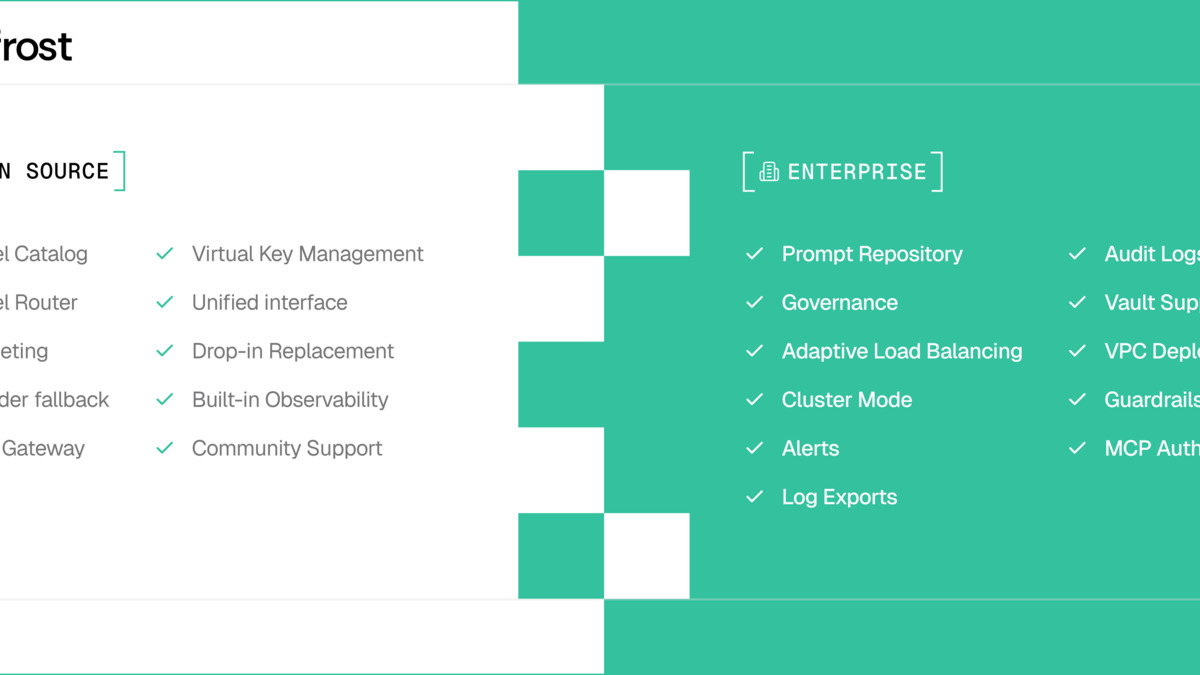 Bifrost's Go-based architecture yields dramatically lower P99 latency compared to Python-based gateways under sustained load.
Source: getmaxim.ai
Bifrost's Go-based architecture yields dramatically lower P99 latency compared to Python-based gateways under sustained load.
Source: getmaxim.ai
Picking the Right Tool
Production teams with compliance requirements should default to Portkey self-hosted. Teams optimizing for speed of experimentation should start with OpenRouter and migrate when they need to.
The decision tree is simpler than the category size suggests:
| Situation | Pick |
|---|---|
| Starting out, no infra to manage | OpenRouter |
| Self-hosting, broad provider support | LiteLLM |
| Compliance, guardrails, PII redaction | Portkey (self-hosted) |
| Observability is the primary need | Helicone |
| Want automatic model selection for cost | Martian |
| Already on Cloudflare, basic observability | Cloudflare AI Gateway |
| High-throughput (500+ RPS) production | Bifrost |
One pattern worth noting: several production teams run two tools together. LiteLLM for routing with Helicone for observability on top, for instance, or Portkey as the primary gateway with a separate logging pipeline downstream. These tools aren't mutually exclusive, and the combination of a routing-focused gateway with a dedicated observability layer often beats either tool alone.
For teams building multi-agent workflows on top of their gateway, the choice of agent frameworks affects which gateway integrations are available out of the box - LiteLLM and Portkey both have documented integrations with the major frameworks.
Sources
- LiteLLM AI Gateway documentation
- LiteLLM on GitHub
- Portkey pricing
- Portkey gateway on GitHub
- Palo Alto Networks acquires Portkey - press release
- Helicone pricing
- Helicone on GitHub
- OpenRouter pricing
- Martian - LLM Router
- Cloudflare AI Gateway pricing
- Bifrost on GitHub
- Bifrost: 50x faster than LiteLLM - Maxim.ai
- LLM Gateway Comparison 2026 - Flotorch
- OpenRouter vs LiteLLM vs Portkey vs Helicone - Klymentiev
- LLM Router Latency Benchmark 2026 - Opper.ai
✓ Last verified June 24, 2026

