
Best Free AI Image Generators in 2026
The best free AI image generators in 2026 - covering daily limits, image quality, commercial rights, and which tool fits which use case.
 10 min read
Free AI image generation got truly useful in 2026. A year ago, free tiers were mostly demos that produced watermarked 512x512 outputs with strict daily caps. Now Google's ImageFX creates Imagen 4 images at no cost, Microsoft Designer runs DALL-E 3 with unlimited standard-speed generations, and Leonardo AI gives 150 tokens per day that translate to 15-30 real images. The gap between free and paid has narrowed enough that many individual creators don't need to pay at all.
TL;DR
- Google ImageFX is the best free option for quality - Imagen 4 output at no cost, around 10-15 images per day
- Microsoft Designer offers the most generous daily free volume - unlimited standard generations plus 15 priority boosts per day
- Leonardo AI (150 tokens/day) gives the most creative control on a free plan, including access to multiple model styles
- Ideogram is the only reliable free tool for producing images with legible text inside them
- Adobe Firefly's free tier (25 credits/month) is too limited for regular use, but it's the safest option for commercial work given its training data
The best AI image generators roundup covers the full paid landscape including Midjourney v7, FLUX 2 Pro, and Stable Diffusion 3.5. This article focuses exclusively on what you can get without paying.
Google ImageFX - Best Overall Free Quality
Google ImageFX runs on Imagen 4, Google's latest image generation model, and it's free to use at labs.google/fx. The output quality is the best available at zero cost - sharp, photorealistic images with strong prompt adherence and native resolution up to 2048x2048.
Free tier limits hover around 10-15 images per day depending on server load. There's no official published cap, which is the one frustration: users report hitting a soft limit mid-session without a clear message about when access resets.
The text rendering is stronger than most competitors. ImageFX handles short text strings inside images well, though Ideogram still has an edge on complex typography. Where ImageFX pulls ahead is on photorealistic subjects - portraits, product shots, architectural images, and scenes with specific lighting conditions.
In early 2026, Google folded ImageFX into the Flow workspace with Whisk, so you now have image generation, video, and canvas editing in one interface. For casual users who just want to produce an image, the standalone ImageFX interface remains available at the direct URL.
Commercial use on the free tier is permitted under Google's terms with some restrictions - check the current terms before using ImageFX outputs in paid client work.
Microsoft Designer - Most Generous Free Volume
Microsoft Designer is the right answer if you need more than a handful of images per day without paying. The free plan gives unlimited standard-speed generations plus 15 priority boosts per day. The priority boosts are fast; the standard-speed queue is slower but doesn't have a daily cap.
The underlying model is DALL-E 3. It's not the sharpest image generator in the field - FLUX 2 Pro and Imagen 4 both produce more detailed textures at equivalent prompts - but DALL-E 3's strength is illustration and concept art, and it handles various styles reliably.
Microsoft Designer's unlimited standard generations is the highest free daily volume of any tool in this comparison. For creators who need images in batches, it's the practical first choice.
Images are free of watermarks, and there's no mandatory signup beyond a Microsoft account, which most users already have. The interface is web-based with no software to install.
The limit worth knowing: Microsoft began requiring Microsoft 365 subscriptions for some AI features in early 2025, and the free tier's terms have shifted slightly since. As of May 2026, basic image generation remains free with a standard account, but some premium templates and AI design features require a subscription.
Leonardo AI - Best Free Creative Control
Leonardo AI's free plan gives 150 tokens per day that reset daily. Each generation costs tokens based on settings - a standard image at default quality runs about 5-10 tokens, which translates to 15-30 images per day. Higher quality settings, larger canvas sizes, and premium model variants burn tokens faster.
The model variety is what separates Leonardo from the other free options. Free users can access Phoenix 2.0, FLUX-based models, and several fine-tuned variants optimized for photorealism, anime, concept art, and product photography. Switching models mid-session is possible without losing your prompt history.
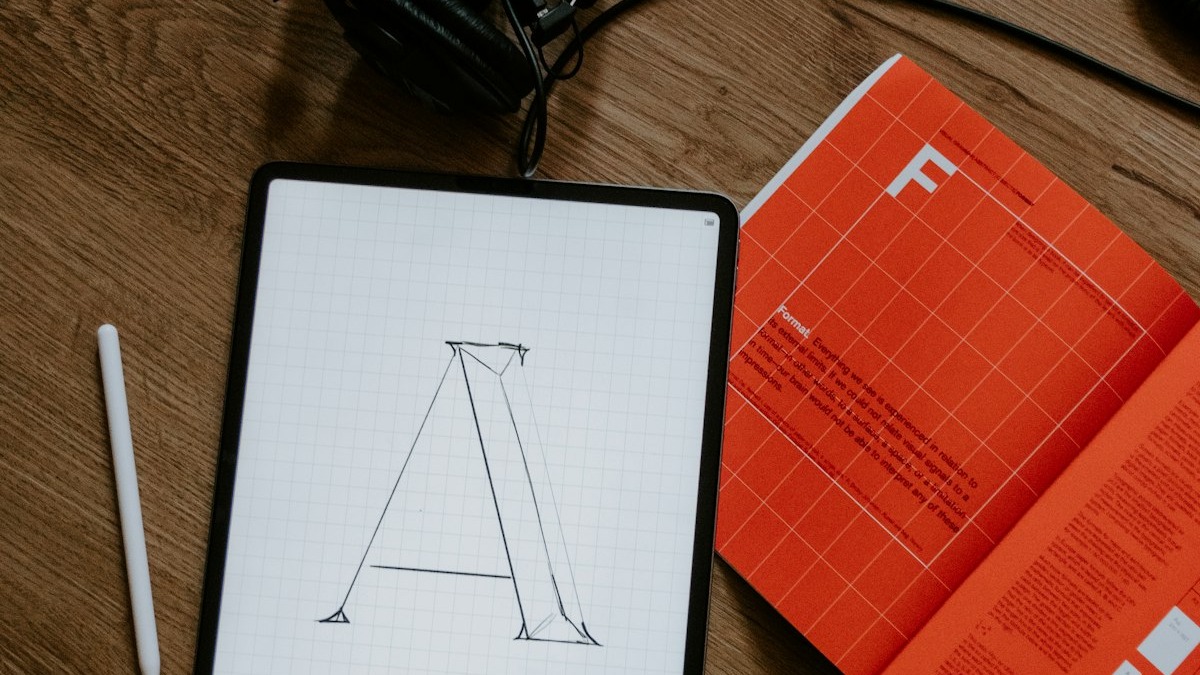 Creative professionals increasingly mix free-tier AI generation with manual editing workflows to reach final outputs faster.
Source: unsplash.com
Creative professionals increasingly mix free-tier AI generation with manual editing workflows to reach final outputs faster.
Source: unsplash.com
The trade-off is privacy. Free generations on Leonardo are public - they appear in the community gallery and are visible to other users. For personal experiments this is fine; for anything you're designing for a client before reveal, you need a paid plan to keep generations private.
Pricing to upgrade: Apprentice at $12/month (annual) adds privacy and higher token allocations. Artisan at $30/month (annual) unlocks custom model training.
| Plan | Price | Daily Tokens | Private Generations |
|---|---|---|---|
| Free | $0 | 150 | No |
| Apprentice | $12/mo (annual) | 8,500/mo | Yes |
| Artisan | $30/mo (annual) | 25,000/mo | Yes |
| Maestro | $60/mo (annual) | 60,000/mo | Yes |
Ideogram - Best Free Tool for Text in Images
Every other free AI image generator fails at text. Ask them to render a short phrase inside an image - a product label, a headline on a poster, a quote on a greeting card - and you get garbled letters, fused characters, or plausible-looking nonsense. Ideogram doesn't.
Ideogram's free plan gives 10 slow-queue generations per day. Each generation can produce up to 4 image variations from a single prompt, so you're effectively getting 40 usable images per day. The slow queue means wait times of 30-90 seconds per generation vs. near-instant for paid users.
The free plan has two meaningful restrictions: all images are posted to Ideogram's public community gallery, and you can't upload reference images. The reference image restriction means style-matching workflows aren't available on free. The gallery restriction is the same practical issue as Leonardo - anything sensitive needs a paid plan.
Pricing if you need to upgrade: Basic at $8/month adds 400 priority credits per month, gets you out of the slow queue, and gives access to reference image uploads.
See the best Midjourney alternatives for how Ideogram compares against paid tools on text rendering specifically.
FLUX.1 Schnell on Hugging Face - Best Free Option for Power Users
FLUX.1 [schnell] is an open-source 12-billion-parameter model from Black Forest Labs, released under Apache 2.0. You can run it locally for free with no daily limits if you have a GPU with 12+ GB VRAM. For users without the hardware, the official Hugging Face Space at huggingface.co/spaces/black-forest-labs/FLUX.1-schnell is free but ZeroGPU-quota-limited.
The quality is strong - FLUX produces sharp textures, accurate anatomy, and good prompt adherence across styles. It's not as good as FLUX 2 Pro (the newer paid tier), but it beats DALL-E 3 on detailed photorealistic subjects. For users who want the FLUX architecture at no cost, this is the path.
 Power users running FLUX locally or via Hugging Face Spaces avoid daily limits entirely - at the cost of needing GPU hardware or accepting ZeroGPU queue delays.
Source: unsplash.com
Power users running FLUX locally or via Hugging Face Spaces avoid daily limits entirely - at the cost of needing GPU hardware or accepting ZeroGPU queue delays.
Source: unsplash.com
The local installation route requires technical setup: Python environment, model download (around 24 GB), and GPU configuration. For non-technical users, the Hugging Face Space is simpler. For teams doing high-volume generation, running FLUX locally is the most economical path because the cost is hardware, not per-image billing.
The FLUX 2 comparison covers how the newer models compare against Midjourney if you're deciding whether the paid FLUX upgrade is worth it.
ChatGPT (GPT Image) - Best for Conversational Iteration
ChatGPT's free plan includes 2-3 images per 24-hour rolling window using GPT Image. That limit is too low for any serious production volume, but the interface is the most beginner-friendly of the group - you describe what you want in plain conversational language, ChatGPT produces, and you iterate with follow-up messages.
The model handles text inside images better than most alternatives, which is why it's mentioned alongside Ideogram in this category. Complex compositions with overlapping elements also come out more coherent than DALL-E 3 alone.
For users on ChatGPT Plus ($20/month), the limit climbs to roughly 50 images per 3-hour window - which is enough for real production use. At 2-3 images per day, the free plan is a demo tier.
Adobe Firefly - Best for Commercial Safety, Worst Free Volume
Adobe Firefly's free tier allocates 25 generative credits per month. Most standard image generations cost 1 credit, so you get 25 images per month on the free plan. That's fewer images than you'd get in a single afternoon with any other tool on this list.
The reason to use Firefly despite the worst free volume: training data. Firefly is trained exclusively on Adobe Stock images, openly licensed content, and public domain material. There's no copyright ambiguity around the output. For agencies working with clients who have legal review requirements, Firefly's indemnification policy matters more than daily generation volume.
Credits reset monthly but carry no commercial-use restrictions within Adobe's terms. The Creative Cloud integration - direct access from Photoshop, Illustrator, and Adobe Express - is only useful if you're already in the Adobe ecosystem.
Paid plans start at $4.99/month for 100 credits or are bundled into Creative Cloud subscriptions.
Pricing Comparison
| Tool | Free Tier Limit | Watermarks | Commercial Use | Notes |
|---|---|---|---|---|
| Google ImageFX | ~10-15 images/day | None | Restricted | Imagen 4 quality, limits not published |
| Microsoft Designer | Unlimited standard + 15 priority/day | None | Yes | DALL-E 3 backend, Microsoft account required |
| Leonardo AI | 150 tokens/day (15-30 images) | None | Yes | Public gallery; many model options |
| Ideogram | 10 prompts/day (up to 40 images) | None | Limited | Public gallery; text rendering strength |
| FLUX.1 Schnell (HF) | ZeroGPU-limited online; unlimited local | None | Yes (Apache 2.0) | Requires GPU for local; technical setup |
| ChatGPT (GPT Image) | 2-3 images/day | None | OpenAI terms | Best conversational interface |
| Adobe Firefly | 25 credits/month | None | Yes | Safest for commercial use; lowest volume |
Which Free Tool Fits Which Workflow
Individual creators making 10-20 images per day: Google ImageFX for quality-first work, Microsoft Designer when you need more volume than ImageFX allows. Run both - they cover different prompt styles well.
Designers who need text inside images: Ideogram, no contest. The 10 prompt slots with up to 4 variations each is genuinely usable. Budget the quota for prompts that need text; use ImageFX or Designer for text-free compositions.
Developers or power users who want unlimited output: Self-host FLUX.1 Schnell. The setup takes an hour and requires capable GPU hardware, but there's no daily cap and no vendor dependency. Apache 2.0 means you can use outputs commercially and integrate the model into applications.
Artists who want to experiment across multiple styles: Leonardo AI's multi-model free tier gives access to photorealism, anime, concept art, and FLUX-style outputs in one interface. The 150-token daily budget requires some rationing, but the model variety isn't matched by any other free tool.
Commercial work with strict legal requirements: Adobe Firefly at 25 credits per month is frustratingly limited, but it's the only free tool that clearly addresses copyright liability in the output. If a client has IP review requirements, Firefly is the defensible choice even at lower volume.
Playground AI (10 images per 3-hour window) and Canva Magic Media (50 lifetime uses, not monthly) didn't make the main list because their free tiers are too restrictive for regular workflows. Both are worth trying for occasional use, but neither scales to daily creative work.
Sources
- Best Free AI Image Generators 2026 - techjournal.org
- Leonardo AI Pricing 2026 - costbench.com
- Ideogram Pricing 2026 - costbench.com
- ChatGPT Image Generation Limits 2026 - gptimg.co
- ChatGPT Plus Image Generation Guide - aivideobootcamp.com
- Adobe Firefly Generative Credits Overview - helpx.adobe.com
- Playground AI Free Plan - playground.com
- FLUX.1 Schnell on Hugging Face - huggingface.co
- Best Free AI Image Generators 2026 - wavespeed.ai
- 20 Best Free AI Image Generators 2026 - zplatform.ai
✓ Last verified May 23, 2026

