
Best AI Web Scraping Tools 2026 - 6 Tools Ranked
Firecrawl, Crawl4AI, Apify, Jina Reader, ScrapeGraphAI, and ScrapingBee compared by speed, cost, and LLM-readiness.
 10 min read
Building a RAG pipeline or an AI research agent inevitably hits the same wall: raw HTML is garbage for LLMs. Token counts balloon, structure collapses, and the signal you actually need gets buried in nav menus and cookie banners. Modern AI web scraping tools solve this by converting messy web pages into clean, structured markdown your models can use. Six tools dominate this space right now. They differ sharply on cost, self-hosting options, anti-bot capability, and how much AI they apply at extraction time.
TL;DR
- Firecrawl is the best managed API for production RAG pipelines - 100K pages for $83/month on annual billing, LLM-ready markdown by default
- Crawl4AI is free, self-hosted, and faster than Firecrawl in benchmarks - the right pick if you can manage your own infrastructure
- Apify wins on breadth: 33,000+ pre-built scrapers for specific sites, compute-based pricing that's hard to predict but powerful at scale
How We Evaluated
Six tools made the cut: Firecrawl, Crawl4AI, Apify, Jina AI Reader, ScrapeGraphAI, and ScrapingBee. Evaluation covered four areas: output quality for LLM ingestion (markdown cleanliness vs. raw HTML), pricing at realistic scale (10K-100K pages/month), JavaScript rendering and anti-bot handling, and self-hosting availability. Benchmark figures come from third-party tests published in 2026; vendor claims are noted as such.
Head-to-Head Comparison
| Tool | Free Tier | Entry Paid Plan | Self-Hosted | JS Rendering | LLM-Optimized Output |
|---|---|---|---|---|---|
| Firecrawl | 1,000 pages/mo | $16/mo (5K pages) | No | Yes | Yes - markdown |
| Crawl4AI | Unlimited (self-hosted) | Free | Yes | Yes | Yes - markdown |
| Apify | $5 credits/mo | $29/mo | No | Yes | No - raw HTML/JSON |
| Jina AI Reader | 10M free tokens | Usage-based | No | Partial | Yes - markdown |
| ScrapeGraphAI | 500 credits | $20/mo (10K credits) | No | Yes | Yes - JSON/markdown |
| ScrapingBee | 1,000 credits | $49/mo (250K credits) | No | Yes (5 credits/req) | No - raw HTML |
Firecrawl
Firecrawl is the clearest answer for teams that need LLM-ready data without managing infrastructure. You point it at an URL or a full domain, it handles JavaScript rendering, CAPTCHA challenges, and dynamic content, then returns clean markdown. The company claims its output uses roughly 67% fewer tokens than raw HTML - a meaningful figure when you're paying per token for downstream LLM calls.
 Firecrawl converts any URL into clean markdown, optimized for LLM token efficiency.
Source: firecrawl.dev
Firecrawl converts any URL into clean markdown, optimized for LLM token efficiency.
Source: firecrawl.dev
Pricing is credit-based. The free tier covers 1,000 pages/month. Hobby ($16/month) gives 5,000. Standard ($83/month billed annually, $99 month-to-month) is the realistic starting point for production use: 100,000 pages and 50 concurrent requests. Growth ($333/month annual) bumps that to 500,000 pages, and Scale ($599/month annual) reaches 1 million.
Credit consumption varies by operation: 1 credit per page scraped, 2 credits per browser interaction minute, 5 credits for AI agent runs. Search costs 2 credits per 10 results.
What Firecrawl does well
The API surface is well-designed. /scrape handles a single URL, /crawl processes an entire site, /search runs structured queries, and /extract applies a schema for structured JSON output. All return LLM-ready content by default. Native integrations exist for LangChain, LlamaIndex, and CrewAI - the same agent frameworks most teams are already running.
Where it falls short
Cloud-only. No self-hosting option means you're locked in, which matters in regulated industries or for sensitive crawl targets. The credit system is predictable on paper but anti-bot retries and JavaScript-heavy pages can consume more than expected before you've mapped your workload.
Best for: Teams building production RAG pipelines who want a managed service with per-page pricing transparency.
Crawl4AI
Crawl4AI is a Python library, not a service. Install it, run it on your own hardware, and pay nothing to the project. It's also the most-starred web scraping tool on GitHub, with 70,475 stars as of July 2026. That community isn't just hype - the project was built specifically for LLM pipelines from day one, not adapted from a general-purpose scraper.
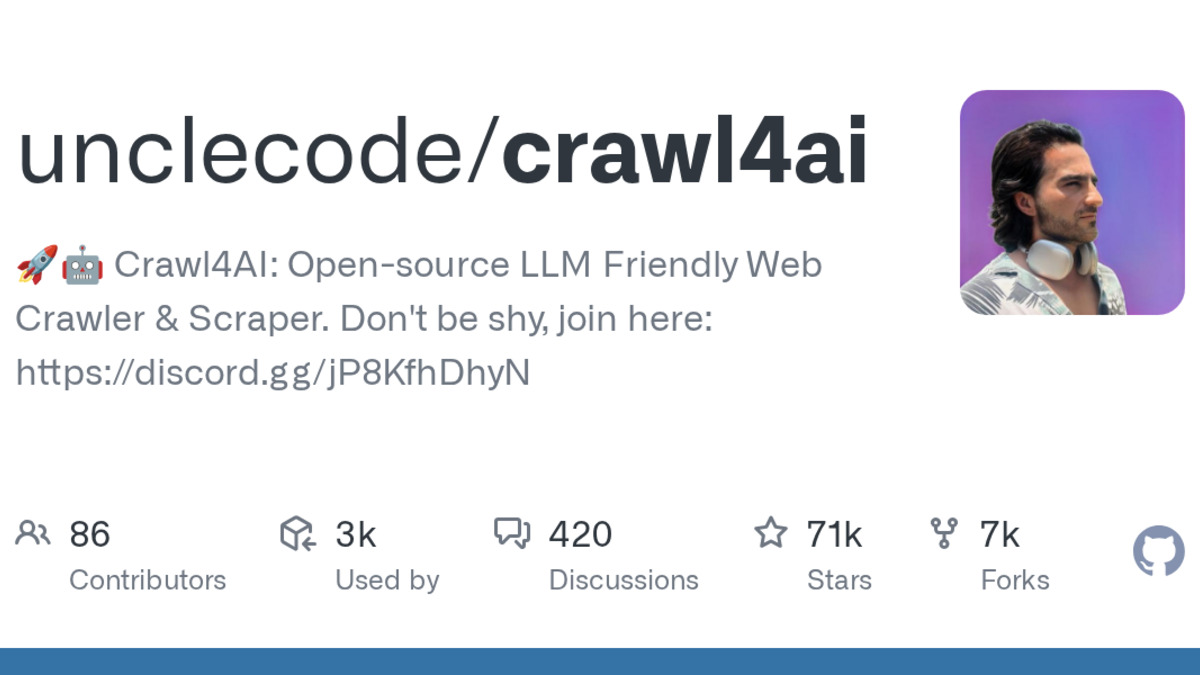 Crawl4AI has become the go-to open-source library for LLM-friendly web crawling.
Source: github.com/unclecode/crawl4ai
Crawl4AI has become the go-to open-source library for LLM-friendly web crawling.
Source: github.com/unclecode/crawl4ai
Speed benchmarks from 2026 testing put Crawl4AI at 1.60 seconds for simple crawls versus Firecrawl's 7.02 seconds. JavaScript-heavy pages take 4.64 seconds. It runs on Playwright and supports CSS selectors, XPath, and LLM-based extraction strategies. Output is clean markdown, with configurable chunking for RAG ingestion.
What Crawl4AI does well
Zero per-page costs and no vendor lock-in. Running with local models makes a fully offline extraction pipeline possible, which matters for data sovereignty and predictable costs at scale. The adaptive crawling feature uses information foraging algorithms to detect when a page has yielded enough signal and stop - cutting unnecessary browser cycles. Structured extraction support covers CSS selectors, XPath, and LLM-based patterns.
Where it falls short
You own the infrastructure: scaling, proxy rotation, CAPTCHA handling, and uptime. For solo developers this is manageable. For systems pushing millions of pages a month, the DevOps overhead becomes real work. Anti-bot success rate in tests sat at 72% without additional proxy configuration - lower than managed services with dedicated residential proxy networks.
Best for: Developers who want free, self-hosted scraping with full control and no per-page costs.
Apify
Apify is a marketplace of pre-built "Actors" - roughly 33,000 of them - each purpose-built for a specific crawl target. LinkedIn profiles, Amazon products, TikTok posts, Reddit threads, Google Maps, YouTube channels. If your target site has an Actor, you skip the scraper engineering completely and get structured data right away.
Pricing runs on compute units. One CU equals 1 GB of RAM running for one hour. The free tier includes $5 in monthly credits. Starter ($29/month) provides up to 64 GB RAM and 32 concurrent runs at $0.20/CU. Scale ($199/month) expands to 256 GB and 128 concurrent runs at $0.16/CU. Business ($999/month) reaches 512 GB at $0.13/CU.
The hidden cost is residential proxies. Apify charges $8 per GB of data transferred through residential proxies - required for anti-bot-protected targets like LinkedIn or Amazon. On some workloads, proxy costs exceed compute costs.
What Apify does well
The Actor marketplace is Apify's main differentiator. Community-maintained scrapers handle site-specific anti-bot measures, pagination patterns, and data structures that generic tools can't match. Apify also offers scheduling, webhooks, cloud storage, and data pipeline integrations built into the platform. For teams that need data from many different sites and don't want to maintain scrapers for each one, this is the realistic choice.
Where it falls short
Actor output isn't LLM-optimized by default. You get structured JSON, which is great for databases but needs a transformation step for LLM ingestion. The compute-unit model is harder to forecast than per-page pricing - a complex Actor with multiple JS-rendered pages and proxy usage can cost far more than a simple estimate suggests. Many popular Actors also charge additional per-result or per-event fees on top of compute.
Best for: Teams that need data from specific, high-value targets (LinkedIn, Amazon, social media) and don't want to build custom parsers.
Jina AI Reader
Jina Reader is the simplest tool here. Prepend https://r.jina.ai/ to any URL and you get a clean markdown version of that page. No API key required for basic use, no SDK, no configuration. It's the fastest possible integration for an AI agent that needs to read a page during a task.
Rate limits without an API key: 20 requests/minute. With a free API key, each key includes 10 million free tokens and the limit rises to 100 RPM. Paid tiers scale to 500 RPM and above.
One development worth flagging: Elastic bought Jina AI in October 2025. The Reader API and open-source models remain available and pricing hasn't changed materially, but Jina's standalone product identity is slowly merging into Elastic's ecosystem. Long-term direction depends on Elastic's roadmap priorities.
What Jina Reader does well
The r.jina.ai/ prefix trick is unbeatable for single-URL, zero-setup conversion. For AI agents that need to read a page during task execution, it's one line of code and no authentication for low-volume use. Coverage of JavaScript-rendered content works well for typical editorial and informational pages.
Where it falls short
It's a single-page converter, not a crawler. No site-wide extraction, no crawl graphs, no structured output. Anti-bot protection on heavily guarded sites (e-commerce, social platforms) is weaker than dedicated scraping services. The post-acquisition uncertainty makes it a harder long-term bet for production systems that can't easily swap dependencies.
Best for: Quick one-off URL reads in AI agent workflows where zero-setup matters more than scale.
ScrapeGraphAI
ScrapeGraphAI takes a different approach from every other tool here. Instead of delivering raw or markdown content for you to pass to your LLM, it runs the extraction itself. You describe what you want - "extract product name, price, and availability" - and the API returns structured JSON. No selectors, no parsing code, no maintenance when sites redesign their layouts.
 ScrapeGraphAI uses AI to extract structured data from any page using natural language prompts.
Source: scrapegraphai.com
ScrapeGraphAI uses AI to extract structured data from any page using natural language prompts.
Source: scrapegraphai.com
Pricing uses credits. A markdown scrape costs 1 credit. Structured JSON extraction via the Extract API costs 5 credits per call. Stealth mode adds 5 more. The Starter plan ($20/month) includes 10,000 credits - enough for 2,000 structured extractions or 10,000 raw markdown pages. Growth ($100/month, 100,000 credits) handles 20,000 product extractions per month.
What ScrapeGraphAI does well
The developer experience is truly different. A natural language prompt replaces a CSS selector tree. When a site redesigns its product page, your extraction prompt usually still works without changes. For teams replacing high-maintenance selenium scrapers that needed regular updates, this cuts ongoing maintenance cost significantly.
Where it falls short
Five credits per structured extraction makes the economics work only if you're saving real maintenance time. High-volume commodity scraping - millions of pages per month - gets expensive fast when each extraction carries a LLM call overhead. The 500-credit free tier is limited for meaningful pre-purchase testing.
Best for: Developers building pipelines that need structured data without writing or maintaining CSS selectors.
ScrapingBee
ScrapingBee is the most traditional tool in this group. You send an URL, it returns rendered HTML through a managed headless Chrome fleet and proxy network. No LLM processing, no markdown output, just clean HTML reliably delivered through a managed service.
Plan tiers: Freelance ($49/month, 250,000 credits), Startup ($99/month, 1 million credits), Business ($249/month, 3 million credits), and Business+ ($599/month, 8 million credits). The credit multipliers matter more than the headline credit count. Basic request (datacenter proxy, no JavaScript): 1 credit. JavaScript rendering: 5 credits. Premium residential proxies: 25 credits. Stealth mode: 75 credits per request. A $49 Freelance plan with stealth scraping effectively covers around 3,300 pages per month, not 250,000.
What ScrapingBee does well
The proxy infrastructure and Chrome fleet are battle-tested for sites that need reliable HTML delivery. Pricing, once you've mapped your workload credit multipliers, is more predictable than Apify's compute-unit model. For teams with their own parsing stack who just need reliable HTML through managed proxies, ScrapingBee does exactly what it promises.
Where it falls short
No LLM-ready output means an extra transformation step for every AI use case. The credit multipliers require careful planning before committing to a plan - mixing simple and JavaScript-heavy requests in the same pipeline makes cost estimation tricky. No self-hosting option creates vendor dependency with no migration path if pricing changes.
Best for: Teams building their own parsing layer who need managed proxy infrastructure and consistent HTML delivery.
Best Picks
For production RAG pipelines: Firecrawl. Per-page pricing is transparent, markdown output is LLM-optimized, and there's no infrastructure to manage. 100K pages for $83/month on annual billing covers most serious pipelines.
Free or self-hosted: Crawl4AI. Nothing else matches it if you can run your own infra. Active development, 70K GitHub stars, and faster benchmark times than the managed services. The 72% out-of-box anti-bot success rate needs proxy augmentation at scale, but the library is solid.
Pre-built scrapers for specific targets: Apify. If the need is "pull LinkedIn profiles" or "scrape Amazon reviews," an Actor for that already exists and is maintained. Don't rebuild it.
Quick agent reads: Jina Reader. For AI agents reading a single URL during task execution, the r.jina.ai/ prefix trick is the fastest integration available. The Elastic acquisition creates some uncertainty, but the free tier for low-volume agent use is hard to beat.
Structured extraction without selectors: ScrapeGraphAI. If you're replacing a parser that needed updates every time a site changed layout, the prompt-based approach cuts that maintenance entirely.
Managed proxy and raw HTML: ScrapingBee. For teams already invested in their own parsing stack who just need reliable HTML, it's straightforward and the fleet is mature.
Sources
- Firecrawl Pricing
- Crawl4AI on GitHub
- Apify Pricing
- Jina AI Reader
- ScrapeGraphAI Pricing Guide
- ScrapingBee Pricing
- Web Scraping Pricing 2026: 9 Platforms Compared - Apify Blog
- Firecrawl vs Crawl4AI 2026 - Apify Blog
- Firecrawl vs Jina Reader 2026 - Apify Blog
- Best AI Web Scraping Tools - Bright Data
- Jina AI Reader Review and Rate Limits
- ScrapeGraphAI vs ScrapingBee Comparison
✓ Last verified July 8, 2026

