
Best AI Tools for Designers and Creatives (2026)
A hands-on comparison of the best AI tools for designers in 2026, covering image generation, video, UI/UX design, and branding with real pricing and feature breakdowns.
 10 min read
The creative toolbox looks nothing like it did two years ago. AI image generators now produce print-ready assets in seconds, video tools handle motion design that once required After Effects expertise, and Figma can produce full UI layouts from a text prompt. For designers evaluating which tools actually deserve a spot in their workflow, the signal-to-noise ratio is terrible. Marketing pages all claim to be the best. I tested them so you don't have to.
TL;DR
- Midjourney V7 remains the strongest all-around image generator for concept art and visual exploration, starting at $10/month
- Ideogram wins on typography accuracy at 95%+ text rendering, with a free tier of 10 prompts per day
- Adobe Firefly is the safest pick for commercial work thanks to IP-indemnification and deep Creative Cloud integration
- For UI/UX teams, Figma AI's built-in generation and layout tools eliminate the need for separate design plugins
Quick Comparison
| Tool | Best For | Starting Price | Free Tier |
|---|---|---|---|
| Midjourney V7 | Concept art, mood boards | $10/mo | No |
| Adobe Firefly | Commercial-safe assets | $0 (25 credits) | Yes |
| Ideogram 2.0 | Text in images, posters | $7/mo | 10 prompts/day |
| FLUX.2 Pro | API-first workflows | ~$0.03/image | No |
| Canva Magic Studio | Non-designers, social media | $0 | Yes (limited) |
| Figma AI | UI/UX prototyping | $0 | Yes (limited credits) |
| Runway ML | Video and motion design | $12/mo | 125 credits (one-time) |
| Leonardo AI | Versatile image styles | $10/mo | 150 daily tokens |
| Krea AI | Real-time iteration | $9/mo | 100 units/day |
| Stable Diffusion 3.5 | Local/private generation | Free (open source) | Unlimited (local) |
Image Generation
Midjourney V7
Midjourney still sets the bar for aesthetic quality. V7 shipped personalization profiles that learn your style preferences, improved prompt adherence for complex multi-element descriptions, and a Draft Mode that runs 10x faster at half the credit cost. The web-based editor replaced Discord as the primary interface, with smart segmentation, an image reel, and built-in vary/upscale controls.
Plans run $10/month (Basic), $30/month (Standard), $60/month (Pro), and $120/month (Mega). Annual billing knocks 20% off. There's no free tier - not even a trial. Stealth Mode for keeping images private requires Pro or higher.
The V8 Alpha preview launched on March 17, 2026, but V7 remains the production default. For concept art, mood boards, and visual ideation, nothing else matches Midjourney's combination of quality and speed.
 AI image generators have replaced traditional brainstorming tools for many creative workflows.
Source: pexels.com
AI image generators have replaced traditional brainstorming tools for many creative workflows.
Source: pexels.com
Ideogram 2.0
If your designs include text - posters, social graphics, signage, logos - Ideogram is the only tool that renders typography reliably. Where Midjourney and DALL-E produce garbled letters roughly half the time, Ideogram hits 95%+ accuracy on readable text in images. That single capability makes it vital for certain workflows.
Pricing is aggressive: a free tier gives you 10 prompts per day (about 40 images), Basic costs $7/month for 400 prompts, Plus is $15/month for 1,000, and Pro runs $48/month for 3,000. Annual billing saves around 40%. The Magic Prompt feature expands brief ideas into detailed generation prompts, and Pro users get batch generation from CSV files - up to 500 prompts at once.
Adobe Firefly
Adobe's play is commercial safety. Firefly trains exclusively on licensed content, and Adobe offers IP indemnification for paying subscribers. If your client's legal team asks where an asset came from, Firefly is the only answer that won't trigger a meeting.
The free tier gives 25 generative credits per month with watermarks. Firefly Standard ($9.99/month) provides 2,000 premium credits, Pro ($19.99/month) gets 4,000, and Premium ($199.99/month) delivers 50,000. Standard image generations are unlimited on paid plans - credits only get consumed by premium features like text-to-video, audio translation, and partner model outputs.
The tight integration with Photoshop, Illustrator, and the broader Creative Cloud ecosystem is what keeps Firefly relevant. Generative Fill in Photoshop alone justifies the subscription for many designers.
FLUX.2 Pro
FLUX.2 is the choice for developers and studios building image generation into their own products. It supports 4-megapixel photorealistic output ready for large-format print, and the Kontext Engine enables natural language editing of existing images. Pricing is purely API-based at roughly $0.03 per megapixel, with no subscription required.
The open-weight FLUX.1 Schnell model remains freely available under Apache 2.0, making it popular for local generation setups. But for production quality, FLUX.2 Pro is the tier that competes with Midjourney.
Leonardo AI
Leonardo offers the widest range of built-in style models - seven in total - covering everything from photorealism to anime to architectural rendering. The AI Canvas editor supports inpainting, outpainting, and layer-based editing directly in the browser.
The free plan provides 150 daily tokens that reset every 24 hours. Paid plans start at $10/month (Apprentice, 8,500 tokens), $24/month (Artisan, 24,000), and $48/month (Maestro, 60,000). Token costs scale with computational intensity, so a simple generation burns fewer tokens than a high-resolution upscale. All paid subscribers get full commercial rights.
Stable Diffusion 3.5 (Local)
Running image generation locally means unlimited output, zero recurring costs, complete privacy, and no content filters. Stable Diffusion 3.5 ships in three variants: Large (8B parameters), Large Turbo (optimized for 4-step generation), and Medium (2.5B). The Medium model runs comfortably on consumer hardware with 8GB VRAM.
The tradeoff is setup complexity. You need a compatible GPU (NVIDIA RTX 3060 minimum, 12GB VRAM recommended), familiarity with ComfyUI or Automatic1111, and patience for initial configuration. For teams already comfortable with technical workflows, the economics are hard to beat. For a deeper walkthrough, see our image generation beginner's guide.
Video and Motion Design
Runway ML
Runway's Gen-4 and Gen-4.5 models generate consistent characters, locations, and cinematic styles from text or image prompts. The Turbo Mode delivers faster rendering, and you can edit existing clips by describing changes - removing objects, adjusting lighting, swapping backgrounds.
 Video generation tools like Runway ML now handle tasks that previously required dedicated motion design expertise.
Source: pexels.com
Video generation tools like Runway ML now handle tasks that previously required dedicated motion design expertise.
Source: pexels.com
Plans range from free (125 one-time credits, testing only) through Standard ($12/month, 625 credits), Pro ($28/month, 2,250 credits), to Unlimited ($76/month, 2,250 credits plus Explore Mode for unlimited relaxed-rate generation). A 10-second Gen-4 Video costs 120 credits, so a Standard plan gets you roughly five clips per month. The Turbo variant costs 50 credits for the same duration.
For motion designers producing social content, product videos, or animated concepts, Runway is the most capable dedicated tool. The credit math gets expensive fast at production volumes, though.
Krea AI
Krea's standout feature is real-time generation under 50 milliseconds - images update as you type or sketch, making it feel more like a digital whiteboard than a traditional text-to-image tool. That speed is transformative for brainstorming sessions.
Beyond real-time generation, Krea aggregates multiple models (including Flux, ChatGPT Image, Ideogram, and Imagen) and offers 10 editing models for targeted modifications. Video generation pulls from Veo3, Sora, and Kling. Upscaling goes up to 8K resolution.
The Basic plan runs $9/month (5,000 credits), Pro is $35/month (20,000 credits with full video access), and Max is $105/month (60,000 credits). The free tier provides 100 compute units daily with limited model access.
UI/UX Design
Figma AI
Figma's native AI features now cover image generation, background removal, resolution boosting, AI-powered search, layer renaming, and - most notably - Figma Make, which creates functional UI layouts from natural language prompts. Describe an app ("fitness tracker with workout logging and progress charts") and Make builds multi-screen layouts aligned to your design system.
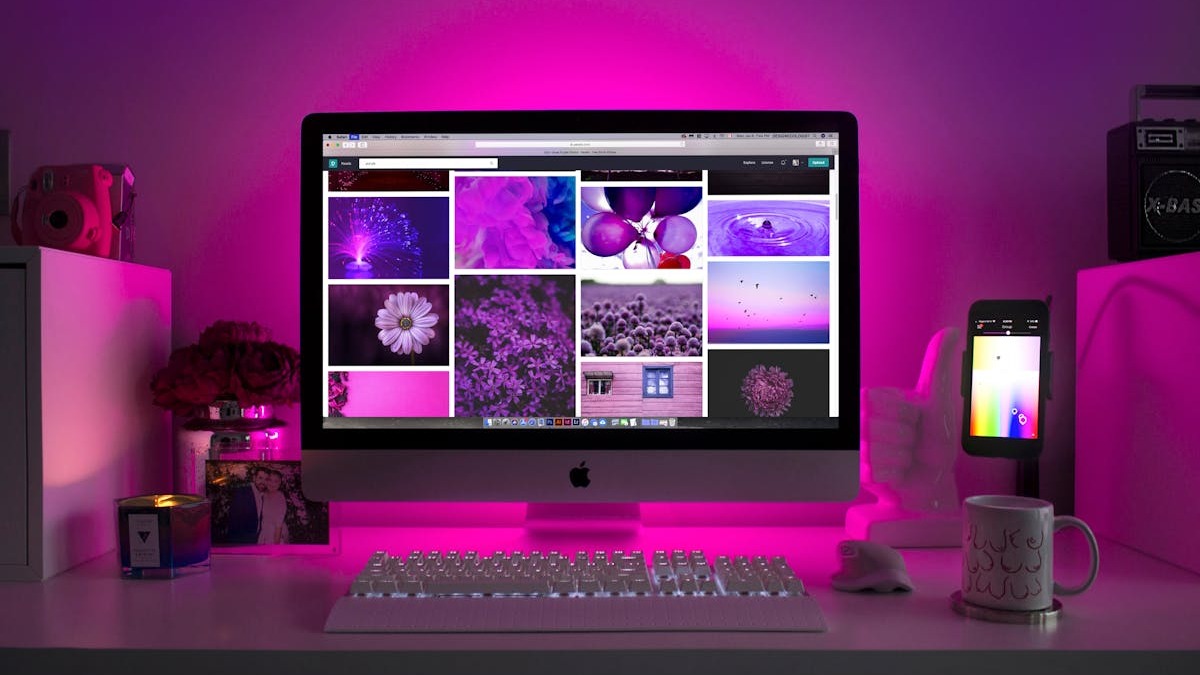 Figma AI lets designers generate full UI layouts from text descriptions, accelerating the prototyping phase.
Source: pexels.com
Figma AI lets designers generate full UI layouts from text descriptions, accelerating the prototyping phase.
Source: pexels.com
AI features run on a credit system: 500 to 4,250 monthly credits depending on your plan and seat type. As of March 18, 2026, credit limits are strictly enforced. When you hit the ceiling, options include waiting for the monthly reset, buying a shared credit pool add-on ($120-240/month for 5,000-10,000 credits), or pay-as-you-go at $0.03 per credit (arriving Q2 2026).
Base Figma plans start free (Starter), then $15/user/month (Professional), $55/user/month (Organization), and $90/user/month (Enterprise). The AI credits come bundled with these plans rather than priced separately.
For teams already in Figma, the AI features remove the need for third-party design plugins. The question is whether the credit allocation matches your volume.
Canva Magic Studio
Canva's AI suite targets non-designers and small teams who need polished output without specialized skills. Magic Design generates complete templates from a text prompt. Magic Media creates images and video from descriptions. Magic Layers breaks flat images into editable components in under 15 seconds. The 25+ AI tools cover everything from copy generation to background removal.
Canva Free includes limited AI usage (around 50 Magic Write uses per month). Pro ($15/month) and Business ($20/user/month) unlock roughly 500 monthly AI uses with access to premium features. For social media managers and marketing teams, Canva remains the fastest path from idea to published asset.
Logo and Branding
For AI-assisted logo design, see our dedicated best AI logo design tools roundup. The short version: Ideogram's text rendering makes it the strongest generator for logo concepts that include wordmarks. Midjourney handles abstract brand symbols well. Neither replaces a human designer for final brand identity work, but both compress the early exploration phase from days to hours.
Adobe Firefly's vector generation in Illustrator deserves a mention here too. Generating vector-format logo concepts directly inside Illustrator - editable paths, not rasterized images - fills a gap that standalone image generators can't match.
How to Pick the Right Tool
The answer depends on your workflow, not the marketing copy. A few practical filters:
You need commercial safety above all else. Adobe Firefly. IP indemnification matters when clients or employers are involved.
You're exploring visual concepts and mood boards. Midjourney V7. Unmatched aesthetic quality and the new Draft Mode makes rapid iteration cheap.
Your designs include readable text. Ideogram. Nothing else comes close on typography accuracy.
You want AI inside your existing design tool. Figma AI if you're in Figma, Canva Magic Studio if you're in Canva, Firefly if you're in Creative Cloud. Context-switching kills velocity.
You need video content. Runway ML for dedicated video generation, or Krea AI if you want image + video in one platform.
You're building products that generate images. FLUX.2 Pro via API. Pay-per-image pricing without subscriptions.
You want maximum control and zero recurring costs. Stable Diffusion 3.5 locally. Requires technical setup but the economics are unbeatable at scale.
Most working designers end up using two or three of these tools together. Midjourney for ideation, Firefly for production assets, and Figma AI for interface work is a common stack. The tools complement more than they compete.
FAQ
What is the best AI image generator for designers in 2026?
Midjourney V7 leads on overall image quality and aesthetic control. For commercial-safe assets, Adobe Firefly is the strongest pick thanks to IP indemnification.
Are there free AI design tools worth using?
Yes. Ideogram offers 10 free prompts daily, Leonardo AI provides 150 daily tokens, and Canva Free includes limited AI features. Stable Diffusion 3.5 is completely free if you run it locally.
Which AI tool is best for text and typography in images?
Ideogram 2.0 hits 95%+ accuracy on text rendering in produced images, far ahead of Midjourney, DALL-E, and Stable Diffusion which hover around 30-50% accuracy.
Can AI tools replace human designers?
No. These tools accelerate specific parts of the design process - concept exploration, asset generation, prototyping. Strategy, user research, brand consistency, and final polish still require human judgment. Teams using AI tools report shipping 40-60% faster, not cutting headcount.
Is Midjourney worth the price without a free trial?
For professional designers doing regular concept work, the $10/month Basic plan pays for itself in the first session. The lack of a free trial is a genuine friction point, but the Standard plan at $30/month with unlimited Relax Mode generations is where most working designers land.
How do Figma AI credits work?
Each Figma plan includes 500-4,250 monthly AI credits. Credits are consumed by image generation, background removal, resolution boosting, and Figma Make. They reset monthly with no rollover. Additional credits cost $120-240/month for shared pools, or $0.03 each via pay-as-you-go starting Q2 2026.
Sources
- Midjourney Plans and Pricing
- Adobe Firefly Plans
- Ideogram Pricing and Features
- Figma AI Pricing and Credits
- Runway ML Pricing
- Leonardo AI Pricing
- Canva Magic Studio Features
- FLUX.2 Pricing - Black Forest Labs
- Krea AI Pricing
- Stable Diffusion 3.5 Guide
- Best AI Tools for Graphic Design 2026 - toools.design
- AI Image Generation Leaderboard
✓ Last verified March 26, 2026

