
Best AI Project Management Tools in 2026
A hands-on comparison of the top AI-powered project management tools in 2026, covering Linear, Asana, Monday.com, ClickUp, Notion, and Jira with verified pricing and feature breakdowns.
 11 min read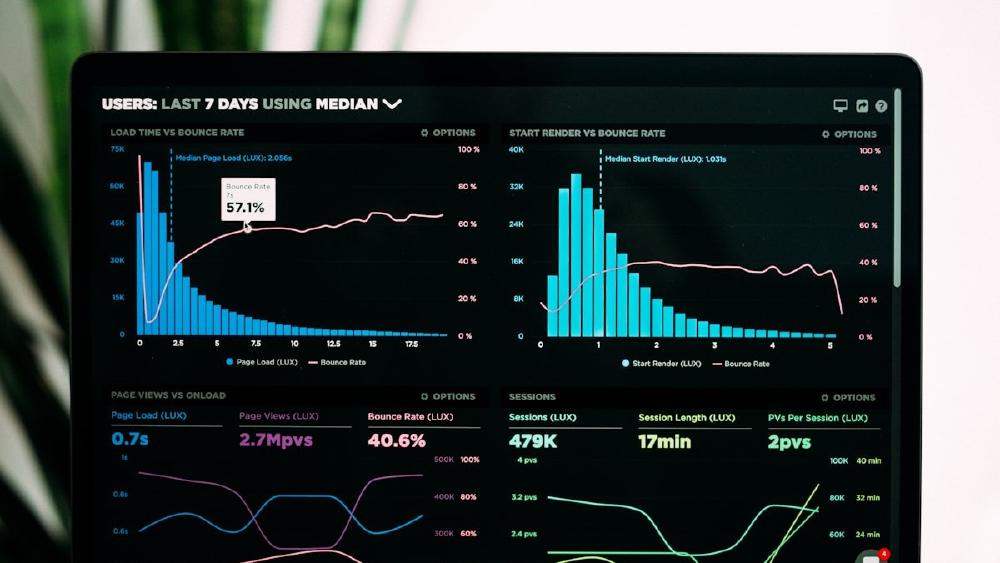
The gap between "has AI features" and "is actually useful with AI" is wider than vendor marketing suggests. I've spent the last several weeks running these tools through real project scenarios - sprint planning, backlog triage, status reporting - and the results are uneven. A few truly save time. Others have bolted on a chatbot and called it intelligence.
TL;DR
- Linear is the best pick for software teams: its agentic AI converts natural language directly into issues, links them to coding agents, and its March 2026 pivot to "agent management" is the most coherent AI story in the category
- Asana gives the best value for non-engineering teams: AI Studio ships with the $10.99/user Starter plan and handles workflow automation without a separate add-on charge
- Monday.com's credit-based AI pricing is the most unpredictable - great features, but the cost model requires a spreadsheet to forecast
What Changed in 2026
A year ago, "AI project management" mostly meant auto-producing task descriptions. The category has moved fast. The tools that matter now either have genuine agent capabilities - where the AI takes actions, not just suggests them - or they've integrated deeply with coding agents and external tools through MCP (Model Context Protocol).
Linear's CEO Karri Saarinen made the sharpest statement of this shift in March 2026, declaring "issue tracking is dead" and announcing that Linear Agent would become the primary interface for development work. That's a bold claim, but the adoption data behind it isn't: coding agents are active in 75% of Linear enterprise workspaces, and agent-initiated work has grown fivefold in three months, according to Saarinen.
Other tools are catching up. Asana launched autonomous AI agents in its workflow builder. Notion added Custom Agents in February 2026. ClickUp's Brain product now connects to Slack, Google Drive, HubSpot, and a dozen other tools through a universal context layer.
None of them are there yet. But the gap between project management software and agent orchestration is closing.
The Tools
Linear - Best for Software Teams
Linear has always been opinionated - fast, keyboard-driven, minimal. The AI layer keeps that philosophy. You don't configure a chatbot; you describe what you want and Linear creates issues, assigns them, and routes them to coding agents.
The core AI features break into two tiers. The free plan and Basic ($10/user/month) both include Linear Agent in beta - you can chat with it in the app or through Slack/Teams integrations to create issues from conversations. The Business plan ($16/user/month) adds Triage Intelligence, which automatically applies labels, assignees, and project assignments based on historical patterns. It also enables Agent automations - saved workflows triggered without human input.
The MCP integration is what separates Linear from the rest. Linear Agent can connect to external tools through MCP, pulling context from codebases, documentation, and other data sources when drafting specs or triaging bugs. This is the feature that makes the "coding agent as first-class team member" workflow actually work.
Pricing: Free / $10 / $16 / Enterprise (custom). All per user/month, billed annually.
Limits: Agent automations are Business-only. The free plan caps at 250 issues and 2 teams.
Best for: Engineering teams already using Linear, or teams planning to use AI coding agents as part of their workflow.
 Modern project boards use AI to suggest assignments and surface blocked tasks automatically.
Source: unsplash.com
Modern project boards use AI to suggest assignments and surface blocked tasks automatically.
Source: unsplash.com
Asana - Best for Non-Engineering Teams
Asana's AI story is less dramatic than Linear's but more practical for most organizations. AI Studio - the tool that lets you build automated workflows with natural language - ships with every paid plan starting at $10.99/user/month. You don't need to upgrade to access it.
The features worth noting: Smart Fields auto-populate task metadata from context. Smart Summaries produce status updates from project data. "Words to Workflows" converts a plain-language description of a process into a structured Asana workflow. In testing, the workflow generation was the strongest feature - it handles multi-step approval processes and cross-team handoffs better than most competitors.
Where Asana lags is in agent autonomy. The AI can create workflows and draft updates, but it doesn't take actions without being configured to do so. That's a deliberate choice - Asana's customer base skews toward marketing, ops, and finance teams that want structured automation, not open-ended agents. For those use cases, it's a good fit.
The Advanced plan ($24.99/user/month annually) adds portfolio-level AI summaries and smart goals. For larger teams tracking multiple projects against OKRs, the jump is worth it. Below that, Starter covers most non-technical use cases.
Pricing: Free (2 users) / $10.99 / $24.99 / Enterprise (custom). Annual billing.
Limits: AI Studio has rate limits on the Basic plan; higher usage requires AI Studio Plus or Pro add-ons at additional cost.
Best for: Operations, marketing, and finance teams running structured workflows with cross-functional stakeholders.
Monday.com - Most Powerful, Least Predictable Pricing
Monday.com has some of the strongest AI features in the category - AI Sidekick, risk insights, formula builder, a Vibe-coded app builder for Enterprise - but the pricing model makes budgeting a problem.
The base structure: Free / $9/seat (Basic, 3-seat minimum) / $12/seat (Standard) / $19/seat (Pro) / Enterprise (custom). Standard and above include AI credits. Most of the high-value AI features - Formula Builder, Docs Assistant, Deal Insights - don't consume credits and are available free. The credit-consuming features (AI Blocks in automations) cost 8 credits per action, at roughly $0.01/credit.
500 free monthly AI credits sounds generous until you start running AI-powered automations at scale. A workflow that triggers AI on every new item in a 100-item board can exhaust the free allotment in a few days. The Enterprise plan bundles a more capable "AI Sidekick Plus" and a larger credits allocation, but pricing requires a call with sales.
Monday's strength is versatility. It handles software development, marketing campaigns, HR workflows, and sales pipelines in a single tool better than any competitor. If you can forecast AI credit consumption accurately - or if your use case is light on automation - it competes with anything here.
 Portfolio analytics with AI-generated risk flags help managers spot problems before they escalate.
Source: unsplash.com
Portfolio analytics with AI-generated risk flags help managers spot problems before they escalate.
Source: unsplash.com
ClickUp - Best All-in-One (With an Asterisk)
ClickUp Brain is the most ambitious AI product in this comparison. It's a context layer that spans your entire workspace - tasks, docs, dashboards - and connects to Slack, Google Drive, HubSpot, Figma, Notion, and more. Ask it anything about your work and it synthesizes an answer from all connected sources.
The problem: it costs extra. Brain AI is $9/user/month on top of your base plan. The "Everything AI" tier ($28/user/month as an add-on) includes ambient answers, an AI notetaker, and image generation. For a 30-person team on the $12/user Business plan, adding Brain AI to everyone pushes per-seat cost to $21/user/month - close to Asana Advanced territory, but without the polished workflow tooling.
The AI Super Credits system (1,500/month on Brain AI, 5,000 on Everything AI) funds agent actions, automations, and image generation. Additional credits run $0.001 to $10 per 10,000, depending on action complexity. In practice, most teams don't exhaust the included credits on knowledge-work tasks; it becomes a factor for teams running heavy AI automations.
The base ClickUp plans without the AI add-on remain some of the best value in project management. The Unlimited plan at $7/user/month covers most team needs. Add Brain selectively - not for every seat in the workspace.
Pricing: Free / $7 / $12 / Enterprise (custom) base plans. Brain AI add-on: $9/user/month. Everything AI: $28/user/month.
Best for: All-in-one teams who want a single tool for tasks, docs, and reporting, and can manage the add-on cost.
Notion - Best for Knowledge-Heavy Teams
Notion's pitch has always been the combination of wiki and project management. The AI layer - launched as an add-on and restructured in May 2025 to be included in Business and Enterprise plans - extends that into research, meeting notes, and cross-workspace search.
The Business plan ($20/user/month, or $15 billed annually in USD; pricing shown in EUR varies by region) is where AI becomes fully usable. It includes Ask Notion (searches across Slack, Google Drive, and GitHub with your workspace), AI Meeting Notes with automatic transcription, Research Mode for generating detailed reports, and full access to Notion Agent.
The February 2026 Notion 3.3 update added Custom Agents - specialized AI workflows you configure to run recurring research, draft reports, or process incoming data. Credits cost $10 per 1,000 monthly Notion credits after the free tier runs out.
The Plus plan ($10/user/month) gives only a limited trial of AI features. If AI is the reason you're considering Notion, you're committing to the Business plan. That said, for teams where documentation, meeting notes, and project tracking live in one place, the Business plan's AI integration is the most cohesive knowledge-work experience in this comparison.
Pricing: Free / $10 / $20 / Enterprise (custom). Annual billing saves ~20%.
Best for: Teams that need docs, wikis, and projects in a single tool - especially knowledge workers who spend significant time in meetings and research.
Jira - Best for Existing Atlassian Shops
Atlassian Intelligence - Jira's AI layer - requires Premium or Enterprise. That's a hard requirement, not a soft one. Standard plan users get no AI features.
Jira Premium costs roughly $15.63/user/month (after the October 2025 price increase). For teams already on Jira Standard, the upgrade is meaningful: Natural Language to JQL lets you search issues in plain English; AI Work Breakdown suggests sub-tasks from epic descriptions; AI Summaries condense long comment threads. Rovo, Atlassian's AI agent, is included up to usage quotas.
The practical limitation is the ecosystem lock-in question. Jira's AI features are strong for teams already deep in the Atlassian stack - Confluence, Jira Service Management, Rovo connecting across products. For teams not already invested, the Premium price point is hard to justify against Linear or Asana.
The Virtual Agent in Jira Service Management (JSM) is one of the standout features - an AI chatbot that handles frontline IT support requests via Slack or Teams, routing and resolving common issues without human intervention. If you're running an internal helpdesk on JSM, this alone may justify the Premium upgrade.
Pricing: Free (10 users) / Standard ~$8/user/month / Premium ~$15.63/user/month / Enterprise (custom).
Best for: Organizations already running Confluence, JSM, and other Atlassian products.
Pricing Comparison
| Tool | Free | Entry Paid | AI Included? | AI Add-On Cost |
|---|---|---|---|---|
| Linear | Yes (250 issues) | $10/user/mo | Agent in all plans | None |
| Asana | Yes (2 users) | $10.99/user/mo | Yes, all paid plans | AI Studio Plus extra |
| Monday.com | Yes (2 seats) | $9/seat/mo (3-seat min) | Credits (500/mo free) | Credits at ~$0.01 each |
| ClickUp | Yes | $7/user/mo | No | $9/user/mo (Brain) |
| Notion | Yes | $10/user/mo | Trial only on Plus | Included in Business ($20) |
| Jira | Yes (10 users) | ~$8/user/mo (Standard) | No | Premium required (~$15.63) |
All paid plan prices are per user per month, billed annually.
How to Pick
You're a software team building with AI coding agents: Linear. The MCP integration and agent-first architecture are built for exactly this workflow. The Business plan at $16/user is the minimum useful tier.
You run non-technical workflows - marketing, ops, HR: Asana. AI Studio ships with the entry plan and the workflow builder is the most polished in its class for structured processes.
You need one tool for everything - docs, tasks, CRM-lite, reporting: Monday.com or ClickUp depending on your AI budget. Monday if you can model the credit usage; ClickUp if you want predictable costs and can add Brain selectively.
Your team lives in Notion already: The Business plan's AI integration is truly good. If you're not already there, it's a harder sell at $20/user versus Asana's $10.99 with comparable AI.
You're on Jira Standard: Evaluate whether the Premium jump to ~$15.63/user is worth the AI features alone, or whether a newer tool gets you there cheaper. For Atlassian shops running JSM, the upgrade is much easier to justify.
 Engineering teams benefit most from tools that connect project tracking directly to AI coding agents.
Source: unsplash.com
Engineering teams benefit most from tools that connect project tracking directly to AI coding agents.
Source: unsplash.com
The Honest Assessment
Most teams don't need more sophisticated project management software. They need to use what they have better. Still, if your engineering team is actively using AI coding agents, Linear's approach is the only one that treats the agent as a first-class team member rather than a bolt-on.
For everyone else, the AI features in Asana and Monday.com are truly useful for reducing the administrative overhead of project coordination - writing status updates, triaging incoming requests, flagging risks. They don't replace judgment. They do replace the tedious parts.
The one thing to watch: credit-based pricing models. Both Monday.com and ClickUp (for AI) charge based on consumption, which makes budgeting harder as AI usage scales. Flat per-seat pricing from Linear and Asana is more predictable. If you're evaluating these tools for a larger team, model the AI usage costs before signing a contract.
Sources
- Linear pricing - official
- Linear Agent announcement - The Register, March 2026
- Linear AI features page
- Asana pricing - official
- Monday.com AI ecosystem overview
- ClickUp pricing - official
- ClickUp Brain - official feature page
- Notion pricing - official
- Jira pricing - Atlassian official
- Atlassian Intelligence AI in Jira overview - eesel AI
✓ Last verified April 25, 2026

