
Best AI PDF Tools 2026: Consumer Chat vs Dev APIs
Tested rankings of AI PDF tools across two categories: consumer chat apps and developer extraction APIs, with verified pricing and benchmark data.
 Updated
13 min read
Updated
13 min read
There are two very different problems in the AI PDF space, and vendors tend to blur them together. One is the consumer use case: upload a contract, textbook, or research paper and ask questions about it. The other is production document extraction: pull structured tables, form fields, and equations from millions of pages to feed downstream systems. The tools that solve one of these well often fail at the other. This guide separates the two categories and ranks each on data that you can verify.
TL;DR
- Best consumer PDF chat overall: ChatDOC - accurate citations, GPT-4o access, 200-page free tier
- Best developer extraction API: Mistral OCR - 96.1% table accuracy, $1 per 1,000 pages with batch pricing
- For zero-cost self-hosting: Docling (IBM open-source) and Marker are both strong, with Docling scoring 0.882 on OmniDocBench text fidelity vs Marker's 0.861
- Azure and AWS are reliable for forms at scale but cost 6-40x more than Mistral OCR per page
- LlamaParse is the default for RAG pipelines already using LlamaIndex, but gets expensive fast on complex layouts
How We Picked These
Consumer PDF tools were evaluated on citation accuracy - specifically whether the tool points you to the right page and passage, not just the right document. A tool that answers "what does the contract say about termination clauses?" correctly but cites the wrong section is worse than useless in a legal or compliance context. We uploaded the same set of test documents to each consumer tool and compared answer quality and citation tracing against the source material directly.
For developer extraction APIs, we relied on public benchmark results where they existed - OmniDocBench and Reducto's RD-TableBench are both reproducible and well-documented - and supplemented with direct API tests on a document set that included scanned tables, equations, and multi-column layouts. Vendor benchmark numbers were checked against methodology: self-reported accuracy on curated internal test sets is weighted less than third-party or open-source benchmarks run against varied real documents.
We excluded consumer tools with no verifiable citation mechanism, tools requiring enterprise procurement to access at any tier, and API services whose pricing we could not confirm through official documentation. Open-source tools (Docling, Marker) were included because self-hosting is a legitimate and cost-effective option for many teams - excluding them because they require infrastructure would be misleading.
Pricing was verified from official sources in April 2026. The AI PDF space is moving quickly - Mistral released OCR 3 in January 2026, and LlamaIndex open-sourced LiteParse in March 2026. Check current documentation before selecting an API for a production pipeline.
What This Guide Covers
The consumer/SaaS tools reviewed here - ChatPDF, Adobe Acrobat AI Assistant, HumataAI, AskYourPDF, ChatDOC, PDF.ai, LightPDF AI, and Smallpdf AI - are aimed at professionals, students, and researchers who need to interact with documents through a chat interface.
The developer/API tools - Mistral OCR, LlamaParse, Reducto, Unstructured.io, Azure AI Document Intelligence, AWS Textract, Google Document AI, Marker, and Docling - are aimed at engineering teams building pipelines. They're evaluated differently: output format fidelity, table/equation accuracy, throughput, and cost per page matter more than chat quality.
If you're building a RAG pipeline and want to understand how these extraction tools fit into a retrieval architecture, see the best AI RAG tools guide. If structured data extraction from spreadsheets is your goal, the best AI data analysis tools guide covers that separately.
Consumer PDF Chat Tools
Comparison Table
| Tool | Free Tier | Paid Plan | Context / Page Limit | Highlights |
|---|---|---|---|---|
| ChatDOC | 5 uploads/day, 300 questions | $8.99/month | 200 pages/file (free) | GPT-4o, citation tracing, OCR |
| ChatPDF | 2 PDFs/day | Plus (unlimited) | 120 pages/file (free) | GPT-4o/4o-mini routing, no login needed |
| HumataAI | 10 answers/month, 60 pages | $9.99/month (Expert) | 500 pages (Expert) | Best for academic docs |
| AskYourPDF | 50 questions/day | $11.99/month | 2,500 pages (paid) | Plugin ecosystem, 50 docs/day paid |
| Adobe Acrobat AI | No free AI tier | $4.99/month add-on | Up to 10 files, 600 pages each | Native PDF editing + AI chat |
| LightPDF AI | 8 questions/day | $19.99/month | 100 MB file limit | 25+ PDF tools bundled |
| PDF.ai | Limited daily use | $15/month | Unlimited docs (Pro) | Clean UI, unlimited chat |
| Smallpdf AI | Unlimited basic Q&A | $12/month (Pro) | No registration needed | Fast summaries, EU-hosted |
ChatDOC
ChatDOC is the strongest consumer option right now. The free tier allows five document uploads per day at 200 pages each, with 300 questions daily - generous enough for real use. The Pro plan at $8.99/month adds GPT-4o access, formula recognition, and OCR for scanned documents. ChatDOC's citation feature traces answers to the specific page and passage, which matters when you need to verify an AI claim against a contract or technical spec.
For users who need to stay on budget, the add-on packages are a useful safety valve: extra files cost $0.29 each and extra pages cost $0.06 each, both valid for 90 days.
ChatPDF
ChatPDF is the entry point for many users and gets the basics right. Free usage requires no account: upload a PDF, start chatting. The 2-document daily limit on the free tier is workable for occasional use, and the smart routing between GPT-4o and GPT-4o-mini keeps response quality reasonable without inflating costs. The 120-page cap per file is a real constraint for long reports.
ChatPDF's strength is simplicity. There's nothing to configure, and sharing a secure link to a PDF-chat session takes seconds. It's not the best at long documents or multi-file analysis, but it remains the fastest way to extract a quick answer from a short PDF.
HumataAI
HumataAI is the option for students. The $1.99/month Student plan (with verified.edu email) covers 200 pages per month - enough for coursework and paper review. The Expert plan at $9.99/month is competitive for individual researchers. HumataAI's search and comparison features across multiple documents are stronger than ChatPDF's, but the free tier at 10 answers per month and 60 pages is too restrictive for real evaluation.
Adobe Acrobat AI Assistant
Adobe bundles the AI assistant as a $4.99/month add-on to any Acrobat subscription. This is the right pick if you're already paying for Acrobat Pro ($19.99/month) and do substantial PDF editing. The AI chat supports up to 10 files simultaneously at 600 pages each - the largest multi-file context window in this category.
The 2026 Acrobat Studio plan ($24.99/month) bundles AI features, PDF editing, and creative tools. Whether it's worth the premium depends completely on how much you use Acrobat for non-AI tasks. As a standalone PDF chat tool, you can find better value at lower price points.
AskYourPDF, PDF.ai, LightPDF AI, Smallpdf AI
AskYourPDF's paid plan at $11.99/month is solid value: 1,200 questions per day, 50 documents per day, up to 2,500 pages per document. The plugin ecosystem is an edge over competitors. PDF.ai at $15/month is clean and straightforward but doesn't offer anything that distinguishes it from ChatDOC or AskYourPDF at a lower cost.
LightPDF AI bundles 25+ PDF tools (convert, compress, edit) with AI chat. The $19.99/month price is harder to justify unless you need those utility tools with the chat capabilities. Smallpdf AI offers free unlimited basic Q&A without registration, which is useful for one-off summaries. Its EU hosting is a genuine differentiator for users with data residency requirements. The $12/month Pro plan unlocks advanced features.
Developer and API Extraction Tools
This is where accuracy benchmarks and per-page costs matter. The two main public benchmarks for this category are OmniDocBench (a CVPR 2025 benchmark covering text, tables, formulas, and reading order across nine document types) and Reducto's RD-TableBench (1,000 hand-labeled table images from varied public documents, scoring table similarity with a Needleman-Wunsch alignment algorithm).
Comparison Table
| Tool | Table Accuracy | Price per 1K pages | Free Tier | Output Formats | Self-host |
|---|---|---|---|---|---|
| Mistral OCR | 96.1% (internal) | $1 (batch) / $1 (standard, was $2) | No | Markdown, JSON | Selective |
| LlamaParse | Varies by mode | $0.00125 (simple) / $0.11+ (agent) | 10K credits | Markdown, JSON | No |
| Reducto | 90.2% (RD-TableBench) | Custom (15K credits free) | 15K credits | JSON, Markdown | VPC (Enterprise) |
| Unstructured.io | Varies by strategy | $30/1K pages (pay-as-you-go) | 15K pages | JSON, HTML, Markdown | Yes (open-source) |
| Azure Doc Intelligence | ~$10/1K pages | $10 (prebuilt), $30 (custom) | 500 pages/month | JSON | No |
| AWS Textract | Tables: $15-65/1K pages | $1.50 (basic OCR) | 1K pages/month | JSON | No |
| Google Document AI | $1.50/1K pages (OCR) | $1.50 (OCR), $30 (custom extractor) | 300 pages/month | JSON | No |
| Marker | OmniDocBench: 0.861 | Free | Unlimited (self-host) | Markdown, JSON | Yes |
| Docling | OmniDocBench: 0.882 | Free | Unlimited (self-host) | DoclingDocument, Markdown, JSON | Yes |
Mistral OCR (mistral-ocr-2503 / mistral-ocr-latest)
Mistral OCR is the best API pick for most document extraction workloads. In Mistral's internal benchmarks, the model scores 96.12% on table parsing, 94.29% on math, and 98.96% on scanned documents. On multilingual content, it hits 97.55% for Hindi and 97.11% for Chinese. The newer Mistral OCR 3 (released January 2026) improved accuracy on handwriting and forms, with a 74% win rate over OCR 2 in internal evaluations.
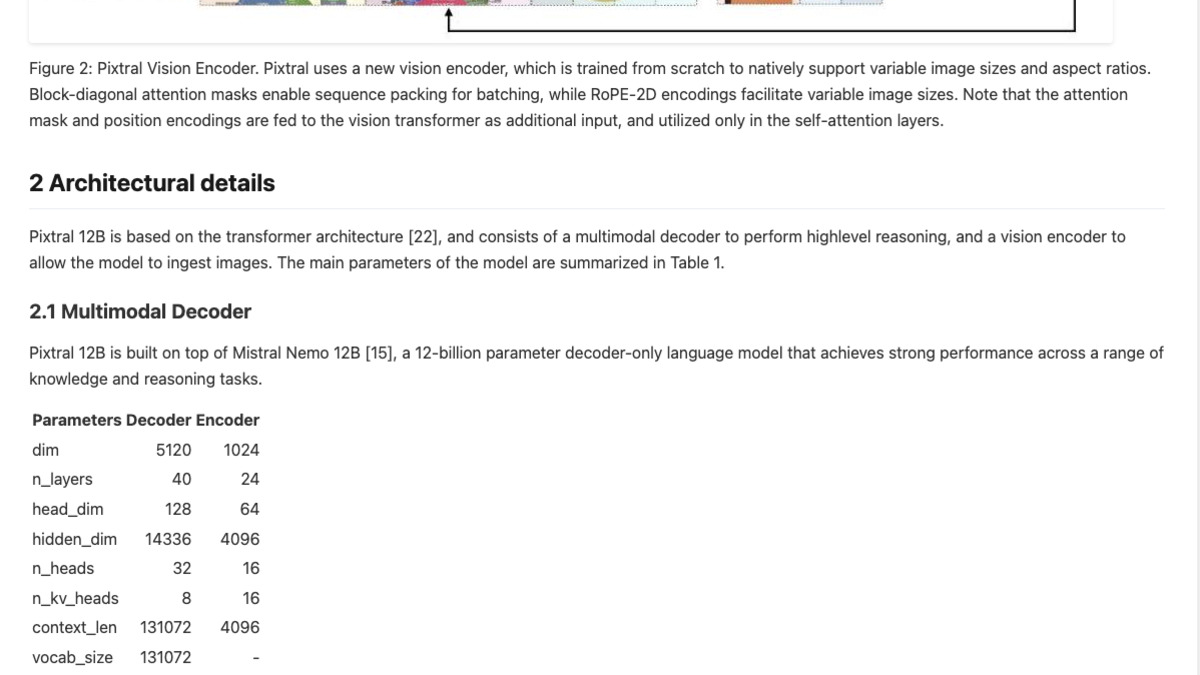 Mistral OCR rendering a complex multi-column table with figures. Output uses Markdown text with HTML table tags for structured cells.
Source: mistral.ai
Mistral OCR rendering a complex multi-column table with figures. Output uses Markdown text with HTML table tags for structured cells.
Source: mistral.ai
Pricing is $2 per 1,000 pages with the standard API (mistral-ocr-latest), dropping to $1 per 1,000 pages with the Batch API - the lowest among the major cloud providers. The API processes up to 2,000 pages per minute per node. A limited self-hosting option exists for customers with classified or highly sensitive workloads, but it's not generally available.
The output format deserves mention: Mistral OCR returns interleaved text and image references in Markdown, with tables as HTML, and supports structured JSON output for downstream use. This makes it directly usable in RAG pipelines without a separate parsing layer.
LlamaParse / LlamaIndex
LlamaParse runs on a credit system: 1,000 credits = $1.25. The cost per page ranges from $0.00125 (one credit, simple text extraction) to roughly $0.11 per page (90 credits, using a top-tier LLM agent like Sonnet for parsing). For most RAG workflows, the "cost-effective" mode at 3 credits per page ($0.00375 per page) is the practical baseline.
The 10,000 free credits on signup translates to roughly 3,300 pages at cost-effective mode - enough for a real pilot. LlamaParse is the natural fit if you're already using LlamaIndex for vector indexing and retrieval; the ecosystem integration reduces boilerplate. In March 2026, LlamaIndex also open-sourced LiteParse, a TypeScript-native local parser for agents that need zero-latency PDF parsing without cloud calls.
For complex layouts (financial tables, academic papers with equations), LlamaParse's premium agent mode is competitive, but Mistral OCR's batch pricing will be cheaper at scale.
Reducto
Reducto is built for production pipelines where table and form accuracy is critical. It combines traditional computer vision with vision-language models. On Reducto's own RD-TableBench, it scores an average table similarity of 90.2%. The benchmark is open-source (1,000 hand-labeled examples covering scanned tables, handwriting, merged cells, and multilingual content) and worth running against your own documents if you're evaluating vendors.
Pricing starts free for the first 15,000 credits, then moves to custom growth pricing. There's no public per-page rate - Reducto targets enterprises and pricing requires a conversation. HIPAA and SOC2 compliance, EU/AU data residency, and VPC deployment are available on paid tiers.
Unstructured.io
Unstructured offers both an open-source library and a managed platform. The open-source library is free to self-host and supports 60+ file types. The managed API charges $0.03 per page pay-as-you-go after 15,000 free pages - meaningfully cheaper than Azure or AWS for high-volume basic extraction. Compliance certifications (HIPAA, SOC2, GDPR, ISO 27001) make it viable for regulated industries.
The parsing strategy selection - Fast, Hi-Res, VLM, Auto - lets engineers trade speed against accuracy. Hi-Res and VLM modes handle complex layouts but at higher latency and cost. The open-source path is the cheapest option if you have the infrastructure to run it.
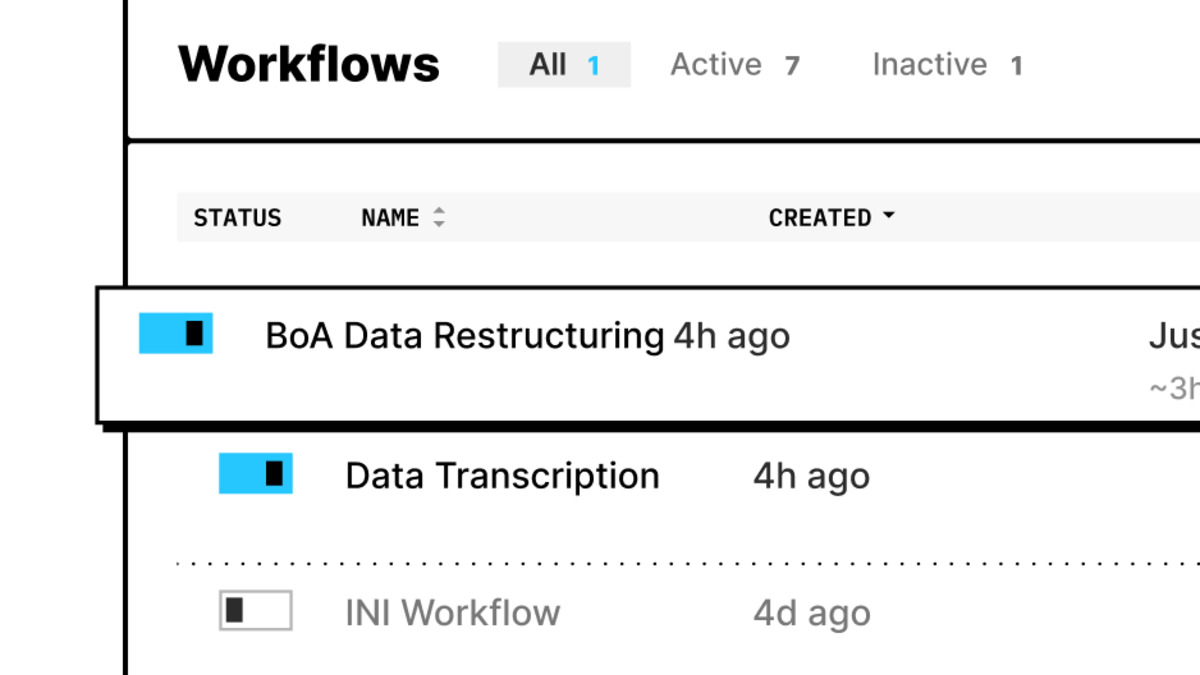 The Unstructured platform's no-code workflow builder. Engineers can also access the same processing via API without the UI layer.
Source: unstructured.io
The Unstructured platform's no-code workflow builder. Engineers can also access the same processing via API without the UI layer.
Source: unstructured.io
Azure AI Document Intelligence, AWS Textract, Google Document AI
These are the incumbent cloud offerings. They're battle-tested at enterprise scale but expensive compared to newer entrants.
Azure AI Document Intelligence: The Read model costs $1.50 per 1,000 pages, matching Google's OCR rate. Prebuilt models (invoices, receipts, contracts) run $10 per 1,000 pages. Custom extractors cost $30 per 1,000 pages for the first million pages, dropping to $20 afterward. Azure's advantage is deep integration with the Microsoft ecosystem and strong form-field extraction on standard document types.
AWS Textract: Basic text detection runs $1.50 per 1,000 pages. Table and form extraction (Analyze Document) ranges from $15 to $65 per 1,000 pages depending on features enabled. Volume discounts kick in above one million pages, dropping basic detection to $0.60 per 1,000 pages. Textract's table accuracy on Reducto's RD-TableBench was notably below Reducto and Mistral OCR in the benchmark results.
Google Document AI: OCR costs $1.50 per 1,000 pages (dropping to $0.60 above five million pages). Specialized processors - invoice parser, expense parser - each cost $0.10 per 10 pages ($10 per 1,000 pages). The Custom Extractor is $30 per 1,000 pages, same as Azure. Google's strength is language coverage and integration with Google Cloud workflows.
For teams already deep in AWS, Azure, or GCP, the convenience of staying in one cloud often justifies the price premium. For greenfield projects, Mistral OCR's accuracy and pricing make it hard to justify the incumbents on cost alone.
Marker and Docling (Open Source)
These are the two strongest open-source options for teams that want full control, zero per-page costs, and on-premises deployment.
Docling (IBM Research, Apache 2.0) outputs a structured DoclingDocument format that preserves semantic hierarchy - not just text, but the relationships between elements. It scored 0.882 on OmniDocBench text fidelity in evaluations. Docling reached 37,000 GitHub stars and is optimized for production RAG pipelines. It handles PDFs, DOCX, PPTX, HTML, and images.
Marker (MIT license, available at github.com/datalab-to/marker) scored 0.861 on OmniDocBench and supports an optional --use_llm flag that layers a LLM on top for accuracy-critical documents. Without the flag, it runs fast on CPU. With it, accuracy approaches commercial APIs. Marker is slower than Docling at scale (one benchmark put it at 53 seconds per page on complex academic documents vs Docling's single-pass approach), but the LLM enhancement mode is useful for isolated high-value documents.
Both tools are available via PyPI. Neither offers cloud hosting or SLAs - you're running the infrastructure.
Which Should You Use?
For one-off summaries and Q&A: ChatDOC free tier covers most needs. Use Adobe Acrobat AI if you already have an Acrobat subscription.
For student and research use: HumataAI's $1.99/month student plan or ChatDOC free tier. AskYourPDF for heavy multi-document work.
For production extraction pipelines: Start with Mistral OCR. It's the cheapest major cloud API with benchmark-backed accuracy. If you need deep LlamaIndex integration, add LlamaParse for complex layouts. For tables at enterprise scale with custom SLAs, Reducto.
For regulated or air-gapped environments: Unstructured.io open-source or Docling for self-hosted extraction. Azure Document Intelligence if regulatory requirements demand a commercial vendor with established compliance certifications.
For cost-sensitive high-volume OCR: Google Document AI's OCR tier ($1.50/1K pages) or Mistral's batch API ($1/1K pages). AWS Textract's advanced features are the most expensive in this group.
FAQ
Which AI PDF tool is most accurate on tables?
Mistral OCR leads at 96.1% in internal benchmarks. On Reducto's public RD-TableBench, Reducto scores 90.2%. Neither AWS Textract nor GPT-4o alone matches Reducto's table accuracy in that benchmark, and GPT-4o has documented hallucination issues on dense tables.
Can I use these tools with sensitive documents?
Unstructured.io, Docling, and Marker can run fully self-hosted. Reducto offers HIPAA/SOC2 compliance and VPC deployment on enterprise plans. Mistral OCR has a selective self-hosting option for classified workflows. Consumer tools like ChatPDF and HumataAI are cloud-only.
What's the cheapest way to extract text from PDFs at scale?
Mistral OCR's Batch API at $1 per 1,000 pages is the lowest public rate among cloud APIs. Self-hosted Docling or Marker are free, but you're paying for compute.
Does LlamaParse support non-PDF formats?
Yes. LlamaParse supports PDF, PPTX, DOCX, XLSX, HTML, JPEG, and more. Pricing and accuracy vary by file type.
What output formats do developer APIs produce?
Mistral OCR outputs Markdown with HTML tables and supports structured JSON. LlamaParse produces Markdown and JSON. Unstructured outputs JSON, HTML, and Markdown. Docling produces its own DoclingDocument format plus Markdown and JSON export. Azure, AWS, and Google all return JSON.
Sources
- Mistral OCR announcement and benchmarks
- Mistral OCR 3 release (January 2026)
- Reducto RD-TableBench benchmark
- Reducto pricing
- Unstructured.io pricing
- LlamaIndex / LlamaParse pricing
- Google Document AI pricing
- AWS Textract pricing
- Azure AI Document Intelligence pricing
- HumataAI pricing
- ChatDOC Pro plan
- ChatPDF
- OmniDocBench paper (CVPR 2025)
- Marker on GitHub
- Docling on GitHub
Last updated
✓ Last verified April 17, 2026

