
Best AI Content Repurposing Tools 2026
Five AI content repurposing tools tested and ranked by format coverage, output quality, and real-world pricing - with a clear pick for each use case.
 10 min read
A single podcast episode can become a YouTube short, a LinkedIn carousel, a Twitter thread, a blog post, and three email newsletter segments. Getting there manually takes hours. The tooling that's supposed to automate this has matured fast, and in 2026 there are real products that deliver real output - as long as you pick the right one for your workflow.
TL;DR
- OpusClip is the strongest pick for long-video-to-short-clips with its credit-based Pro plan at $29/month
- Castmagic leads for audio-first workflows like podcasts - converts recordings to transcripts, show notes, and social copy automatically
- Repurpose.io isn't a content creator - it's a distribution engine; if you need writing or editing before publish, you need a different tool
The core question when assessing these tools is what kind of repurposing you actually need. Video-to-clips is a different problem from audio-to-written-assets, which is different again from text-to-video. No single tool does all three well. This article covers five of the strongest options across those categories, with verified pricing and an honest take on where each one falls short.
What AI Content Repurposing Actually Does
"Repurposing" covers at least four distinct workflows. First: clipping - taking a long video and finding the 60-90 second moments worth posting to Reels, Shorts, or TikTok. Second: transcription-to-copy - turning podcast audio into show notes, blog summaries, or social posts. Third: text-to-video - converting a blog post or script into a video with stock footage and captions. Fourth: cross-platform distribution - taking already-published content and auto-adapting it to other platforms and posting it.
Most tools specialize in one or two of these, and the ones that claim to do all four usually do two well and the others badly. Understanding which workflow is your primary need narrows the field quickly.
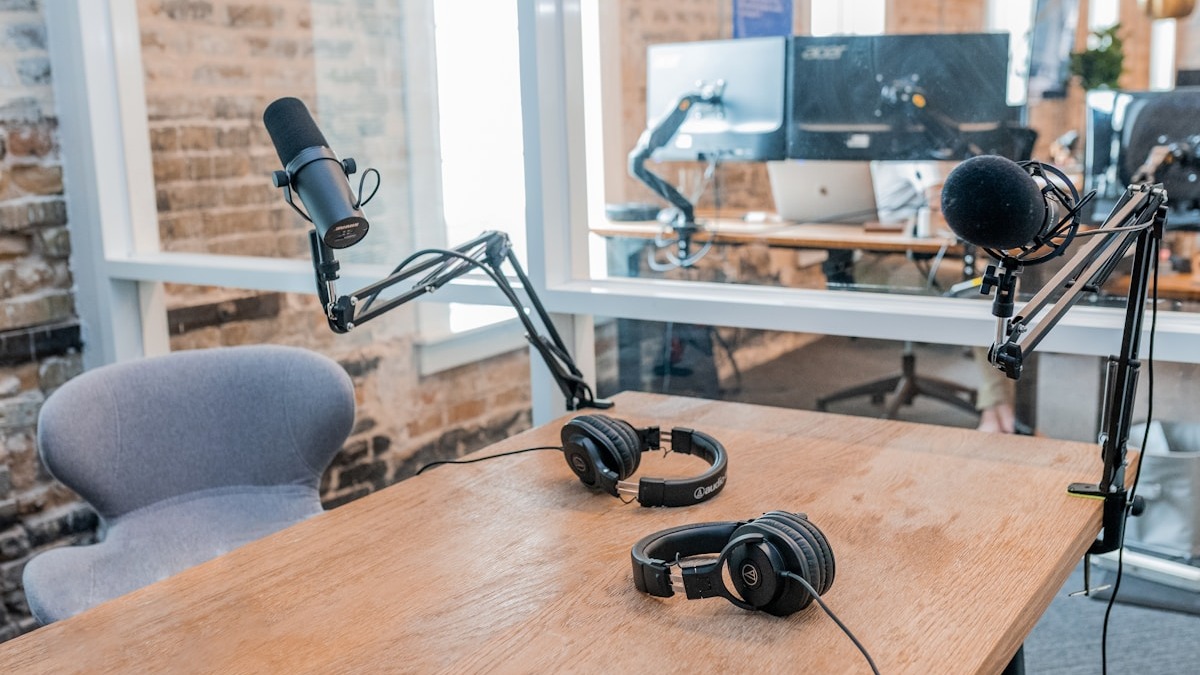
 A podcast episode or long-form recording is the most common input for AI content repurposing tools.
Source: unsplash.com
A podcast episode or long-form recording is the most common input for AI content repurposing tools.
Source: unsplash.com
The 5 Tools Compared
Pricing at a Glance
| Tool | Free Tier | Entry Paid | Mid Tier | What's Metered |
|---|---|---|---|---|
| OpusClip | 60 credits/mo (watermarked) | $15/mo (150 credits) | $29/mo Pro | 1 credit = 1 min of source video |
| Castmagic | 3 uploads/mo | $21/mo (5 hrs audio) | $79/mo (20 hrs) | Transcription hours |
| Repurpose.io | 10 free publishes | $35/mo Starter | $79/mo Pro | Social accounts per platform |
| Pictory | No free tier | $25/mo (200 min/mo) | $35/mo (600 min/mo) | Video minutes per month |
| Descript | 60 media minutes/mo | $16/mo Hobbyist | $24/mo Creator | Media hours + AI credits |
Pricing confirmed from official pages as of April 2026. Annual billing applies to most figures above.
OpusClip
OpusClip takes a long video URL - YouTube, Zoom, MP4 - and returns a set of ranked short clips with captions, auto-reframing, and a virality score. The ClipAnything model analyzes audio, sentiment, and visual cues to identify the strongest moments. It works well on talking-head content: podcasts, webinars, interviews, conference talks.
The free plan gives you 60 credits per month, where one credit equals one minute of source video processed. A 60-minute podcast costs 60 credits. The Starter plan at $15/month bumps that to 150 credits. Pro at $29/month (or $174/year) gives 3,600 annual credits, adds team workspace and a social media scheduler, and removes the watermark. Pro is effectively the minimum viable tier for anyone publishing more than two or three videos a week.
The quality floor is decent. Clips come out with captions in 25+ languages and aspect-ratio reframing already applied. Export includes a XML timeline for Premiere Pro or DaVinci Resolve, which is a genuine time-saver for editors who want to refine before posting. The honest caveat: expect to discard 20-40% of the AI-selected clips. The virality score is a useful signal, not a guarantee. Some clips it flags are the correct choice; others have pacing or context issues that only become obvious after watching.
Best for: Video-heavy workflows - YouTube creators, conference organizers, B2B marketers with long webinar libraries.
Watch out for: Credit burn on long videos. A 90-minute recording costs 90 credits at Pro rates. If you're processing multiple long-form recordings per week, model the annual credit allocation before committing.
Castmagic
Castmagic is the best purpose-built tool for audio-first content teams. You upload a recording - podcast episode, coaching call, webinar, client interview - and it returns a transcript, speaker-labeled diarization, show notes, blog post draft, social media copy, and a customizable set of AI outputs. The 60+ language support is real and works reliably on accented English.
The pricing structure changed in 2026 to usage-based tiers tied to transcription hours. Hobby at $21/month (annual) covers 5 hours of audio per month with 5 team seats and 10GB storage. Starter at $79/month jumps to 20 hours, 100GB, and adds custom AI prompts, Magic Chat, and direct integrations with Zoom, Google Drive, Zapier, RSS, YouTube, and TikTok. Business at $790/month is team-scale.
The strongest feature is the AI output templating. You can define a custom prompt library that produces exactly the formats your workflow needs - specific LinkedIn post styles, newsletter structures, or transcript summaries in your brand voice. This is where Castmagic separates from generic transcription tools. Competitors like Otter.ai give you a transcript and some basic summaries. Castmagic creates production-ready copy that requires light editing rather than a full rewrite.
The limitation is scope. Castmagic doesn't produce video clips. It doesn't distribute content. It processes audio and text. If your workflow starts with a video and ends with social clips, you still need OpusClip or Descript with it.
Best for: Podcasters, coaches, B2B content teams whose raw material is audio or video recordings and whose outputs are written assets.
Watch out for: The jump from Hobby to Starter is steep ($21 to $79/month). If you produce more than five hours of audio per month, you're forced into the Starter tier regardless of which features you actually need.
Repurpose.io
Repurpose.io is frequently grouped with content creation tools, but that's a category mistake. It doesn't write copy, create clips, or transform raw recordings into anything. It takes already-published content from one platform and automatically distributes adapted versions to others. Post a video to YouTube and it automatically routes to TikTok, Instagram Reels, Facebook, LinkedIn, and wherever else you've configured.
The Starter plan at $35/month covers three social accounts per platform and up to 5,000 published videos per month. Pro at $79/month expands to 10 accounts per platform with unlimited publishes. Agency at $179/month is for multi-client setups at up to 25 accounts per platform. A 14-day free trial requires no credit card.
The tool does exactly what it promises. Workflow automation between configured source and destination platforms is reliable, and the supported network list is broad: Instagram, TikTok, YouTube, Facebook, LinkedIn, X, Pinterest, Snapchat, and others. Where it fails expectations is when people expect it to also rewrite captions natively for different platform formats. There's some caption adaptation, but if you need a full platform-native rewrite, you're doing that before the content enters Repurpose.io.
One documented limitation: aggressive social platform API enforcement. Some users have reported account restrictions on Snapchat when third-party posting tools are detected. This isn't unique to Repurpose.io, but it's worth checking each platform's current API policies before automating.
Best for: Creators and teams with consistent high-volume publishing who want automated cross-platform distribution without manual re-uploading.
Watch out for: This is a distribution tool, not a creation tool. If your content needs editing, reformatting, or rewriting for different platforms, do that work first.
Pictory
Pictory covers the text-to-video direction of repurposing. Feed it a blog post URL, a text script, or an article, and it outputs a video: AI-selected stock footage scenes, captions, background music, and optional AI voiceover. The Starter plan at $25/month (annual) gives 200 video minutes per month with one brand kit and 60 minutes of premium AI voice. Professional at $35/month expands to 600 minutes and five brand kits.
The underlying workflow is solid for what it is. Pictory's summarization AI breaks a long article into scenes, selects matching footage from a library of 3+ million clips and 15,000 music tracks, and builds a storyboard automatically. The output quality is good enough for social media and content marketing; it's not good enough for brand advertising or high-production-value work.
 Text-to-video tools like Pictory convert blog posts and scripts into social-ready videos without requiring video editing skills.
Source: unsplash.com
Text-to-video tools like Pictory convert blog posts and scripts into social-ready videos without requiring video editing skills.
Source: unsplash.com
The honest limitation is creative control. You're selecting from stock, not generating original footage. Brand fit is always approximate. If your existing content is already polished and you want a fast video version for LinkedIn or YouTube, Pictory delivers. If you need visual storytelling with original imagery, you're looking at a different toolchain - something like AI video generation tools would be more appropriate.
Best for: Content marketers and SEO teams with large blog archives who want video versions without a production budget.
Watch out for: Stock footage matching can miss the mark on niche technical topics. Always review before publishing. Monthly billing adds 40-70% to the price versus annual.
Descript
Descript is the most full-featured editor in this group but the hardest to categorize as "repurposing-first." It's a transcript-based video and podcast editor where you edit the text to edit the video. It also includes AI features for studio sound enhancement, filler word removal, and clip export.
The Creator plan at $24/month (annual) gives 30 media hours per month, 800 AI credits, 4K export, and scales to three team members. Business at $50/month adds 40 media hours, 1,500 credits, Brand Studio, translation/dubbing in 30+ languages, and priority support. The free plan covers 60 media minutes - useful for evaluation, not production.
For repurposing specifically, Descript's value is in the editing workflow. After import, the AI transcript lets you cut silences, remove filler words, and identify key moments completely through text selection. This works well for creators who want control over clip selection rather than fully automated AI choices. It's slower than OpusClip but the output quality ceiling is higher because you're making the editorial calls.
The translation and dubbing feature in Business tier is worth calling out for teams publishing in multiple languages. Not many tools in this category offer that at a reasonable price point.
Best for: Podcasters and video creators who want AI-assisted editing with final control over clip selection, or teams who need multi-language output.
Watch out for: The built-in editor has limits. Complex color work, motion graphics, or timeline-heavy edits still require Premiere Pro or Final Cut afterward. Descript is a drafting and trimming tool, not a finishing tool.
Head-to-Head: Which Tool Fits Which Workflow
| Use Case | Best Pick | Runner-Up |
|---|---|---|
| Long video to short social clips | OpusClip | Descript |
| Podcast to written content | Castmagic | Descript |
| Blog post to video | Pictory | - |
| Cross-platform auto-distribution | Repurpose.io | - |
| Multi-format with editorial control | Descript | OpusClip |
| Budget under $25/mo | Pictory Starter | Castmagic Hobby |
No single tool wins every category. The most common combination for a podcast-first content operation is Castmagic for written assets plus OpusClip for video clips. Repurpose.io layers on top for automated posting once the content is ready.
What to Check Before Buying
Credit and minute limits add up fast. A three-episode week at 60 minutes each burns 180 OpusClip credits. At Starter tier (150 credits/month), that's over budget. Model your actual volume against the tier you're considering, not the tier that sounds right.
Free plans are meaningful for evaluation only. OpusClip's free tier watermarks everything. Castmagic limits you to three uploads. Descript caps at 60 minutes. None of these are production-capable without upgrading.
Platform API policies change. Repurpose.io and similar distribution tools depend on social platform APIs. TikTok, Instagram, and Snapchat periodically restrict or revoke third-party posting access. Check the current policy for any platform you're automating before committing to an annual plan.
Output still needs review. Every tool in this list produces content that requires a human pass before it's ready to publish. Clip selections can miss context. Transcriptions mishandle proper nouns and technical terms. AI-written social posts can miss brand tone. Budget time for that review into your workflow estimate.
For teams also looking at the SEO and discovery side of content distribution, the best AI SEO tools and best AI writing tools articles cover the adjacent tooling.
Sources
- OpusClip Pricing - Official
- Castmagic Pricing - Official
- Repurpose.io Pricing - Official
- Pictory Pricing - Official
- Descript Pricing - Official
- Repurpose.io Review 2026 - SocialRails
- Opus Clip Review 2026 - ColdIQ
- Castmagic Review 2026 - AI Productivity Tools
- Pictory AI Review 2026 - SimplifyAITools
- Best AI Content Repurposing Tools 2026 - Feisworld
✓ Last verified April 25, 2026

