
Best AI Coding Assistants with Local Mode in 2026
The best AI coding assistants with local mode in 2026 - covering Continue.dev, Tabby, Cline, Cursor Ghost Mode, and Aider with real privacy models and self-hosting options.
 Updated
9 min read
Updated
9 min read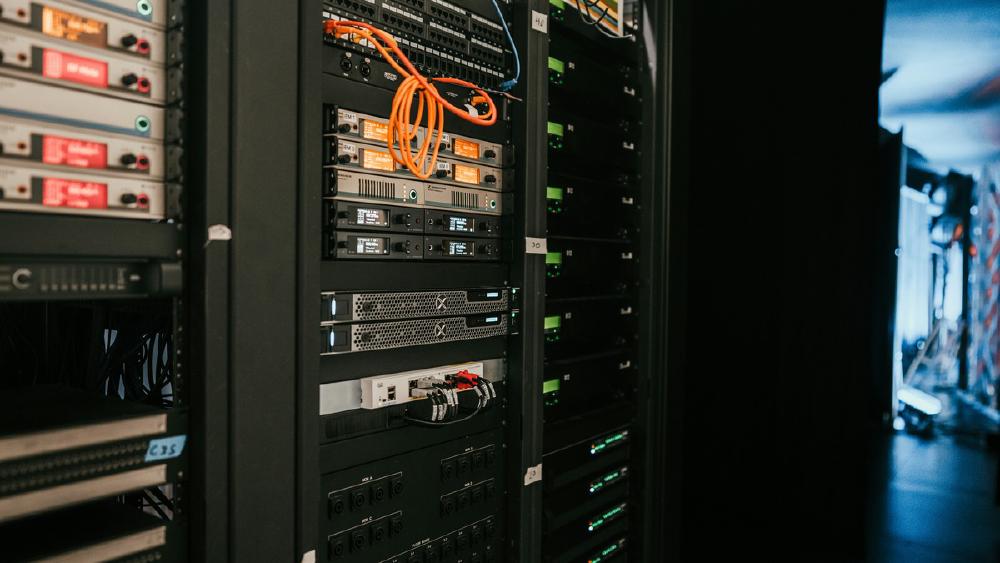
"Local mode" means three different things depending on which tool you're looking at, and conflating them is how teams end up with setups that don't actually solve the problem they had. Local data means your code stays on your machine but the model runs in the cloud. Local model means the inference runs on your hardware with your code never leaving. Self-hosted means the entire server - model, API, IDE integration, and admin dashboard - runs on infrastructure you control.
TL;DR
- Continue.dev + Ollama is the best fully-local setup - code and model both stay on your hardware, zero cost beyond hardware, VS Code and JetBrains support
- Tabby is the best option for teams that need a self-hosted server with enterprise features - LDAP, SSO, admin dashboard, and your choice of local model
- Cline (Apache 2.0) is the strongest agentic coding assistant that supports local models via Ollama while also handling cloud BYOK
- Cursor's Ghost Mode keeps code and prompts off Cursor's servers, but still routes to cloud model APIs - not fully local without combining it with a local model proxy
- Aider is the best terminal-first option for developers who want Git-native workflow integration with any local or cloud model
The trigger for most teams assessing local mode in 2026 isn't just privacy preference - it's a combination of compliance requirements, air-gapped infrastructure constraints, and the practical reality that Qwen3-Coder-Next and Llama 4 Scout on a 24GB GPU now do the work that required GPT-4 two years ago. The capability gap between local and cloud has narrowed enough that the tradeoff calculation changed.
For a broader comparison of AI coding tools including cloud-first options, see the best AI coding assistants roundup.
Continue.dev - Best Fully Local Setup
Continue.dev is an Apache 2.0 extension for VS Code, JetBrains, and Neovim that works with any model provider through a single JSON configuration file. For local deployment, you point it at Ollama and everything - code, prompts, completions, chat history - stays on your machine.
The setup is straightforward: install Ollama, pull a code model (ollama pull qwen2.5-coder:7b), install Continue, and configure the provider. Continue's AUTODETECT feature scans your local Ollama installation and populates the model list automatically. No registration, no API keys, no external network calls once models are downloaded.
Continue supports tab autocomplete, inline chat, contextual code retrieval, and custom slash commands. It's lighter on autonomy than Cline by design - it makes suggestions and waits for developer confirmation rather than autonomously executing multi-step plans. For teams that want AI assistance without the "it rewrote half the codebase while I was in a meeting" problem, that's a feature.
Continue Hub adds a self-hosted option for teams that want shared configuration, custom model deployments, and centralized context providers without routing any data through Continue's cloud.
License: Apache 2.0. Pricing: Free. Continue Hub pricing on request for enterprise.
Local model recommendations:
- Autocomplete:
qwen2.5-coder:7b(fast on Apple Silicon and recent CPUs) - Chat:
qwen2.5-coder:32b(near-API quality on 24GB+ GPU) - Budget option:
qwen2.5-coder:3bif RAM is constrained
 Local model inference brings AI coding assistance fully on-device - code, prompts, and completions never reach an external API, which changes the compliance calculus for regulated industries.
Source: unsplash.com
Local model inference brings AI coding assistance fully on-device - code, prompts, and completions never reach an external API, which changes the compliance calculus for regulated industries.
Source: unsplash.com
Tabby - Best Self-Hosted Team Infrastructure
Tabby is the answer when the requirement is a team-scale server that your organization controls. It's an open-source self-hosted coding assistant server that ships with an admin dashboard, LDAP authentication, GitHub and GitLab SSO, team management, and usage analytics - all the enterprise features you need to deploy and manage AI coding assistance without a vendor relationship.
The model layer is flexible: Tabby ships with support for CodeLlama, StarCoder, Qwen-Coder, and DeepSeek-Coder variants. You bring the GPU infrastructure; Tabby handles serving, IDE integration, and admin. IDE support covers 12+ environments including VS Code, JetBrains, Neovim, and Emacs.
Tabby runs locally with no DBMS requirement, no cloud service dependency, and an OpenAPI interface for integration with existing infrastructure like Cloud IDEs and internal tooling.
The economics of Tabby versus Copilot or similar services follow a predictable pattern: the hardware investment breaks even somewhere in the first two years at typical developer headcount, after which local completions cost only compute. For organizations with 10+ developers already running local GPU infrastructure for other workloads, the break-even point is much sooner.
License: Apache 2.0. Pricing: Free (open source). Enterprise support and hosted Tabby.cloud available.
Use case: Teams under compliance requirements (HIPAA, SOC 2, financial data) or in air-gapped environments where code can never leave the network.
Cline - Best Local-Compatible Agentic Coding
Cline is an Apache 2.0 VS Code extension that mirrors Claude Code's agentic interaction model while supporting local model backends via Ollama or any OpenAI-compatible endpoint. When you point it at a local Ollama instance, the agent workflow - plan review, file editing, terminal command execution, output verification - all runs without external API calls.
The agent loop works the same regardless of model: you describe a task, Cline plans the approach, you review and approve the plan, then it executes by editing files, running terminal commands, checking output, and iterating. The quality of the output scales with the model you plug in.
Cline CLI 2.0 (early 2026) added stronger parallel and headless workflow support, which matters for agent tasks that benefit from concurrency. The MCP marketplace integration is the broadest in the open-source category - tools, context providers, and extensions are available for common developer workflows.
The practical constraint: local models work well for routine tasks but fall behind cloud models on complex multi-file refactors or tasks requiring sustained coherence across many steps. The community pattern is local models for the 80% of routine tasks, cloud BYOK for the harder 20%. Cline supports both routes without changing workflows.
License: Apache 2.0. Pricing: Free. Costs are model API costs (free if local, standard API rates if cloud BYOK).
Compare: Cursor alternatives covers how Cline compares against the broader coding assistant field.
Cursor with Ghost Mode - Best Privacy in a Commercial IDE
Cursor's Ghost Mode is the strongest privacy option among commercial AI IDEs - but it's specifically local data, not local model. In Ghost Mode, every chat message, code snippet, agent diff, and telemetry ping is intercepted locally and discarded. Nothing your code or prompts goes to Cursor's servers. The underlying model inference still runs on external infrastructure unless you combine Ghost Mode with a local Ollama proxy or your own OpenAI-compatible endpoint.
 Privacy in AI coding tools splits between local data (code doesn't leave your machine) and local models (inference doesn't leave your machine) - most commercial tools offer the first; only open-source tools reliably offer the second.
Source: unsplash.com
Privacy in AI coding tools splits between local data (code doesn't leave your machine) and local models (inference doesn't leave your machine) - most commercial tools offer the first; only open-source tools reliably offer the second.
Source: unsplash.com
What Ghost Mode enables: inline editing, refactoring, AI chat, Composer, local MCP tools, and CLI operations - all with zero data retention at Cursor's end. What it disables: Background Agents (which require cloud VMs), memory synchronization, team knowledge sharing, and PR review features. For individual developers on sensitive codebases, that tradeoff is usually acceptable.
Cursor 3 added a dedicated Agents Window, Design Mode for visual UI iteration, and cloud-to-local handoff. The enterprise tier adds VPC deployment options and pooled usage controls.
Pricing: Free (Hobby), $20/month (Pro), $60/month (Pro+), $200/month (Ultra). Teams at $40/user/month.
Note: Ghost Mode alone isn't a fully local setup. Pair it with an Ollama proxy pointed at a local model if the requirement is zero external inference calls.
Aider - Best for Terminal and Git Workflows
Aider is an Apache 2.0 terminal application that treats every code change as a Git commit. The core workflow: describe a task, Aider plans the changes, you review the diff, it commits with a reasonable message. Every action is versioned, reversible, and auditable by default.
Local model support works through Ollama or any OpenAI-compatible endpoint. Aider performs well with larger local models (Qwen 2.5 Coder 32B, DeepSeek V3.2) and degrades gracefully with smaller ones rather than producing confident but broken output. The tool is honest about model capability gaps in a way that more opaque IDE integrations aren't.
The terminal-first design is the defining constraint and advantage. Developers comfortable in terminal environments get a faster iteration loop and better Git integration than any IDE plugin provides. Developers who want visual diffs, inline code suggestions, and IDE-native chat will find it too minimal.
License: Apache 2.0. Pricing: Free. Model API costs apply for cloud models; free for local.
Local Models Worth Knowing
The model landscape for local coding shifted materially in early 2026. Three options cover most use cases:
| Model | Size | VRAM | Strength |
|---|---|---|---|
| Qwen2.5-Coder 7B | 5 GB | 6 GB | Best speed/quality ratio for autocomplete |
| Qwen2.5-Coder 32B | 20 GB | 24 GB | Near-API quality for complex tasks |
| DeepSeek V3.2 | 28 GB | 32 GB | Strong multi-file reasoning |
| Llama 4 Scout | 40 GB | 48 GB+ | Frontier-quality at hardware cost |
Qwen has overtaken Llama as the most-rolled out self-hosted coding model as of March 2026 - the combination of Apache 2.0 license, code-specific training, and the range of model sizes available covers most hardware configurations. For teams with A100-class GPUs, DeepSeek V3.2 handles tasks that previously required cloud API calls.
See the best self-hostable open-source LLMs and best local LLM tools for more detail on running these models.
Comparison
| Tool | License | Local Model | Self-Hosted Server | IDE Support | Pricing |
|---|---|---|---|---|---|
| Continue.dev | Apache 2.0 | Yes (Ollama) | Yes (Hub) | VS Code, JetBrains | Free |
| Tabby | Apache 2.0 | Yes (built-in) | Yes (default) | 12+ IDEs | Free |
| Cline | Apache 2.0 | Yes (Ollama) | No | VS Code | Free |
| Cursor Ghost Mode | Proprietary | Via proxy only | No | Cursor IDE | $0-$200/mo |
| Aider | Apache 2.0 | Yes (Ollama) | No | Terminal | Free |
Which Tool Fits Which Use Case
Air-gapped or fully offline: Tabby on local GPU hardware is the clear choice. It handles team-scale deployment with SSO, admin controls, and model serving without any external dependency. Continue.dev with Ollama is the alternative for individual developers who don't need the team server layer.
Individual developer, privacy-first, VS Code workflow: Continue.dev with Ollama is zero-cost and handles the full local stack. For agentic tasks requiring more autonomy, Cline with a local Ollama backend adds agent capabilities with the same local-model flexibility.
Commercial IDE with some privacy controls: Cursor's Ghost Mode is the practical option if your team is already on Cursor and the requirement is keeping code off Cursor's servers rather than fully local inference. Add a local Ollama proxy to close the last gap.
Terminal-native developers: Aider's Git-first workflow and Ollama support cover the use case without IDE overhead. Every change is a commit; every session is auditable.
Compliance requirements with team management: Tabby Enterprise or Codeium Enterprise (with on-prem deployment) are the two options with the admin infrastructure (RBAC, SSO, audit logging) that regulated industries require.
The hybrid approach is increasingly the practical answer in 2026: local models for routine autocomplete and small edits, cloud models for the harder reasoning tasks that justify the API cost. Continue.dev, Cline, and Aider all support this pattern without requiring separate configuration for each mode.
Sources
- Best Local-First AI Coding Tools 2026: 14 Compared - nimbalyst.com
- I Tested 13 Local LLMs on Tool Calling 2026 - jdhodges.com
- Free Copilot Alternative 2026: Continue.dev + Ollama - localaimaster.com
- Continue.dev Local Model Setup Guide - docs.continue.dev
- Tabby: Self-Hosted Coding Assistant - tabbyml.com
- Cursor Ghost Mode - stevekinney.com
- Cursor Pricing 2026 - cursor.com
- Cline Local Models Overview - docs.cline.bot
- 9 Best Open Source AI Coding Assistants - opensourcealternatives.to
- Self-Host AI Coding Assistant on GPU Cloud 2026 - spheron.network
- Windsurf Pricing 2026 - costbench.com
- How to Roll Your Own Local AI Coding Agents - theregister.com
Last updated
✓ Last verified May 23, 2026

