
DGX Spark Review: NVIDIA's $4,699 Desktop AI Box
A hands-on review of the NVIDIA DGX Spark - a 128 GB Grace Blackwell mini PC that promises 1 petaflop of AI performance on your desk for $4,699.
 9 min read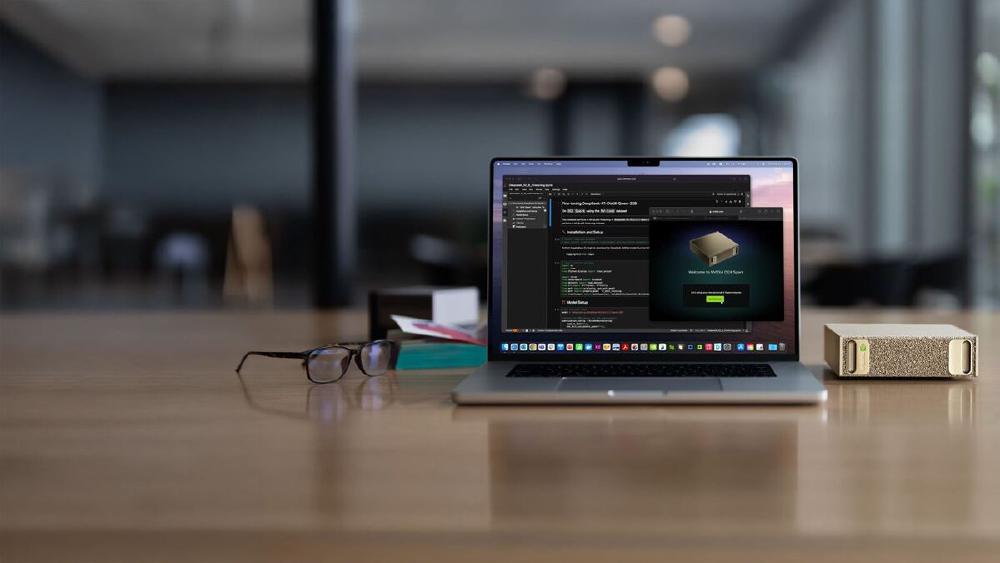
NVIDIA wants you to believe a $4,699 box the size of a Mac Mini can replace your cloud GPU bill. The DGX Spark - built around the GB10 Grace Blackwell Superchip with 128 GB of unified memory - is the company's first serious play at putting data center-class AI on a desk. After weeks of testing inference, fine-tuning, and daily development workflows, here's the verdict: it's truly impressive for what it does well, and truly frustrating where it falls short.
TL;DR
- 7.8/10 - a compelling local AI workstation for prototyping and small-model inference, held back by thermal issues and memory bandwidth constraints
- Runs Llama 3.1 8B at 368 tokens per second (batch 32) and fits models up to 200B parameters in 128 GB unified memory
- Thermal throttling under sustained loads is a real problem - John Carmack flagged it publicly, NVIDIA has issued firmware patches
- Best for: ML engineers who want full CUDA on their desk, privacy-sensitive inference, and prototyping before rolling out to cloud. Skip if you need sustained training workloads or raw throughput.
What's Inside
The DGX Spark packs NVIDIA's GB10 Grace Blackwell Superchip into a 150mm x 150mm x 50.5mm chassis weighing 1.2 kg. That's truly tiny. The spec sheet reads like a scaled-down data center node:
| Specification | Value |
|---|---|
| CPU | 20-core ARM (10x Cortex-X925 + 10x Cortex-A725) |
| GPU | Blackwell, 6,144 CUDA cores |
| AI Performance | 1 PFLOP (FP4 sparse) |
| Memory | 128 GB LPDDR5x unified |
| Memory Bandwidth | 273 GB/s |
| Storage | 1 TB or 4 TB NVMe M.2 SSD |
| Networking | Wi-Fi 7, 10GbE, 2x QSFP (200Gbps), BT 5.4 |
| Power | 240W external (GPU TDP: 140W) |
| OS | DGX OS 7.4.0 (Ubuntu 24.04, kernel 6.17) |
| CUDA | 13.0.2 |
| Price | $4,699 (raised from $3,999 in Feb 2026) |
The rear panel is surprisingly well-equipped: four USB-C ports, HDMI 2.1a, 10GbE Ethernet, and two QSFP connectors with ConnectX-7 that let you link two Sparks together at 200 Gbps aggregate bandwidth. That last feature is how NVIDIA demos running Qwen3-235B across a pair of units.
The Founders Edition has an all-metal chassis with gold-tinted finish and metal foam panels. It looks like a premium piece of hardware, not a developer kit. StorageReview called it "a gorgeous piece of engineering," and for once that kind of marketing language isn't overselling it.
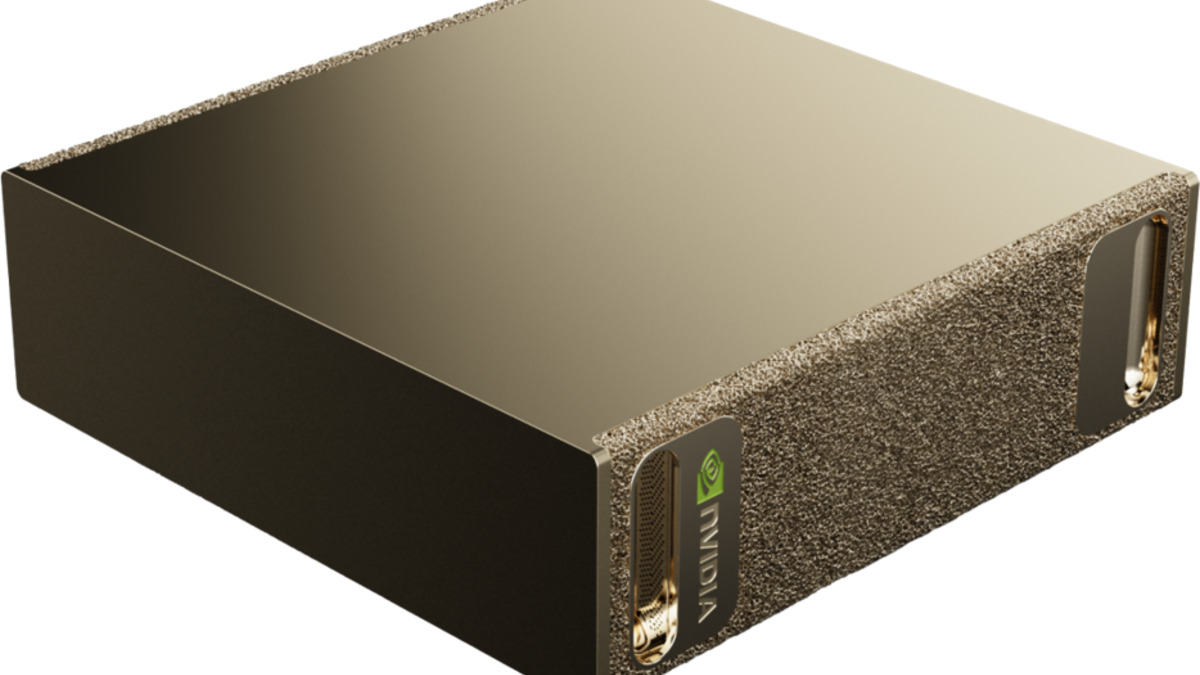 The rear panel packs four USB-C ports, HDMI 2.1a, 10GbE Ethernet, and two QSFP connectors for multi-unit clustering.
Setup and Software
DGX OS is Ubuntu 24.04 with NVIDIA's driver stack pre-configured. First boot takes you through a 10-step setup wizard - language, timezone, account creation, network config. Two access methods: plug in a monitor and keyboard for local setup, or connect headlessly via the Wi-Fi hotspot it creates on first boot using credentials from the Quick Start Guide.
The software stack comes ready out of the box. CUDA 13.0.2, Docker with GPU passthrough, Ollama pre-installed, and the DGX Dashboard for system monitoring and JupyterLab. You can pull NGC containers and be running PyTorch within minutes of powering on.
One critical warning: don't interrupt the initial software image download during setup. It can't be resumed, and you'll need a factory reset.
Inference Performance
This is where the Spark earns its keep. It runs smaller models very well and can technically load anything up to 200B parameters into its 128 GB unified memory.
Small Models - The Sweet Spot
The LMSYS team ran thorough benchmarks, and the numbers are strong for models in the 8-20B range:
| Model | Framework | Batch | Prefill (tps) | Decode (tps) |
|---|---|---|---|---|
| Llama 3.1 8B FP8 | SGLang | 1 | 7,991 | 20.5 |
| Llama 3.1 8B FP8 | SGLang | 32 | 7,949 | 368 |
| Llama 3.1 8B NVFP4 | TRT-LLM | 1 | 10,257 | 38.7 |
| DeepSeek-R1 14B FP8 | SGLang | 8 | 2,074 | 83.5 |
| GPT-OSS 20B MXFP4 | Ollama | 1 | 2,053 | 49.7 |
Those batch-32 numbers for Llama 3.1 8B - 368 tokens per second decode - are legitimately impressive for a desktop device. With speculative decoding (EAGLE3), you can push throughput up to 2x higher.
Large Models - It Works, But Slowly
Loading a 70B model works. Running it fast doesn't.
| Model | Prefill (tps) | Decode (tps) |
|---|---|---|
| Llama 3.1 70B FP8 | 803 | 2.7 |
| Qwen3 235B NVFP4 (2 Sparks) | 23,477 | 11.7 |
At 2.7 tokens per second decode, Llama 70B is usable for batch processing or testing prompts, but not for interactive chat. The bottleneck is memory bandwidth: 273 GB/s shared between CPU and GPU sounds like a lot until you're serving a 70-billion-parameter model from it. For context, an H100 has 3.35 TB/s of HBM3 bandwidth - more than 12 times as much.
Sebastian Raschka's comparison puts it well: "The DGX Spark performs roughly on par with the 6-times more expensive H100" for single-sample inference on small models, but the H100 dominates for batched workloads and large models due to that bandwidth gap.
Ollama is pre-installed and the fastest path to running inference. Pull a model and go:
ollama pull llama3.1:8b
ollama run llama3.1:8b
For production-style serving, TensorRT-LLM with the --variant-dgx-spark containers provides an OpenAI-compatible API with quantization support.
If you're assessing which models to run on this hardware, our home GPU LLM leaderboard tracks performance across consumer and prosumer devices, and our guide to running open-source LLMs locally covers the software side.
Fine-Tuning
The Spark handles LoRA and QLoRA fine-tuning well on models up to 70B parameters. Full fine-tuning works on smaller models. Three frameworks are well-supported:
| Model | Method | Framework | Peak Tokens/sec |
|---|---|---|---|
| Llama 3.2 3B | Full | NeMo | 13,520 |
| Llama 3.1 8B | LoRA | Unsloth | 53,658 |
| Llama 3.3 70B | QLoRA | Unsloth | 5,079 |
Unsloth deserves a specific mention - it delivers 2.5x speed-ups over standard Hugging Face transformers on the Spark. LLaMA Factory is the easiest on-ramp for beginners: clone the repo, run a single YAML config, and you're fine-tuning.
Unlike Apple Silicon, the Spark supports full torch.compile - a significant advantage for training workflows. The Mac MPS backend throws InductorErrors when you try the same thing. This matters more than most spec comparisons suggest.
The Thermal Problem
This is the Spark's most serious issue. Multiple early buyers reported thermal throttling at 100W - well below the 240W power supply capacity - with CPU temperatures hitting 95C during sustained training runs. Systems would throttle, spontaneously reboot, or shut down after 20-30 minutes of continuous load.
John Carmack publicly flagged thermal throttling on his unit. NVIDIA has issued firmware updates that help, but the fundamental physics haven't changed: 140W of GPU heat plus CPU, NVMe, and NIC thermals in a 150mm cube with shared thermal pathways is aggressive.
Practical mitigations: don't block the vents, keep ambient temperature below 30C, clear caches between intensive tasks (sudo sh -c 'sync; echo 3 > /proc/sys/vm/drop_caches'), and make sure you're running the latest firmware. The Spark works best for bursty workloads - inference serving, development cycles, short fine-tuning runs - rather than sustained multi-hour training sessions.
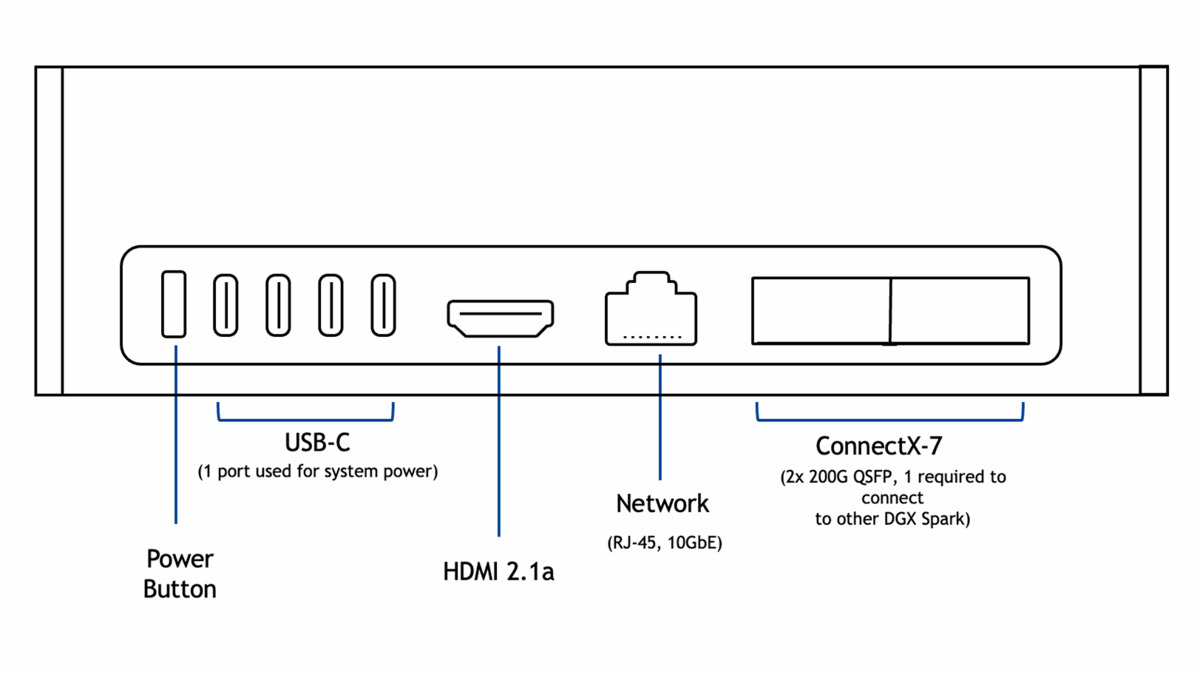 Two DGX Sparks can be linked via QSFP for 256 GB combined memory - enough to run 235B parameter models.
DGX Spark vs Mac Studio
This is the comparison everyone asks about.
| Feature | DGX Spark ($4,699) | Mac Studio M4 Ultra ($9,999) |
|---|---|---|
| Memory | 128 GB unified | Up to 512 GB unified |
| Memory Bandwidth | 273 GB/s | 800+ GB/s |
| CUDA | Full support | None |
| torch.compile | Works | Broken (MPS InductorErrors) |
| Sustained Load | Throttles at 95C | Throttles at 100C+ |
| Clustering | 2 units via QSFP | Not supported |
| Form Factor | 150x150x50mm | Larger |
| Noise | ~35 dB max | Near-silent |
If your workflow depends on CUDA - and most serious ML work does - the Spark wins by default. The Mac Studio has notably more memory bandwidth and capacity, which translates to better large-model inference throughput, but it can't run TensorRT-LLM, doesn't support torch.compile, and has no clustering option. Our reporting on local LLM hardware found that the CUDA ecosystem remains the deciding factor for most ML practitioners.
If you just need inference and don't care about training, the Mac Studio is faster for large models thanks to that bandwidth advantage. If you need CUDA for anything - training, fine-tuning, TRT-LLM, NIM deployment - the Spark is your only option under $10K.
DGX Spark vs Cloud GPUs
At $4,699, the Spark pays for itself after roughly 100-200 hours of cloud GPU time at H100 rates ($2-4/hour). For a ML engineer running inference or fine-tuning daily, that break-even arrives within the first few months.
The real value isn't cost savings - it's availability and privacy. No waiting for instance availability, no data leaving your network, no surprise bills from a forgotten running instance. For regulated industries, healthcare AI, or any work with sensitive data, local inference on a device you physically control is a genuine requirement.
Strengths
- Full CUDA 13.0 ecosystem on a desktop - nothing else offers this under $10K
- 128 GB unified memory fits models up to 200B parameters
- Excellent small-model inference (8-20B range)
- Pre-configured software stack means zero setup friction
- Two-unit clustering via QSFP for larger models
- Compact, quiet (35 dB max), and power-efficient (143W typical)
- Speculative decoding (EAGLE3) delivers real throughput gains
Weaknesses
- Thermal throttling under sustained loads - a deal-breaker for long training runs
- 273 GB/s memory bandwidth is the primary bottleneck, especially for large-model decode
- Price increased 18% to $4,699 due to LPDDR5x shortages
nvidia-smireports "Memory-Usage: Not Supported" on UMA - confusing for users accustomed to discrete GPUs- HDMI display sleep bug requires SSH workaround
- No path to expansion - 128 GB is all you get
Verdict: 7.8/10
The DGX Spark is the best local AI development box you can buy for under $10K, and it's not close. Full CUDA on a desktop, 128 GB of unified memory, a pre-configured software stack, and genuine 1 PFLOP of FP4 performance in a package smaller than a breadbox. For inference serving, rapid prototyping, privacy-sensitive workloads, and LoRA fine-tuning of models up to 70B, it delivers.
But it isn't a datacenter replacement. The thermal throttling is real and limits sustained training workloads. The memory bandwidth, while adequate for small models, becomes the bottleneck the moment you load anything above 30B parameters. And the 18% price hike to $4,699 stings, especially when you could rent an H100 for $2/hour and get 12x the bandwidth.
The sweet spot user is a ML engineer or researcher who wants full CUDA development on their desk, runs inference regularly, fine-tunes models in the 8-20B range, and values local execution over cloud convenience. If that's you, the Spark is excellent. If you need sustained training or large-model throughput, keep your cloud budget.
Sources
- NVIDIA DGX Spark In-Depth Review - LMSYS
- DGX Spark Performance - NVIDIA Technical Blog
- NVIDIA DGX Spark Review - StorageReview
- DGX Spark and Mac Mini Impressions - Sebastian Raschka
- John Carmack Thermal Issues - PC Gamer
- DGX Spark Thermal Throttling - NVIDIA Forums
- Price Hike to $4,699 - Tom's Hardware
- NVIDIA DGX Spark Product Page
- DGX Spark User Guide
- Unsloth DGX Spark Documentation
- DGX Spark Developer's Guide - The New Stack
- The Register - DGX Spark First Look
