
n8n Review: The Open-Source Automation Platform That Makes AI Workflows Actually Work
An in-depth review of n8n, the fair-code workflow automation platform with native AI agent nodes, 400+ integrations, and self-hosting that is replacing Zapier for technical teams at a fraction of the cost.
 11 min read
Most workflow automation tools promise you the world and deliver a handful of Slack-to-Google Sheets connectors. n8n is different. Built as a fair-code, self-hostable platform with over 400 integrations, it has quietly become the tool of choice for technical teams building serious AI-powered automations - the kind that involve LLM chains, RAG pipelines, and autonomous agents, not just forwarding emails between apps. After several weeks of hands-on testing across both the self-hosted Community Edition and the cloud offering, here is our full assessment.
TL;DR
- 8.5/10 - The most capable open-source workflow automation platform available today, with AI features that are genuinely ahead of the competition
- Key strength: Native AI agent nodes with full LangChain integration, combined with the freedom to self-host and run unlimited executions for free
- Key weakness: The learning curve is real - non-technical users will struggle, and error messages can be frustratingly vague
- Use it if you are a developer or technical team that wants full control over AI workflows without paying Zapier prices. Skip it if you need a zero-friction, no-code tool for simple automations
What n8n Actually Is
n8n (pronounced "nodemation") is a workflow automation platform that lets you connect apps, services, and AI models through a visual node-based editor. Think Zapier or Make, but with the source code available, the ability to run it on your own servers, and - critically - native support for building AI agent workflows that go far beyond simple trigger-action pairs.
Founded by Jan Oberhauser in 2019, n8n has grown from a scrappy open-source project into a company with over 3,000 enterprise customers, 200,000 active users, and $60 million in Series B funding led by Highland Europe. The platform ships under a "Sustainable Use License" - a fair-code approach that means the source code is open and you can self-host freely, but you can't resell it as a service. It's a practical middle ground between full open source and proprietary SaaS.
The real story, though, is what happened in the last 18 months. While Zapier and Make have been bolting AI features onto their existing platforms, n8n has built AI capabilities into its core architecture. The result is a tool that doesn't just connect apps - it orchestrates intelligent workflows that can reason, retrieve context, and make decisions.
The Visual Workflow Builder
The heart of n8n is its canvas - a drag-and-drop interface where you build workflows by connecting nodes. Each node represents an action: fetching data from an API, transforming JSON, querying a database, sending an email, or calling a LLM. You wire them together visually, and data flows through the chain.
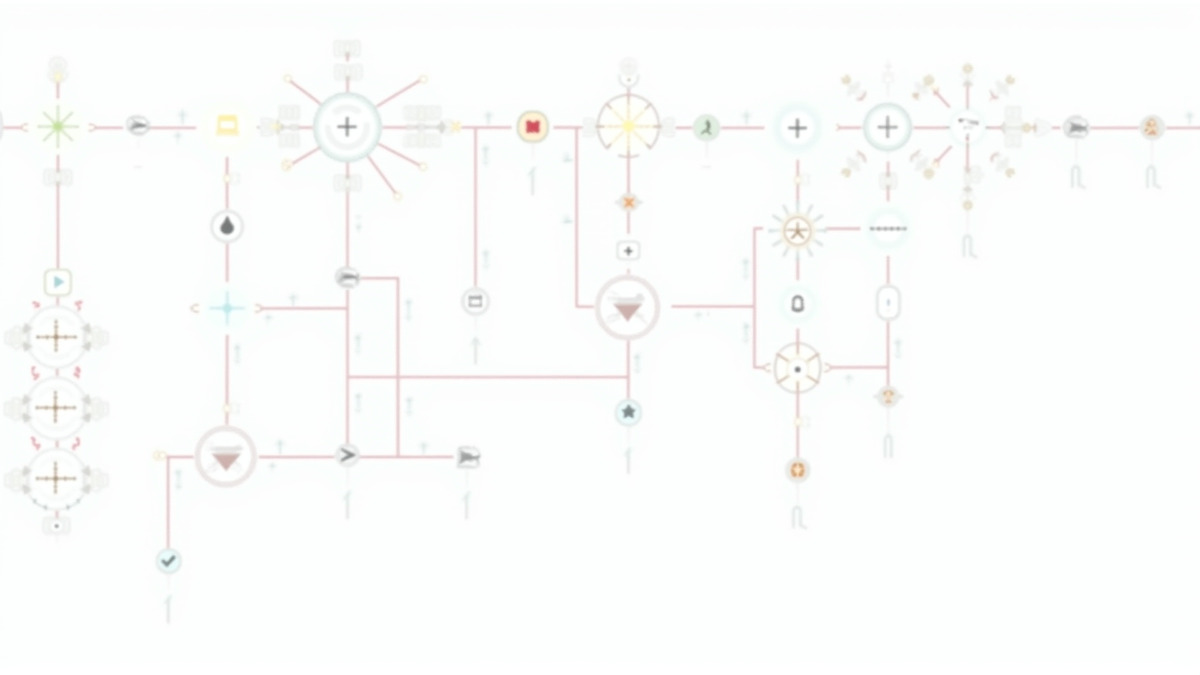
The builder is truly good. Nodes snap together cleanly, the execution trace lets you inspect the exact data flowing through each step, and the split between trigger nodes and action nodes keeps things organized. For developers, there's a code node that accepts JavaScript or Python, which means you're never trapped by the limitations of pre-built connectors. If an API exists, you can call it.
Where n8n's builder shines compared to Zapier is in branching logic. Building conditional workflows - if this, then that, else something else - is natural in n8n. You can use Switch nodes, If nodes, and Merge nodes to create complex decision trees that would require awkward workarounds in more linear automation tools. Error handling is also built into the flow: you can define what happens when a node fails, routing errors to Slack, a database, or a retry loop.
The trade-off is complexity. A new user opening n8n for the first time will see a blank canvas and no hand-holding. There are templates, and the documentation has improved substantially, but this isn't a tool that guides non-technical users through their first automation. If you have never worked with APIs or JSON, the learning curve is steep.
AI Agent Nodes - Where n8n Pulls Ahead
This is the feature that separates n8n from every other workflow automation tool on the market. The AI Agent node, powered by LangChain under the hood, lets you build autonomous AI agents directly within your workflows.
The architecture is clean. Every AI agent workflow in n8n has four components: a trigger (webhook, schedule, or chat input), the AI Agent node itself, sub-nodes for the language model and memory, and tool nodes that give the agent capabilities. The agent receives a request, reasons about what tools to use, executes them, and returns a result - all within the visual workflow.
In practice, this means you can build things like:
- A customer support agent that reads your knowledge base via RAG, searches your ticketing system, and drafts responses
- A research assistant that takes a topic, searches multiple sources, synthesizes findings, and writes a summary
- A data pipeline monitor that watches for anomalies, queries relevant databases for context, and decides whether to alert the on-call engineer
The LLM support is thorough. You can plug in OpenAI (GPT-4o, o1, o3-mini), Anthropic (Claude 3.5 Sonnet, Claude 3 Opus), Google Gemini, Mistral, Cohere, Hugging Face models, or local models through Ollama. Switching between providers is a matter of swapping one node for another - no workflow restructuring required.
Memory management is where things get especially thoughtful. n8n supports both chat memory (for conversational context) and vector store integration (for semantic search across large knowledge bases). You can configure a "Tools Agent" that automatically queries a vector store when questions require external knowledge. This is genuine agentic RAG - not a marketing term stapled onto a simple API call.
We tested this by building a document Q&A agent that ingested a 500-page PDF corpus, indexed it into Pinecone via n8n's vector store nodes, and answered questions through a chat interface. The workflow took about 45 minutes to build and worked on the first try. The same setup in a custom Python application would have taken a full day.
Self-Hosting - The Killer Feature
The option to self-host is what makes n8n's value proposition fundamentally different from Zapier, Make, or any other major automation platform.
The Community Edition is completely free with unlimited executions. You need a server (a $5-10/month VPS will handle light workloads), Docker, and about 20 minutes for setup. For teams in regulated industries - healthcare, finance, government - this isn't just a cost advantage, it's a compliance requirement. Your data never leaves your infrastructure.
We ran a self-hosted instance on a modest 2-core, 4GB RAM VPS for two weeks. It handled around 200 workflow executions per day without breaking a sweat. For heavier workloads, n8n supports queue mode with Redis and multiple worker processes, scaling horizontally as needed.
The infrastructure cost comparison is stark. A team running 10,000 executions per month on Zapier would pay $500+ on their business tier. The same volume on self-hosted n8n costs whatever your server costs - normally $20-50/month depending on the provider. Even n8n's own cloud Pro plan handles 10,000 executions for $60/month. The savings are not marginal; they're an order of magnitude.
Cloud Pricing
For teams that do not want to manage infrastructure, n8n Cloud offers a straightforward tiered pricing model:
| Plan | Monthly Cost | Executions | Key Features |
|---|---|---|---|
| Community (Self-hosted) | Free | Unlimited | Full platform, no support |
| Starter | $24/mo | 2,500 | Cloud hosting, basic support |
| Pro | $60/mo | 10,000 | Advanced features, priority support |
| Enterprise | Custom | Custom | SSO, audit logs, dedicated support |
The execution-based billing is a significant advantage over Zapier's task-based model. In Zapier, every individual step in a workflow counts as a task. In n8n, one complete workflow run - regardless of how many nodes it contains - is a single execution. A 50-node workflow costs the same as a 3-node workflow. For complex automations, this difference is massive.
Annual billing saves 17% across all cloud tiers, and there is a Startup plan for qualifying early-stage companies.
Integrations - Quality Over Quantity
n8n ships with over 400 native integrations. That number looks modest next to Zapier's 7,000+, but the comparison is misleading for two reasons.
First, n8n's HTTP Request node and Code node mean you can connect to literally any service with a public API. Building a custom integration takes minutes, not days. Second, the depth of n8n's native integrations tends to be greater - more API endpoints exposed, more configuration options, more granular control over what data gets sent and received.
The major platforms are all covered: Google Workspace, Slack, Microsoft 365, Notion, Airtable, GitHub, PostgreSQL, MySQL, MongoDB, Stripe, Shopify, HubSpot, Salesforce, and more. For AI-specific work, the integrations with OpenAI, Anthropic, Pinecone, Qdrant, Supabase Vector, and Weaviate are first-class.
Where the integration gap does hurt is with niche SaaS tools. If your team depends on a specialized industry platform, Zapier is more likely to have a pre-built connector. The n8n community has created additional nodes (bringing the effective catalog past 1,000), but they vary in quality and maintenance.
What Needs Improvement
n8n isn't without flaws, and some of them are frustrating enough to mention.
Error messages are vague. When a workflow fails, you often get a generic "Problem executing workflow" message and have to manually trace through nodes to find the issue. For a tool built by and for developers, the debugging experience should be better. Stack traces, clearer error codes, and node-level error highlighting would go a long way.
The learning curve is steep for non-developers. n8n markets itself as usable by technical and non-technical users, but in practice, anyone without API experience will struggle. The template library helps, and the documentation has improved, but this remains a tool that assumes you know what JSON is and why headers matter in HTTP requests.
Large dataset handling is limited. Workflows dealing with more than 100,000 rows can run into memory issues and slowdowns. For ETL-heavy use cases with massive datasets, you'll need to implement pagination and batching strategies carefully.
The fair-code license is a compromise. While it works well for internal use, teams wanting to build commercial products on top of n8n need to be aware of the restrictions. You can not white-label or resell n8n as a service. For most users this is irrelevant, but for platform builders, it is a hard constraint.
Support options are limited on the free tier. Self-hosted users rely on community forums and GitHub issues. The community is active and helpful, but if you need guaranteed response times, you'll need a paid plan.
The Competition
Against Zapier, n8n wins on cost, AI capabilities, and flexibility, but loses on ease of use and breadth of integrations. Zapier is better for non-technical teams automating simple workflows. n8n is better for technical teams building complex, AI-powered automations.
Against Make (formerly Integromat), n8n is more capable in AI-specific workflows and offers self-hosting, while Make has a gentler learning curve and a more polished visual designer.
Against building custom solutions with frameworks like LangChain or CrewAI, n8n dramatically reduces development time for standard automation patterns. You trade some flexibility for the speed of a visual builder. For most AI agent use cases, this is a worthwhile trade.
Strengths and Weaknesses
Strengths:
- Native AI agent nodes with LangChain integration for building genuine autonomous agents
- Self-hosted Community Edition with unlimited free executions
- Execution-based billing (not per-step) makes complex workflows far cheaper than Zapier
- Visual builder plus code nodes gives you the best of both worlds
- 400+ native integrations, plus the ability to call any API
- Active development pace with regular releases and new features
Weaknesses:
- Steep learning curve for non-technical users
- Vague error messages make debugging harder than it should be
- Performance limitations with very large datasets (100k+ rows)
- Fair-code license restricts commercial redistribution
- Community support only on the free self-hosted tier
- Fewer native integrations than Zapier for niche tools
Verdict: 8.5/10
n8n is the best workflow automation platform for technical teams that want to build AI-powered workflows without paying enterprise SaaS prices or writing everything from scratch. The AI agent nodes are truly ahead of the competition - this isn't a bolted-on feature but a core part of the architecture. Self-hosting with unlimited free executions is a breakthrough for cost-conscious teams and regulated industries alike.
The caveats are real. If your team is non-technical, look at Zapier or Make first. If you need 7,000 integrations out of the box, n8n isn't there yet. And the debugging experience needs work.
But for developers, DevOps teams, and startups that want serious automation with full control, n8n delivers more value per dollar than anything else in this category. The $60 million in funding and 3,000+ enterprise customers suggest the rest of the market agrees.
Sources:
- n8n Official Website - Platform overview, features, and integrations
- n8n Pricing Plans - Cloud and self-hosted pricing details
- n8n AI Workflow Automation - AI agent nodes and LLM integration documentation
- n8n GitHub Repository - Source code, license, and community
- n8n Sustainable Use License - Fair-code license terms and restrictions
- n8n vs Zapier Comparison - DataCamp - Feature and pricing comparison
- n8n Deep Dive 2026 - Jimmy Song - Architecture and enterprise use cases
- How to Build AI Agents with n8n - Strapi - AI agent node architecture and setup guide
