
VS Code 1.110 Gives AI Agents Native Browser Control
VS Code 1.110 ships native browser control for AI agents, installable agent plugins with MCP support, persistent session memory, and a new Agent Debug panel.
 6 min read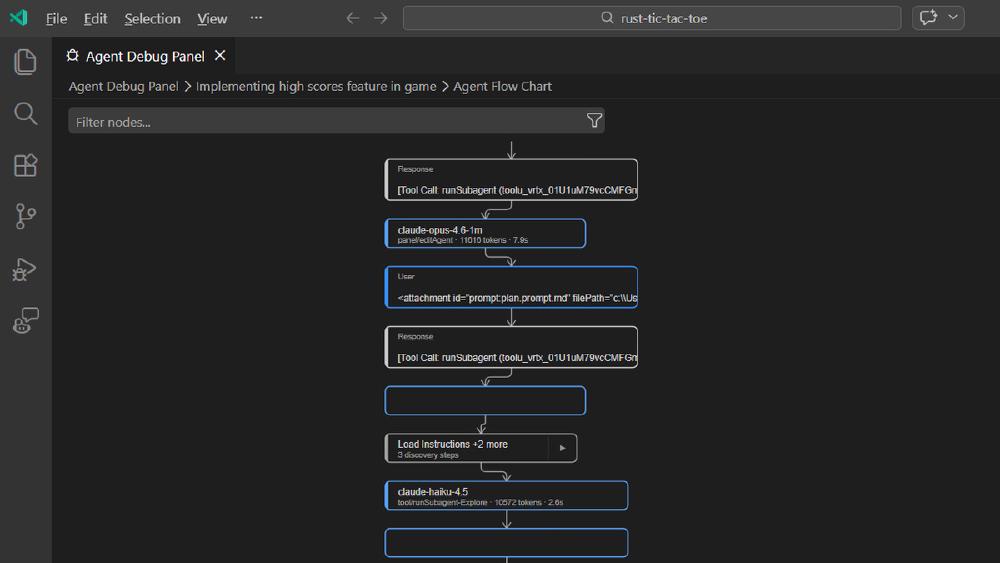
The gap between AI agent and live web has closed inside the world's most popular code editor. VS Code 1.110, released March 4, quietly crossed a threshold that matters: agents can now open a browser, navigate to any URL, read page content, take screenshots, click elements, and execute Playwright code - all from inside the editor, without routing through an external MCP server.
That's not a minor quality-of-life improvement. It changes what AI coding agents can actually do. And bundled with agent plugins, persistent session memory, and a real-time debug panel, this release makes VS Code the most capable native agentic coding environment on the market.
TL;DR
- VS Code 1.110 adds native browser control for AI agents - no external tools required
- Agent plugins land as installable MCP bundles via the Extensions view
- Session memory now persists plans across conversation turns
- A new Agent Debug panel shows agent events, tool calls, and flow charts in real time
- Context compaction and session forking arrive for managing long agent runs
What Changed in 1.110
| Feature | 1.109 | 1.110 |
|---|---|---|
| Browser access for agents | None | Full native control |
| Agent plugins | Manual configuration | Installable bundles via Extensions |
| Session memory | Per-session only | Persists across turns |
| Context management | Manual | Auto + manual compaction |
| Background agents | Limited | Full with task queueing |
| Agent debugging | None | Real-time panel + flow chart |
The jump from 1.109 to 1.110 is the largest single-release expansion of agent capabilities VS Code has shipped. Most of what developers have been assembling through third-party extensions, external MCP servers, and workarounds is now built in.
The Browser Breakthrough
This is the headline feature, and it deserves careful attention. Prior to 1.110, agents working inside VS Code had no native way to interact with a live web page. You could ask an agent to write tests, but if it needed to check the current state of a page - or verify that a button actually worked - it had to ask you. That loop of human-in-the-middle is exactly what limits agentic coding in practice.
What Agents Can Do Now
With 1.110's browser tools enabled, agents can:
- Open browser pages and navigate to any URL
- Read page content and monitor console errors and warnings
- Take screenshots to verify visual state
- Click elements, type text, hover, drag, and handle dialogs
- Execute Playwright code directly within the session
The result is that agents can now close the development loop autonomously. They can write frontend code, open the browser, check if the element rendered correctly, read any console errors, and fix what's broken - without prompting the developer for input at each step.
How It Works
The browser tools are experimental in this release, but they ship as native VS Code functionality rather than a plugin dependency. As the agent interacts with the page, it receives real-time updates to page content and any errors or warnings from the console. This is meaningfully different from Playwright integration you wire up yourself - the agent has continuous visibility into what's happening on the page, not just a snapshot on request.
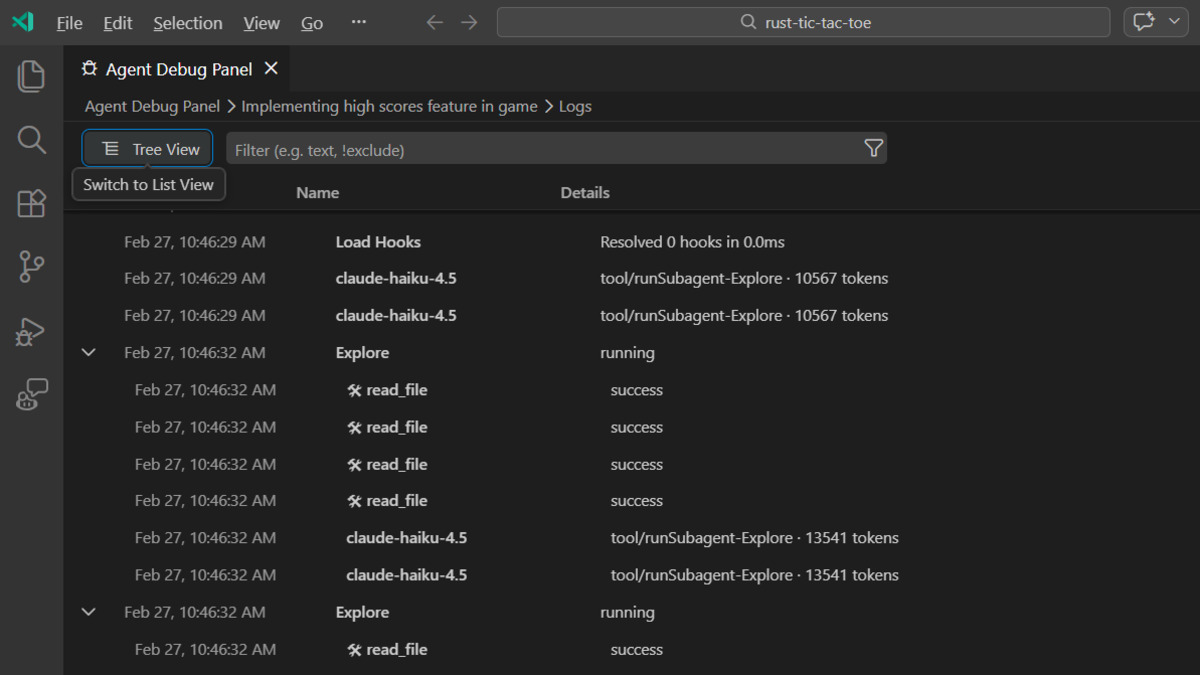 The new Agent Debug panel in VS Code 1.110 provides real-time visibility into agent events, tool calls, and session flow - previously invisible to developers.
Agent Plugins and the MCP Ecosystem
The second major addition is agent plugins - prepackaged bundles containing skills, commands, custom agents, and MCP servers. Developers can search and install them directly from the Extensions view by searching @agentPlugins or running the Chat: Plugins command.
By default, VS Code retrieves plugins from two public repositories. Third-party plugin developers can publish to these repos, making the plugin system a distribution channel for the broader agent ecosystem.
What This Means for the Ecosystem
This is a significant moment for MCP adoption. Until now, connecting a custom MCP server to VS Code required manual configuration - editing JSON settings files, managing connection details, and debugging silent failures. Plugins change the workflow: find what you need in the Extensions view, install it, done.
For developers building on top of AI agents, this lowers the barrier to packaging and distributing agent capabilities substantially. The same pattern that made VS Code extensions a dominant ecosystem is now available for agent tools.
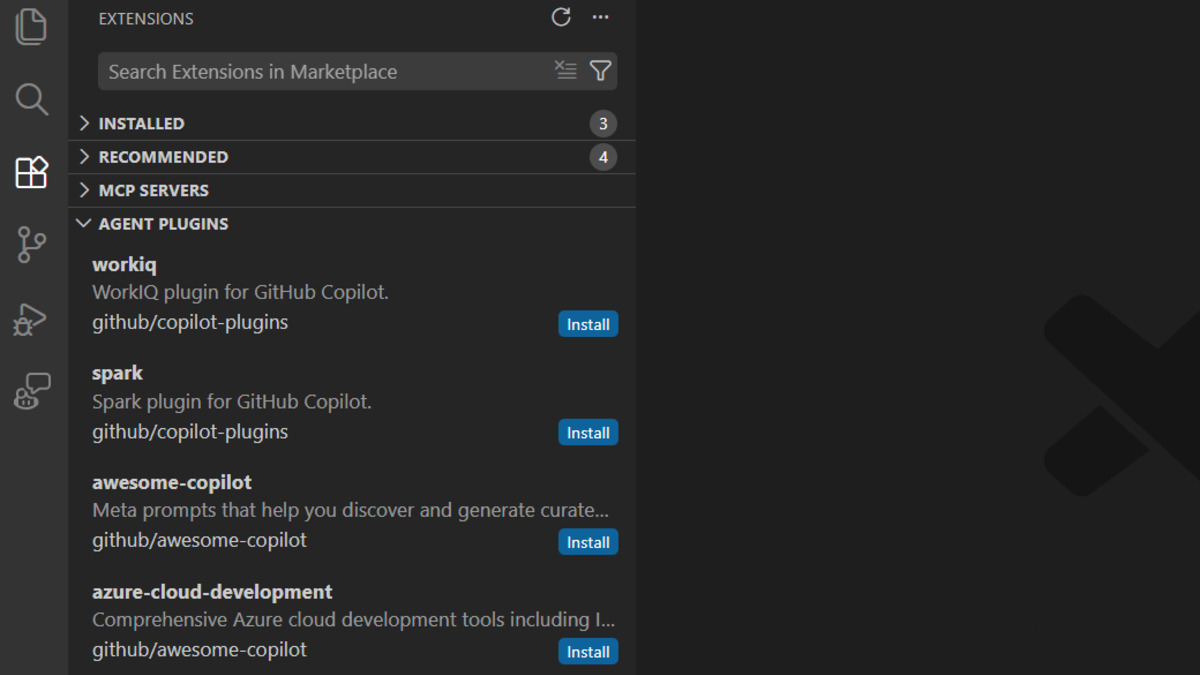 Agent plugins appear directly in the Extensions view. Each bundle can include skills, custom agents, commands, and MCP server configurations.
Smarter Context, Persistent Memory
Session Memory for Plans
Plans created by the Plan agent now persist to session memory and remain available across conversation turns. This addresses one of the more frustrating failure modes in longer agent sessions: the agent loses track of what it was trying to accomplish as the context window fills.
With persistent session memory, the plan survives compaction and remains retrievable throughout a working session. This is especially relevant for the kind of multi-step tasks where building with AI agents becomes most valuable.
Context Compaction and Session Forking
Long agent runs hit context limits. VS Code 1.110 adds both automatic and manual context compaction - a summarisation step that preserves essential context while freeing space. A context usage indicator appears as capacity approaches, with a Compact Conversation option that can be triggered manually.
Alongside compaction, the release adds session forking: the /fork command creates a new session that inherits the full conversation history up to that point. If you want to explore an alternative approach without losing your current thread, you branch rather than starting over.
What It Does Not Tell You
The browser tools are experimental. Microsoft has been cautious with the framing, and for good reason. Giving agents persistent browser access inside your IDE is a meaningful expansion of what they can do autonomously. The documentation is clear that these tools remain in preview, and the range of actions available - including dialog handling and Playwright code execution - represents a significant attack surface for prompt injection through web content.
Cursor and Windsurf aren't standing still. VS Code's native agent capabilities have historically lagged behind what Cursor ships in its fork. Cursor has had deep browser integration for months, and Windsurf's agentic workflow is tightly optimised for multi-step tasks. VS Code 1.110 narrows that gap substantially, but it is still catching up in some areas.
The quality of agent plugins depends completely on the ecosystem. The plugins infrastructure is only as useful as the plugins that get built for it. Right now, the default repositories are sparse. This will change, but the launch is more infrastructure than inventory.
Claude Code edges out Codex in VS Code's marketplace. According to rankings from the VS Code agent marketplace leaderboard in late February, Claude Code holds the top position among third-party agent integrations in VS Code. This matters for developers deciding which agent backend to configure inside their new VS Code plugin setup.
VS Code 1.110 is the most consequential agent-focused release the editor has shipped. The browser tools alone change the calculus for frontend and full-stack developers building with AI assistance. Combined with the plugin system and improved context management, this update does for agentic coding what the extension marketplace did for general VS Code adoption: it lowers the barrier and raises the ceiling at the same time. The next few releases will determine whether this becomes a platform or just a collection of useful experiments.
Sources:
