
OpenAI Ships Codex Mobile App for iOS and Android
OpenAI's Codex coding agent arrives on iPhone and Android as a remote control for desktop sessions, with QR code pairing and live terminal output for its 4 million weekly users.
 Updated
5 min read
Updated
5 min read
Codex's mobile apps arrived on May 14 with a setup flow that takes under a minute and a design philosophy that should be made explicit upfront: the phone is a remote control. Your Mac does the actual work.
Key Specs
| What | Detail |
|---|---|
| Platforms | iOS and Android |
| Host machine | macOS required (Windows: no date given) |
| ChatGPT plans | Free, Go, Pro, Team, Enterprise - all included |
| Connection | QR code from Codex desktop app |
| Weekly users | 4 million at announcement |
OpenAI's framing for the launch is "work with Codex from anywhere," and the product broadly delivers on that - as long as "anywhere" has your Mac running. Engineers who start long agent jobs before leaving the office now have a real way to monitor and steer those runs from their phone. That's a narrow but truly useful use case.
How the Connection Works
Pairing via QR Code
Open the Codex desktop app on macOS, and a QR code appears. Scan it from the mobile app, and you're in. No additional account linking, no token management - the QR code carries the session context directly.
OpenAI hasn't documented the underlying transport layer, but the behavior - live terminal streaming, sub-second approval prompts, session continuity through app backgrounding - points to a persistent WebSocket bridge connecting the mobile client to the Codex sandbox on the host.
The Credential Boundary
The security model is worth understanding before you trust it with a production environment. Files, API keys, environment variables, and shell credentials never leave the host machine. The mobile app has read access to everything Codex outputs and write access to the task queue and model selection, but it can't directly touch the filesystem or exfiltrate credentials. The agent runs in a sandbox on your Mac; the phone watches and approves.
The full comparison between Codex, Claude Code, and OpenCode has more context on how these sandboxing approaches differ across tools.
What You Can Do From Mobile
Live Session Monitoring
The mobile view streams everything Codex produces: terminal output, test results, diffs, browser screenshots from frontend work. If the agent is running a test suite and failing on a specific assertion, you can see which test and why, without opening a laptop.
That's more useful than it sounds for engineers who routinely kick off overnight runs. Checking whether a three-hour evaluation finished correctly used to mean either setting an alarm and opening your laptop, or looking at a raw notification the next morning. The mobile app gives you the actual output.
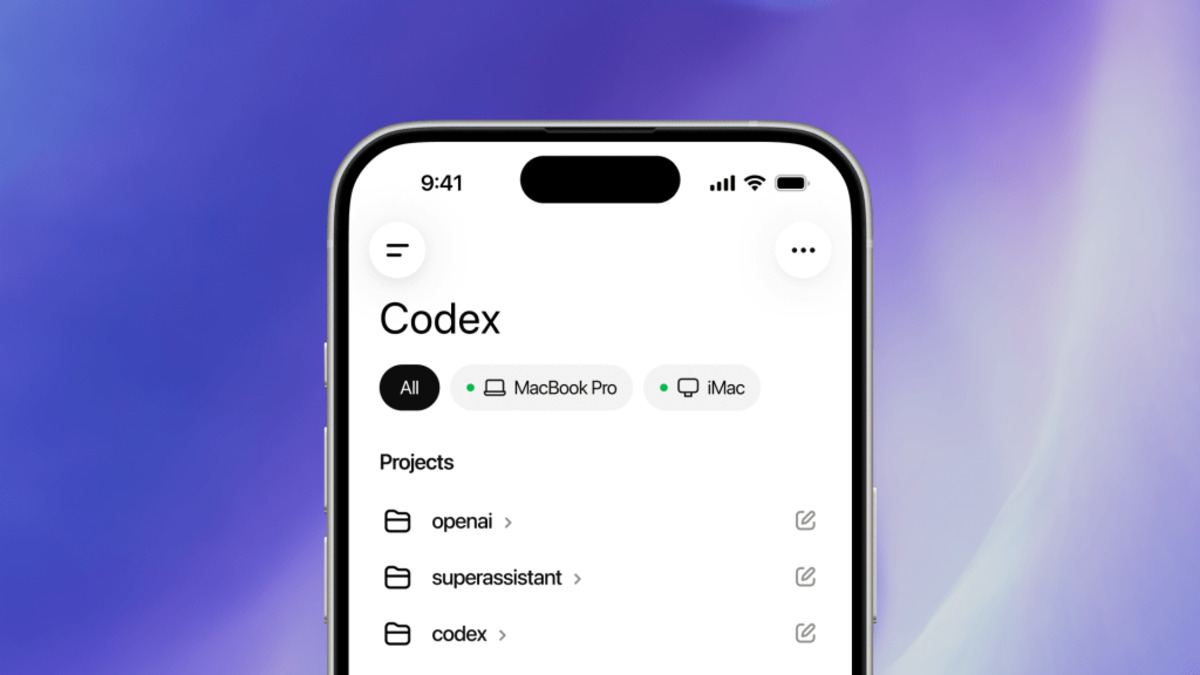 The Codex mobile interface showing live terminal output and diffs from an active desktop session.
Source: techcrunch.com
The Codex mobile interface showing live terminal output and diffs from an active desktop session.
Source: techcrunch.com
Task Control
The control surface is intentionally limited. From mobile you can approve or reject pending commands when Codex asks for explicit sign-off before doing something destructive, switch the active model mid-session, start new tasks in existing threads, and move between multiple active threads. Typing directly into the terminal isn't supported, which keeps the trust boundary clean - approvals flow from mobile, execution stays on the host.
GPT-5.4 is the frontier model available inside Codex sessions, and model switching from mobile works against the full model menu, not a reduced subset.
How It Compares to Claude Code Remote
Anthropic's Claude Code Remote Control shipped in February 2026, roughly three months ahead of Codex mobile. Both approaches use QR code pairing and keep filesystem access on the host machine. The differences are real.
| Feature | Codex Mobile | Claude Code Remote |
|---|---|---|
| Host OS support | macOS only (Win: TBA) | macOS and Windows |
| Model switching from mobile | Yes | No |
| Multi-thread management | Yes | Single session |
| Available on free plan | Yes | Yes |
| Approval workflows | Yes | Yes |
Codex Mobile has a wider feature set on paper. Claude Code Remote already supports Windows hosts. For teams where even one developer is on Windows, that's a concrete gap in the Codex offering.
 Codex mobile launched for all ChatGPT tiers, including the free plan.
Source: 9to5mac.com
Codex mobile launched for all ChatGPT tiers, including the free plan.
Source: 9to5mac.com
Where It Falls Short
The missing Windows host support is the clearest limitation. OpenAI shipped the Codex desktop app for Windows in March 2026, so the capability to run Codex on Windows already exists - the mobile pairing just isn't there yet. "Coming soon" in the announcement has no date attached.
The second structural gap: there's no standalone mode. The mobile app doesn't connect to a cloud-hosted Codex instance independently - it needs a live desktop process to pair with. If your Mac sleeps or the app crashes, the session ends. Engineers who run jobs on always-on servers through SSH may find the April update's remote environment connections more reliable than the mobile pairing model.
Local model support is also absent. The mobile interface routes every request through OpenAI's servers regardless of what's running on the host. That won't matter for most users, but teams doing on-premises inference work with custom deployments will need to wait.
OpenAI shipped Windows Codex desktop support in March. The mobile companion for Windows users has no announced timeline as of launch day.
Sources:
Last updated

