
Mac Studio Clusters Now Run Trillion-Parameter Models for $40K
macOS RDMA over Thunderbolt 5 has turned four Mac Studios into a 1.5TB unified memory cluster that runs Kimi K2 at 25 tokens per second - a setup that would cost $780K with NVIDIA H100s.
 8 min read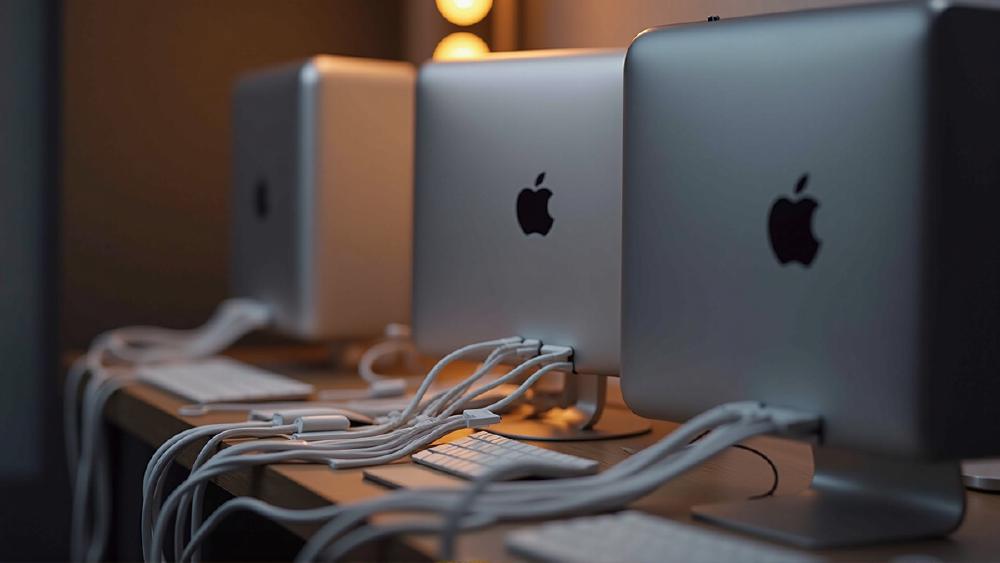
Four Mac Studios. 1.5 terabytes of unified memory. One trillion-parameter model running at 25 tokens per second. Total cost: about $40,000.
That is the setup Creative Strategies documented this month, running Kimi K2 Thinking - a 1 trillion parameter model - on a cluster of Mac Studios connected via Thunderbolt 5. Jeff Geerling's benchmarks confirmed similar numbers: 32 tokens per second on Qwen3 235B across the same four-node setup.
TL;DR
- Four Mac Studios with 512GB or 256GB each create a 1.5TB unified memory cluster for ~$40,000
- macOS Tahoe 26.2 enabled RDMA over Thunderbolt 5, dropping inter-node latency from 300 microseconds to under 50 microseconds
- The cluster runs Kimi K2 (1T parameters) at ~25 tok/s and Qwen3 235B at ~32 tok/s
- Equivalent NVIDIA setup would require 26+ H100 GPUs at $780,000+ plus networking and datacenter infrastructure
- The total system draws 450-600W - less than a single H200
- Apple Insider confirms macOS RDMA works on M4 Pro Mac Mini, M4 Max Mac Studio, and M3 Ultra Mac Studio
This Is Not the OpenClaw Mac Mini Story
Let me be clear about what this is and what it is not.
Last month we covered how people were buying $2,200 Mac Minis to run OpenClaw - an agent framework that makes API calls to cloud providers. The Mac's GPU sat idle. That was a $2,200 API client and a waste of good hardware.
This is the opposite story. These Mac Studio clusters are doing the actual inference locally. The GPU is not idle - it is running a trillion-parameter model entirely on-device, with no API calls, no cloud dependency, no per-token costs, and no data leaving the premises.
The difference between those two stories is the difference between a misunderstanding and a genuine infrastructure shift.
The Technical Breakthrough - RDMA Over Thunderbolt 5
The enabling technology is deceptively simple. In macOS Tahoe 26.2, Apple quietly added RDMA (Remote Direct Memory Access) support over Thunderbolt 5. RDMA allows one machine to directly read and write to another machine's memory without involving the CPU or operating system kernel on either side.
Before RDMA, connecting multiple Macs for distributed inference used standard networking protocols. Each memory transfer went through the full network stack: application to kernel to NIC to wire to NIC to kernel to application. Round-trip latency: approximately 300 microseconds per transfer.
With RDMA, the transfer bypasses the entire stack. One Mac's GPU writes directly to another Mac's memory region. EXO Labs, the open-source clustering software that powers most of these setups, measured the improvement at 300 microseconds down to 3 microseconds - a 100x reduction.
Jeff Geerling's measurements showed slightly higher real-world latency at under 50 microseconds end-to-end, which is still a 6x improvement over the pre-RDMA baseline. Either way, the latency is now low enough that distributed inference across four Macs feels like a single machine to the model.
The Math - $40K vs $780K
Implicator.ai ran the cost comparison and the numbers are striking:
| Configuration | Cost | Memory | Power Draw |
|---|---|---|---|
| 4x Mac Studio (512GB each) | ~$47,000 | 2TB unified | 450-600W |
| 4x Mac Studio (mixed 512/256GB) | ~$40,000 | 1.5TB unified | 450-600W |
| 26x NVIDIA H100 80GB (equivalent memory) | ~$780,000+ | 2.08TB HBM3 | ~18,200W |
| Cloud rental (26x H100, 1 year) | ~$456,000/yr | - | - |
The Mac cluster costs 5% of the NVIDIA hardware price and draws 3% of the power. The trade-off is throughput: 26 H100s would deliver dramatically higher tokens per second for batch inference. But for single-user or small-team interactive use - a developer querying a local model, a startup iterating on prompts, a law firm running private document analysis - 25-32 tokens per second is responsive enough for real work.
The power comparison is particularly notable. A single NVIDIA H200 draws 700W under load. The entire four-Mac-Studio cluster draws 450-600W total. No liquid cooling required. No datacenter. No special electrical work. A standard 15-amp wall outlet handles it.
What People Are Actually Running
Based on the benchmarks published by Creative Strategies and Jeff Geerling, here is what a four-node Mac Studio cluster can do:
| Model | Parameters | Quantization | Tokens/sec | Memory Used |
|---|---|---|---|---|
| Kimi K2 Thinking | 1T (MoE) | Q4 | ~25 tok/s | ~800GB |
| Qwen3 235B | 235B | Q4_K_M | ~32 tok/s | ~140GB |
| Llama 3.1 405B | 405B | Q4_K_M | ~18-22 tok/s | ~230GB |
| DeepSeek V3 | 671B | Q4_K_M | ~15-20 tok/s (est.) | ~380GB |
For context, Llama 3.1 405B in Q4_K_M requires approximately 230GB of memory. That exceeds the capacity of any single GPU on the market - even the GB300 NVL72's 288GB per GPU. On a single Apple M4 Max with 128GB, you can run 405B at aggressive quantization (Q2_K) but with significant quality loss. The four-Mac cluster fits it comfortably at Q4_K_M with memory to spare for KV cache.
The sweet spot appears to be models in the 200B-400B parameter range at Q4 quantization. These models are meaningfully more capable than the 7B-70B models that fit on a single consumer GPU, and the Mac cluster makes them accessible without datacenter infrastructure.
Who Is Building These
The buyer profile is specific and distinct from the Mac Mini OpenClaw crowd:
Enterprise compliance teams. CXOToday reports that healthcare, fintech, and legal tech companies are evaluating Mac clusters for scenarios where data cannot leave the premises. GDPR, HIPAA, and financial regulations create genuine requirements for on-premises inference that cloud providers cannot satisfy with contract clauses alone. Jigsaw24, a UK enterprise Apple reseller, has published deployment guides for private LLM setups using EXO Labs.
AI researchers and hobbyists with serious budgets. The Hacker News thread on Mac Studio for local AI shows users running 256GB-512GB configurations. The primary motivation cited: privacy and control, not cost savings. These are developers who want to iterate on large models without per-token API costs or rate limits, and who have $10,000-$50,000 to spend on a permanent inference rig.
Startups avoiding cloud lock-in. At the break-even analysis published by Prem.ai, a team spending $47,000/month on cloud inference cut their compute costs by 83% to $8,000/month using a hybrid local-cloud approach. The Mac cluster is the local half of that equation for teams that do not want to operate NVIDIA GPU servers.
The Shortage - Real but Complicated
Mac Studio delivery times have stretched to 1-2 months for high-memory configurations. 9to5Mac confirmed shipping estimates pushing into April 2026, particularly for 512GB RAM units. Apple Insider notes the difficulty separating AI-driven demand from normal product-cycle effects - Apple is widely expected to refresh the Mac Studio with M5 Ultra later this year, and inventory drawdowns before a refresh are normal.
In Europe, the situation is more acute. Czech tech publication Letem svetem Applem reported the highest-configured Mac Studio completely sold out, with weeks-long waits. At approximately 17,000 EUR for a fully loaded unit, these are not impulse purchases.
The Limitations
The Mac cluster story is real, but it comes with important caveats.
Inference only. You cannot train models on Apple Silicon. There is no equivalent to NVIDIA's CUDA training ecosystem for Metal. If you need to fine-tune or train, you still need NVIDIA GPUs or cloud compute. The Mac cluster is strictly for running pre-trained models.
Throughput, not batch performance. 25-32 tokens per second is great for interactive single-user inference. It is not competitive with even a single H100 for batched production serving, where throughput is measured in thousands of tokens per second across concurrent requests.
Software ecosystem is young. EXO Labs is the primary clustering tool and it is open source with a small team. RDMA support was added in December 2025. The stack works, but it is not enterprise-grade in the way that NVIDIA's inference stack (TensorRT-LLM, Triton Inference Server, NIM) has been battle-tested for years.
Memory bandwidth is the bottleneck. Apple's unified memory delivers 546 GB/s on the M4 Max and 819 GB/s on the M4 Ultra. Compare that to 3,350 GB/s on an H100 or 8,000 GB/s on a B200. The Mac cluster compensates for lower bandwidth with more total memory capacity, but per-token latency will always be higher than dedicated datacenter GPUs.
The Bottom Line
The Mac Studio cluster is the first sub-$50,000 setup that can run trillion-parameter models locally with usable performance. That is a genuine milestone for privacy-sensitive workloads and developers who want to experiment with frontier-scale models without cloud dependency.
It is not a replacement for datacenter GPUs - the throughput gap is too large for production batch serving. But for the specific use case of interactive, private, on-premises inference with very large models, nothing else in this price range comes close.
If your threat model requires data to stay on-premises, or if you are spending more than $3,000/month on cloud inference APIs and can tolerate lower throughput, the math works. Four Mac Studios pay for themselves in under a year compared to cloud H100 rental.
For everyone else - particularly anyone considering this for workloads that fit on a single RTX 4090 or RTX 5090 - the NVIDIA consumer GPU path remains faster, cheaper, and better supported.
Sources:
- Running a 1T Parameter Model on a $40K Mac Studio Cluster - Creative Strategies
- 1.5 TB of VRAM on Mac Studio - RDMA over Thunderbolt 5 - Jeff Geerling
- Apple Just Turned a Software Update Into a $730,000 Discount - Implicator.ai
- Mac Studio for Trillion-Parameter AI Without Cloud - CXOToday
- Build Your Own Private LLM with Mac Studio - Jigsaw24
- EXO Labs - Open Source Distributed Inference
- AI Cluster Boost from RDMA on Thunderbolt 5 - Apple Insider
- Mac Studio Shipping Delays - 9to5Mac
- Self-Hosted LLM Cost Comparison - Prem.ai
