
LM Studio's Bionic Agent Splits Local and Cloud AI
LM Studio launched Bionic, a standalone agent app that routes coding and document work between local open models and a Zero Data Retention cloud tier.
 6 min read
Say you're a developer who wants an agent to dig through a messy repo, propose a fix, and let you dictate a follow-up note without any of it leaving your laptop. Until this week, that meant stitching together a local runtime, a separate coding harness, and a transcription tool yourself. LM Studio shipped an app on July 16 that tries to collapse all three into one pipeline: Bionic, described on its blog as "the AI agent for getting real work done with open models."
Bionic is a new, separate download from the familiar LM Studio chat interface. It adds two structured project types, a system-wide voice keyboard, and a router that decides per request whether to run a model on your machine or forward it to LM Studio's own cloud.
How a request moves through Bionic
- Voice or text enters through the app or a system-wide keyboard shortcut
- Speech gets transcribed on-device by Mistral's Voxtral model, no network call
- A router checks the model badge: local chip icon or cloud icon
- Local requests run through LM Studio's own llama.cpp/MLX runtime
- Cloud requests go to LM Studio Secure Cloud under a Zero Data Retention policy
- Code projects get inline diffs with an automatic checkpoint before any file write
- Work projects run inside a sandbox with in-app previews for PDFs, decks, and sheets
Step By Step
Capture
Everything starts with either a typed prompt or the voice keyboard, which Bionic can trigger from inside any app, not just its own window. Point it at a Notes-style document, start talking, and text appears wherever the cursor sits.
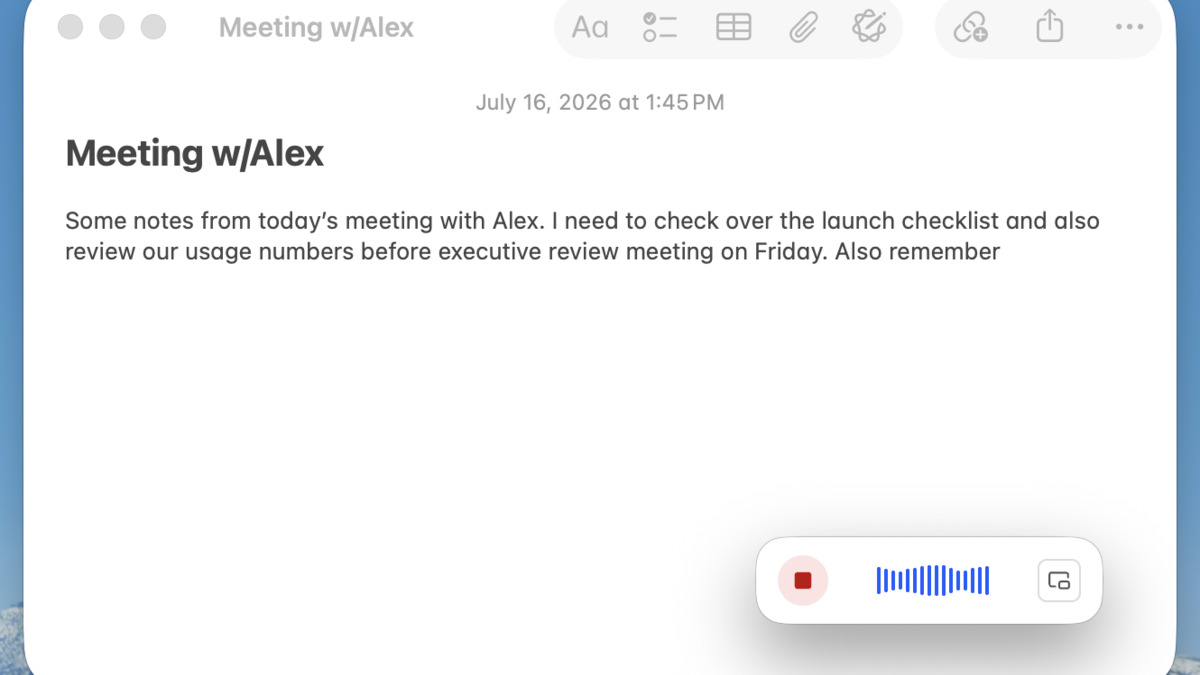 Bionic's system-wide voice keyboard dictates directly into other apps, with transcription handled locally.
Source: 9to5mac.com
Bionic's system-wide voice keyboard dictates directly into other apps, with transcription handled locally.
Source: 9to5mac.com
Local Transcription
The voice keyboard runs on Voxtral, Mistral's speech model family, completely on-device. LM Studio's pitch is that dictation never touches the network regardless of which model handles the resulting text, which matters if the request itself contains anything sensitive.
Model Routing
This is the part that actually decides where the request goes. Bionic's model picker shows a cloud icon next to GLM 5.2 and Kimi K2.6, and a chip icon next to models like Qwen3.6 27B and Gemma 4 that are small enough to sit in memory on a laptop. Pick one, and the badge next to the input box updates to match.
lms load qwen3.6-27b --gpu=max --context-length=32768
lms server start
lms ps
That's roughly what Bionic automates behind the picker: loading a model with a GPU allocation, spinning up a local server, and confirming what's resident in memory. Doing it by hand through the lms CLI works fine for one model on one machine. Bionic's contribution is making the local-versus-cloud choice a dropdown instead of a terminal session.
Agentic Execution
In a Code project, the model gets pointed at a local folder and runs agentic search across it, proposing edits as inline diffs rather than rewriting files outright. In a Work project, the same agent operates inside a sandbox to edit PDFs, decks, and spreadsheets, calling a Zero Data Retention web search tool when it needs outside context.
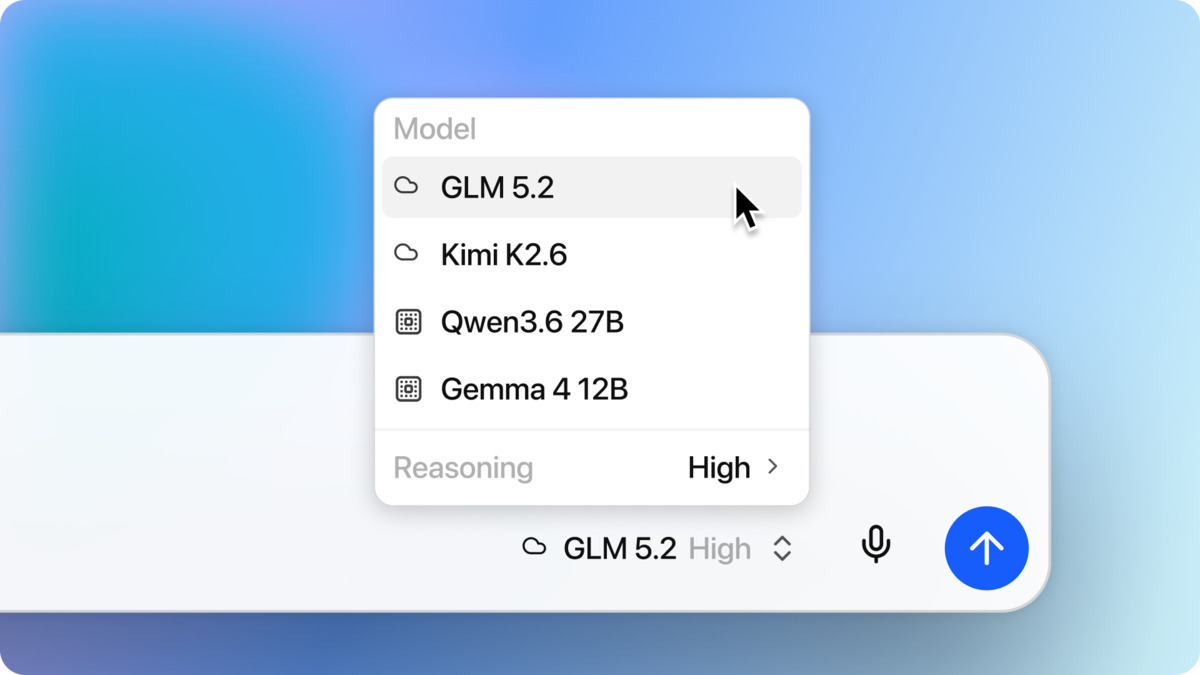 The model picker distinguishes cloud models (cloud icon) from models running locally (chip icon).
Source: 9to5mac.com
The model picker distinguishes cloud models (cloud icon) from models running locally (chip icon).
Source: 9to5mac.com
Checkpoint And Review
Before Bionic writes to a file, it saves a checkpoint automatically. That's the rollback mechanism, and it's the same instinct behind LM Studio's earlier LM Link feature: build the safety net into the plumbing instead of asking the user to remember to make one.
Commit Or Export
The final step is approval. Diffs get applied to the repo, or produced files get exported with an in-app preview so you can check a slide deck before it lands in Finder.
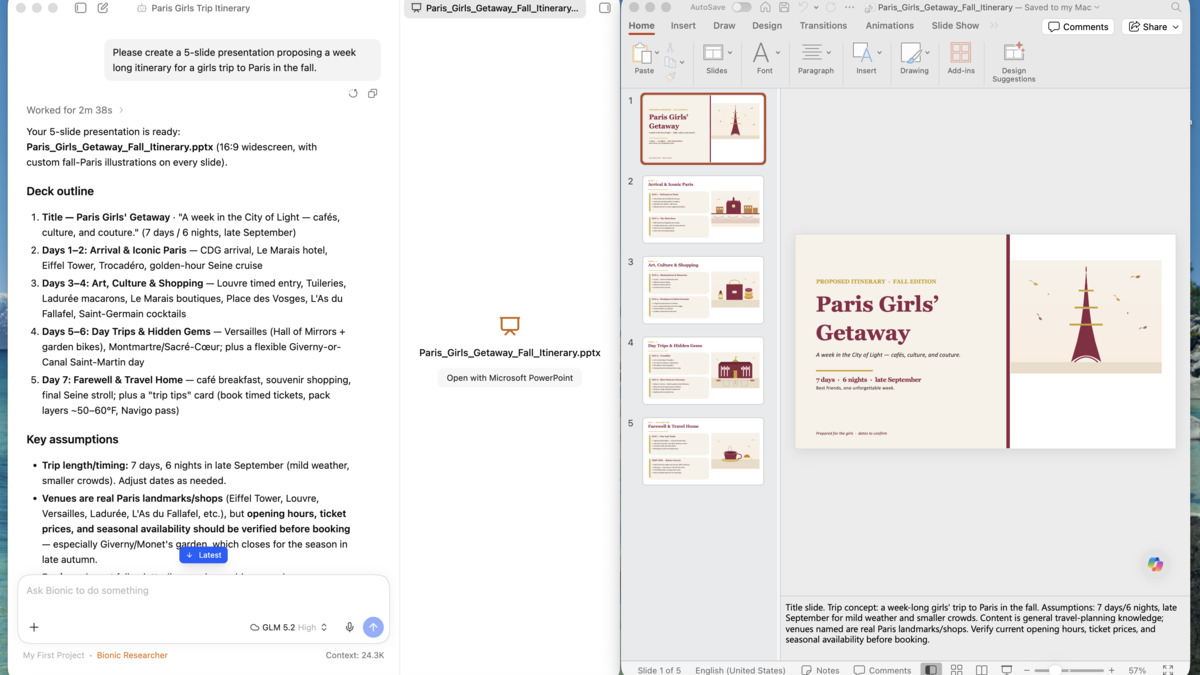 A Work project generating a PowerPoint deck with a live in-app preview.
Source: 9to5mac.com
A Work project generating a PowerPoint deck with a live in-app preview.
Source: 9to5mac.com
Bionic Versus Doing It Yourself
| Step | Bionic | Manual local setup |
|---|---|---|
| Voice input | Built-in, system-wide, offline | Separate STT tool, manual wiring |
| Model routing | One dropdown, per-request | Manage local server + separate cloud API keys |
| Code edits | Inline diffs, auto checkpoint | Direct file writes, manual git safety net |
| Document work | Sandboxed, in-app preview | Local file access, no isolation by default |
| Privacy claim | Zero Data Retention on cloud calls | Depends completely on which API you wire up |
The pricing mirrors the split. Running local models is free. Cloud access to GLM 5.2, Kimi K2.6, and Kimi K2.7-Code runs on pay-as-you-go credits, with a "Bionic Pass" subscription tier still marked "coming soon" on LM Studio's pricing page.
Where It Breaks
The name promises an agent for open models, but the two most capable open-weight models in that picker aren't ones most people can run. GLM-5.2 carries 744 billion parameters; even quantized to 4 bits, the weights alone need roughly 370GB of memory. Kimi K2.7-Code is worse: a trillion parameters, north of 500GB at the same quantization. Neither fits on a Mac Studio, let alone a laptop. Both are cloud-only in Bionic, full stop.
What actually runs locally is Qwen3.6-27B and Gemma 4, solid mid-range models but a real step down in coding capability from the frontier open-weight tier. That gap didn't go unnoticed. On the Hacker News thread announcing the app, one commenter dismissed the whole category: "another cool project that i will never use because frontier models are just too far ahead." Another pushed on the branding directly, calling the "made for open models" framing "confusing messaging" for an app whose flagship models require its own paid cloud.
On the privacy claim specifically, LM Studio founder Yagil Burowski answered a data-retention question on that same thread directly:
"We negotiated ZDR with our providers. We consider that a condition to make things available to our users: in this case cloud inference and web search/extract."
That's a firmer commitment than a privacy policy page, since it describes a contractual condition with the cloud providers Bionic actually calls. It doesn't change the fact that a Zero Data Retention promise is only as durable as the company making it, a point at least one HN commenter raised about any vendor's data policy.
The app itself is also closed source, running on top of open models without being one. For a tool built by a small team and still marked "coming soon" on its own subscription tier, that's a reasonable trade for now. Whether it stays reasonable depends on what happens to pricing once Bionic Pass actually ships.
Bionic is available today for Mac and Windows.
Sources:

