
DESIGN.md Goes Open Source - AI Agents Get a Style Sheet
Google Labs open-sourced DESIGN.md, a YAML-plus-markdown file that gives AI coding agents a brand's complete design system in one drop-in file - now works with Claude Code, Cursor, and Copilot.
 6 min read
Google Labs pushed the DESIGN.md specification to GitHub under Apache 2.0 on April 21, 2026, detaching it from Google Stitch and making it usable by any coding agent on any platform. The move turns what was an internal Stitch convention into a portable contract between a brand and the AI agents that write its code.
TL;DR
- DESIGN.md is a YAML-plus-markdown file in your project root that encodes a brand's full design system: colors, typography, spacing, and component tokens
- Apache 2.0 license; GitHub repo at
google-labs-code/design.md(5.2k stars in 72 hours); community collectionawesome-design-mdcrossed 64k stars - Verified by a bundled CLI -
npx @google/design.md lint- that checks token integrity and WCAG AA contrast ratios - Currently in alpha; no enforcement mechanism means agents can still ignore it
The problem DESIGN.md is solving is genuinely annoying. Every time a developer prompts Claude Code, Cursor, or GitHub Copilot to add a new component, the agent guesses. It invents a button color, picks a font weight, chooses a border-radius - and the output rarely matches the rest of the app unless the developer re-describes the entire visual system in every prompt. DESIGN.md replaces that re-description with a file.
What DESIGN.md Actually Is
Two Layers
The file is split into two layers that serve different audiences. The YAML front matter is machine-readable: it contains typed design tokens that agents can parse deterministically, confirm against each other, and export to Tailwind or W3C DTCG format without touching the prose. The markdown body is human-readable: it explains the "why" behind each decision, giving agents enough semantic context to make judgment calls when a token doesn't directly cover a case.
---
version: alpha
name: Heritage
description: "A dignified editorial brand with warm ink tones"
colors:
  primary: "#1A1C1E"
  accent: "#B8422E"
  surface: "#F5F0E8"
typography:
  body-md:
    fontFamily: "Public Sans"
    fontSize: "1rem"
    fontWeight: 400
    lineHeight: 1.6
rounded:
  sm: "4px"
  md: "8px"
spacing:
  base: "8px"
components:
  button-primary:
    backgroundColor: "{colors.accent}"
    textColor: "{colors.surface}"
    typography: "{typography.body-md}"
    rounded: "{rounded.md}"
    padding: "12px 24px"
---

## Overview

Heritage draws from mid-century editorial design. The deep ink primary
conveys authority without aggression. The Boston Clay accent is used
sparingly - only for calls to action.

## Colors

- **Primary** (#1A1C1E): Headlines, body text, all core copy
- **Accent** (#B8422E): CTA buttons and interactive elements only
- **Surface** (#F5F0E8): Page background, card fills
Token Cross-References
Tokens reference each other using curly-brace syntax: {colors.accent} inside a component block points to the accent hex value defined in the colors section. Change the hex in one place and every component that references it updates on export. Within the YAML, components can reference both primitive tokens (colors, spacing) and composite tokens (typography scales), so a button-primary-hover variant can derive from button-primary with a single property override rather than duplicating the full spec.
The Toolchain
CLI
The bundled CLI ships three commands:
- lint:
npx @google/design.md lint DESIGN.md- validates token references, checks for missing required color roles, and runs WCAG AA contrast checks on every color pair referenced in components. Returns structured JSON so agents can consume the output directly. - diff: Compares two DESIGN.md files and flags regressions - for example, if a PR changes a primary color and breaks a contrast ratio that previously passed.
- export: Converts the YAML front matter into
tailwind.config.js,tokens.json(W3C DTCG format), or CSS custom properties.
Export Targets
| Format | Output | Use Case |
|---|---|---|
| Tailwind | tailwind.config.js | Utility-class projects |
| W3C DTCG | tokens.json | Design tool sync (Figma, Penpot) |
| CSS | Custom properties | Vanilla CSS or any framework |
The Stitch integration also exports directly from any public URL - point it at an existing app and it derives a DESIGN.md from the live styles.
 AI coding agents like Claude Code read DESIGN.md as persistent context, applying the defined tokens without requiring repeated prompts.
Source: mindstudio.ai
AI coding agents like Claude Code read DESIGN.md as persistent context, applying the defined tokens without requiring repeated prompts.
Source: mindstudio.ai
Adoption Signal
The numbers are instructive. The official google-labs-code/design.md repo hit 5.2k stars within 72 hours of publication. The community-maintained awesome-design-md collection - which packages reference DESIGN.md files for major brand systems like Stripe, Spotify, Figma, and Apple - crossed 64,000 stars, a signal that developers were already waiting for a drop-in solution.
"Instead of guessing intent, AI agents can know exactly what a color is for, and can validate their choices against WCAG accessibility rules."
- Google Labs announcement, April 2026
David East from Google Labs described the format in the announcement video as a persistent context layer - something an agent reads once at session start rather than something a developer has to re-explain with every prompt.
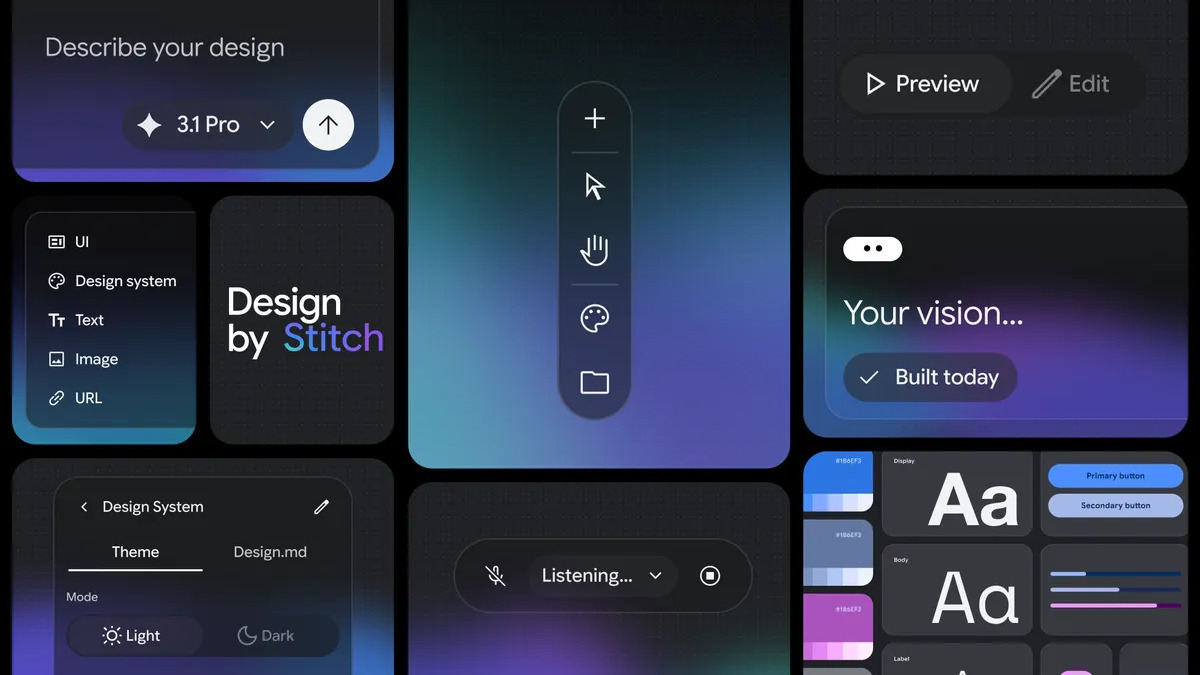 The DESIGN.md export workflow inside Google Stitch 2.0, which triggered the open-source release of the spec.
Source: blog.google
The DESIGN.md export workflow inside Google Stitch 2.0, which triggered the open-source release of the spec.
Source: blog.google
Where It Falls Short
The spec is in alpha and it shows. Four concrete gaps are worth flagging for teams considering adoption right now.
No enforcement. DESIGN.md is a text file in your project root. Agents read it as context, but nothing prevents an agent from generating a button with a hex value that isn't in the spec. The lint CLI catches problems after the fact; it doesn't intercept generation in progress. Teams building at scale still need component libraries that enforce tokens at the code level.
No animation or interaction tokens. The current schema covers static visual properties - colors, typography, spacing, border-radius. There's no field for transition durations, easing curves, hover states, or motion principles. Agents generating interactive components still have to guess those.
WCAG checks are structural, not visual. The contrast checker runs on token pairs defined in components. It doesn't test every generated UI against WCAG; it only tests the specific combinations you've encoded. Edge cases from dynamic content or runtime color mixing fall outside its scope.
Alpha-status schema instability. The spec file starts with version: alpha, and the repository readme is explicit that field names can change before a stable release. Tooling built against the current schema today may need updates as the spec evolves.
The practical entry point is straightforward: add a DESIGN.md to a project root, reference it in your CLAUDE.md or equivalent agent config, and run the linter in CI to catch token drift. For teams already maintaining a Tailwind theme or W3C token set, the export path runs in reverse - the CLI can convert an existing tailwind.config.js into a starting DESIGN.md, which sidesteps the blank-page problem.
The GitHub repo is at github.com/google-labs-code/design.md. The community collection of brand reference files is at github.com/VoltAgent/awesome-design-md.
Sources:

