
Gemini Spark Gains Mac File Access and MCP Support
Google's Gemini Spark agent is now in beta on macOS with local file system access, MCP server support, and real-time topic monitoring - but only for $99/month AI Ultra subscribers.
 Updated
6 min read
Updated
6 min read
Google shipped a meaningful update to its Gemini desktop app today, tucking the Spark agent into macOS. Version 1.80.15.516 adds a dedicated Spark tab to the sidebar and, for the first time, gives the agent direct read-write access to your local file system. It also brings Model Context Protocol (MCP) support, which is the part developers will actually care about.
TL;DR
- Gemini Spark agent is now in beta on macOS for Google AI Ultra subscribers ($99/month)
- "Connected folders" let Spark read and modify your local files - it can permanently delete and share files with third parties
- MCP support enables custom app connections beyond the built-in integration list
- Real-time tracking monitors stocks, news, sports, and email around the clock
- Cross-device task assignment from your phone is still coming soon
What Is New in Version 1.80.15.516
The update is available now in the Gemini desktop app. If you're on AI Ultra, a new "Spark" top tab appears in the sidebar. Everything below that tab is new territory.
Connected Folders
The core addition is file system access. Users link specific local folders - Downloads, Desktop, Documents, Photos - via an "add Mac folder" prompt in the sidebar. Once connected, Spark can sort PDFs, rename files in bulk, pull figures from saved invoices to populate a Google Sheets budget, or scan a folder and email relevant files to a contact.
Two things are worth understanding before you link any folder. First, Spark creates temporary backup files during operations and deletes them automatically after 24 hours or when a new task begins. Second, Google's own documentation states that Spark "can permanently delete files and share them with third parties" - which is expected behavior for a file agent, but worth knowing before you point it at anything sensitive. The settings panel includes an "Alert when backup fails" toggle specifically to prevent silent data loss.
Task Execution Model
Spark's Mac support adds local execution with Google's existing cloud VM infrastructure. The app includes a "Keep this Mac awake to run tasks" toggle for long-running workflows. A Cmd+Cmd keyboard shortcut lets you attach your active window to the chat without a manual screenshot. Remote task assignment - where you queue work from your phone and it runs on your Mac later - is listed as coming soon.
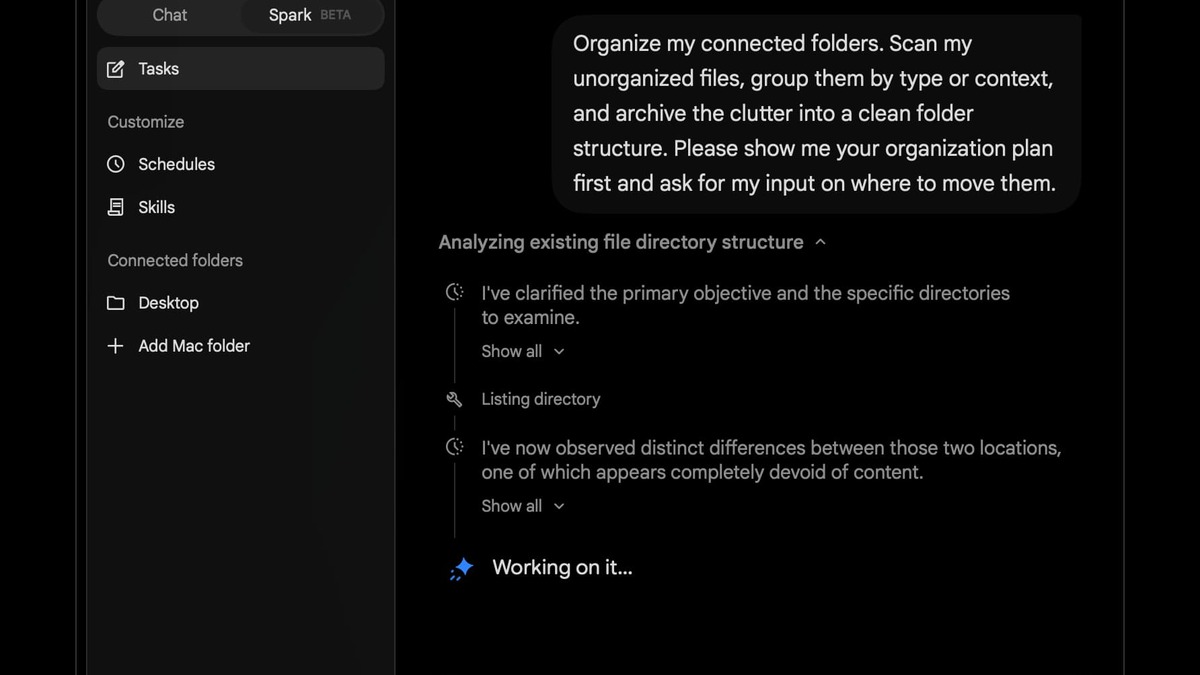 The new Spark tab in the Gemini for Mac sidebar, showing the agent interface and connected folder setup.
Source: 9to5google.com
The new Spark tab in the Gemini for Mac sidebar, showing the agent interface and connected folder setup.
Source: 9to5google.com
MCP: The Hook for Developers
Beyond the built-in app list, Spark now accepts connections from any server that speaks the Model Context Protocol. MCP is the emerging open standard for wiring AI agents to external tools - it's the same protocol that Claude Code and more developer tools support. A minimal MCP server configuration looks like this:
{
  "mcpServers": {
    "my-data-source": {
      "command": "node",
      "args": ["/path/to/mcp-server/index.js"],
      "env": {
        "API_KEY": "your-key-here"
      }
    }
  }
}
In practice this means Spark can talk to internal databases, company wikis, CI systems, or any custom toolchain that has a MCP adapter - without waiting for Google to ship a native integration. For teams that already maintain MCP servers for Claude or other agents, connecting Spark is a matter of pointing it at the existing endpoint. That's a truly useful interoperability move and the most developer-friendly thing in this update.
Requirements and Compatibility
| Requirement | Detail |
|---|---|
| Subscription | Google AI Ultra ($99/month minimum) |
| App version | Gemini for Mac 1.80.15.516 or later |
| Eligibility | Age 18+, United States only (beta) |
| OS | macOS (version not specified in beta docs) |
| File access | Explicit folder linking required |
| Cloud VM | Used with local execution |
Built-In App Integrations
Google Native Apps
The update adds Tasks and Keep to Spark's integration list, filling a gap that reviewers had flagged as a basic omission. You can now ask Spark to add items to your task list or pull notes from Keep into a workflow. Spark already connected to Gmail and Google Calendar.
Third-Party Apps
New third-party connections include Canva, Dropbox, Instacart, OpenTable, and Zillow Rentals. The list reads like a practical slice of the personal productivity surface: creative files (Canva), document storage (Dropbox), dining reservations (OpenTable), groceries (Instacart), and apartment search (Zillow). These are integrations you enable rather than automatically active.
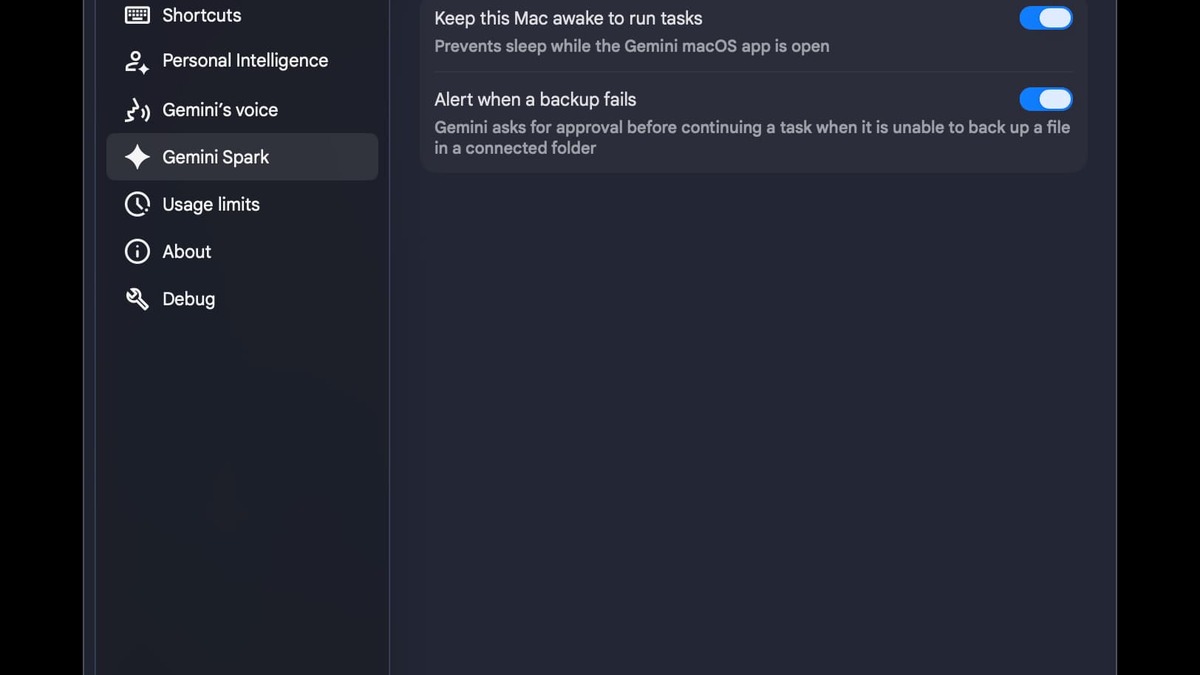 The Connected Folders panel where users grant Spark access to local directories.
Source: 9to5google.com
The Connected Folders panel where users grant Spark access to local directories.
Source: 9to5google.com
Real-Time Topic Monitoring
Spark can now watch topics continuously across blogs, news outlets, social media feeds, finance data, sports scores, shopping prices, weather, and email. Users define the triggers - a stock crossing a price threshold, a soccer match ending, a keyword appearing in news - and Spark delivers alerts when conditions are met. This runs on Google's cloud infrastructure independently of whether your Mac is active.
The feature positions Spark closer to a personal workflow automation layer than a chat assistant, which is where Google has been pushing the product since its announcement at I/O 2026.
Where It Falls Short
The launch has real limits that constrain who can actually use it.
Pricing is the sharpest edge. Google AI Ultra costs $99 per month, compared to $20 per month for Claude Pro which includes Claude Cowork on Mac and Windows. For developers evaluating which agent runtime to build around, a 5x price gap isn't a small detail.
Geography is another constraint. The beta is US-only at launch, with no timeline given for expansion. Other desktop agents have broader availability.
Local-only execution means your Mac must stay awake for tasks that touch local files. The cross-device handoff - assign from phone, runs on Mac while you're out - is promised but not shipped. Until it is, Spark's local agent is less useful than its cloud-based counterpart for anything you want running while away from your desk.
Beta status carries the standard caveats. Google's documentation notes that "Gemini is still learning and can make mistakes," which reads as a polite warning not to automate anything critical. Linking a Connected folder to a production environment or a folder with credentials in it would be a bad idea right now.
For engineers already running MCP infrastructure, Spark's arrival on Mac is worth a look - MCP interop lowers the integration cost enough to run a side-by-side test against Claude Cowork without rebuilding anything. For everyone else, the price point and US-only availability make this more of a signal about where Google is taking Gemini than a product to switch to today. Gemini 3.5 powers the agent under the hood - the same model that was still delayed as of last month - so the capability ceiling here is real.
Sources:
- Gemini Spark updates: macOS launch, connected apps and more - Google Blog
- Gemini Spark, Google's agentic assistant, is now available on Mac - TechCrunch
- Gemini Spark rolling out to macOS app for local tasks, automation - 9to5Google
- Google Gemini Spark Comes to Mac With Local File Automation - MacRumors
- Google's Gemini Spark AI Agent is Now Available on macOS - Thurrott
Last updated

