
Chrome Installs 4 GB Gemini Nano Without Asking
Google Chrome silently installs a 4 GB Gemini Nano model file on user devices with no consent prompt and re-downloads it if you delete it.
 5 min read
TL;DR
- Chrome silently writes a 4 GB Gemini Nano file (
weights.bin) to your device - no prompt, no consent dialog - The file lives in
OptGuideOnDeviceModelinside your Chrome profile and re-downloads itself if removed - Disabling it requires editing
chrome://flagsor Windows Registry - neither is accessible to ordinary users - At Chrome's scale, a single model push carries an estimated 6,000 to 60,000 tonnes of CO2 equivalent
Google Chrome has been quietly depositing a 4 GB AI model file onto user devices for months. The file is weights.bin, a set of neural network weights for Gemini Nano, and it arrives without a consent dialog, without a notification, and without a visible setting to stop it. If you find it and delete it, Chrome re-downloads it.
That's the finding detailed in a thorough investigation by That Privacy Guy, who verified the behavior using macOS filesystem logs over a week in late April 2026. The piece has since spread widely across tech communities, with forums on Hacker News and Reddit filling up with users reporting the same file on their Windows and Linux machines.
What Chrome Is Installing
Gemini Nano is Google's smallest on-device language model, designed to run inference locally rather than routing requests to a server. Chrome uses it to power several built-in AI features: "Help me write" (the textarea AI assist), on-device scam detection, tab-group suggestions, smart paste, and page summaries.
The model file sits at:
~/.config/google-chrome/OptGuideOnDeviceModel/weights.bin      # Linux/macOS
%LOCALAPPDATA%\Google\Chrome\User Data\OptGuideOnDeviceModel\weights.bin  # Windows
It's stored in TFLite format and runs through Google's MediaPipe inference stack. The full OptGuideOnDeviceModel directory has been reported at around 4 GB, though size varies by device and Chrome version - some users report the weights at 1.5 GB on lower-spec hardware, others see 4+ GB.
Google hasn't publicly commented on the lack of a consent prompt.
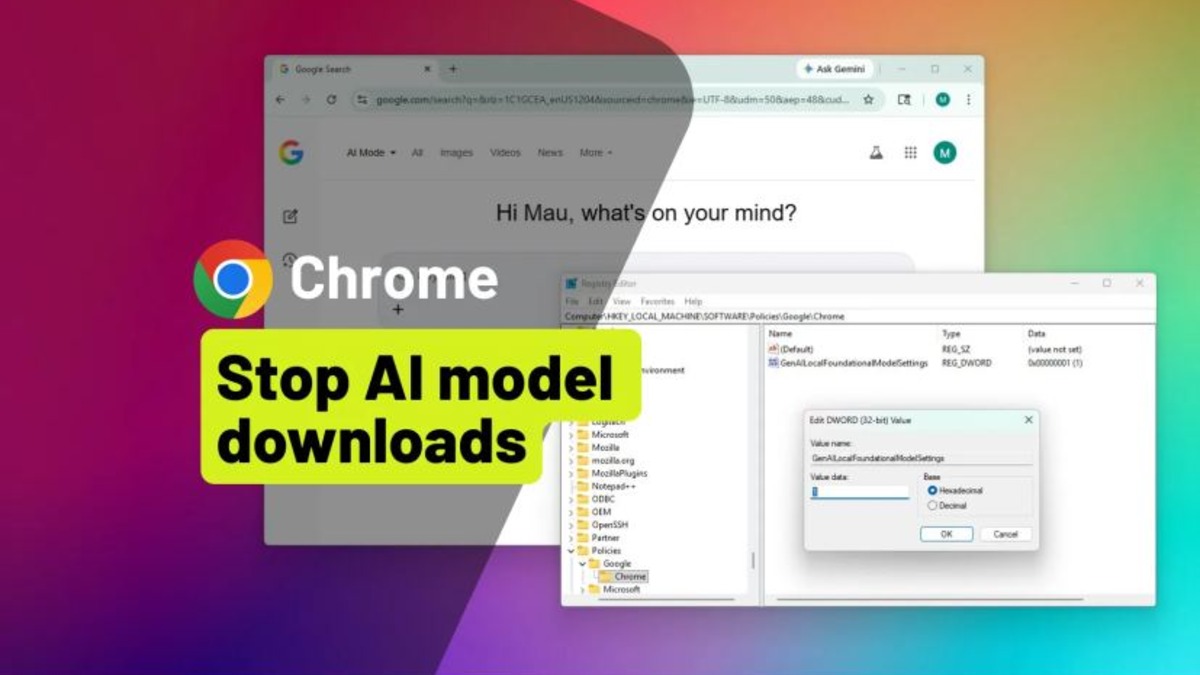 Chrome's AI settings page, where some Gemini Nano features are listed - but the download itself happens regardless of visible toggles.
Source: pureinfotech.com
Chrome's AI settings page, where some Gemini Nano features are listed - but the download itself happens regardless of visible toggles.
Source: pureinfotech.com
The Privacy Argument
The on-device approach is, on its face, better for privacy than the alternative. Text processed locally by Gemini Nano doesn't leave the device. That's a real difference from cloud-backed AI features.
The legitimate complaint isn't about local processing. It's about the 4 GB showing up without anyone asking.
A 4 GB file appearing on your device without a prompt isn't a minor background update - it's the size of an operating system installer.
There's also a gap in the product logic that the That Privacy Guy investigation flags: Chrome's AI Mode button in the address bar, the most prominent AI entry point most users will actually see, is cloud-backed. It routes queries to Google's servers regardless of whether Gemini Nano is installed locally. So the model is sitting on your disk, but the feature most users reach for doesn't use it.
How to Stop It
The removal options aren't designed for regular users.
On Chrome 137 and later, you can open chrome://flags, search for "optimization guide on device", and set it to Disabled. That stops the download. The problem is that Chrome flags are buried, reset between major browser updates, and carry warnings about instability - language that discourages most people from touching them.
The more durable fix on Windows involves editing the registry to set OptimizationGuideModelDownloading to 0 under the Chrome policy key. That requires registry access and admin rights.
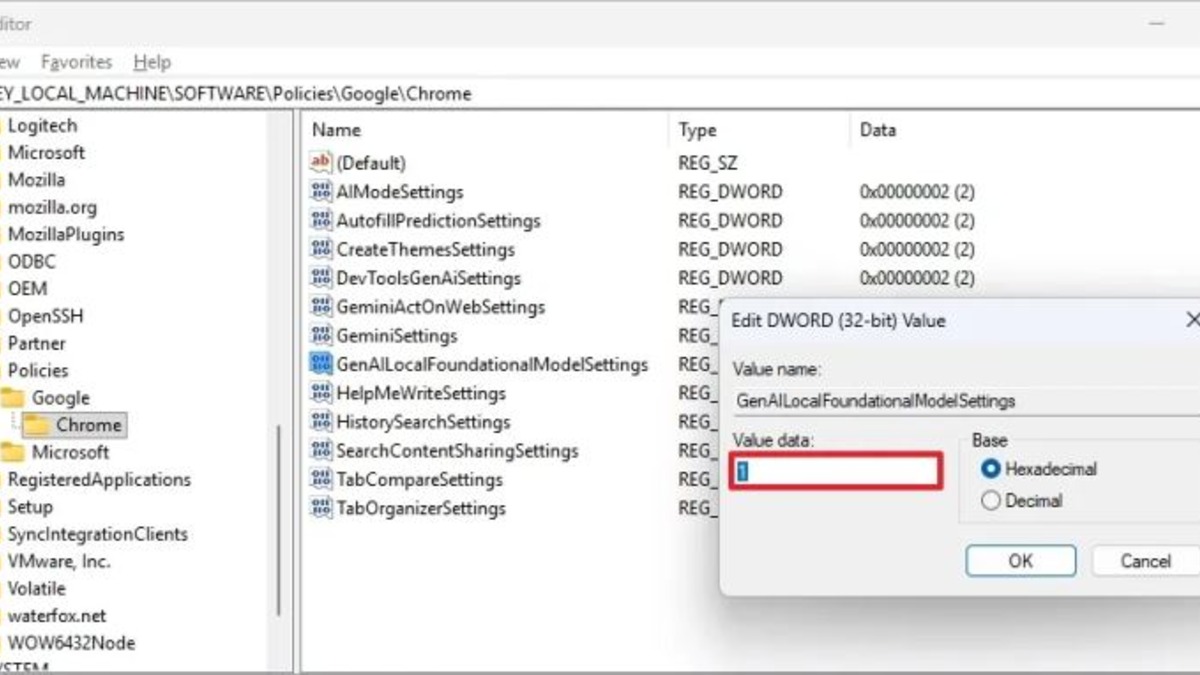 The Windows Registry path used to permanently block Chrome from downloading the Gemini Nano model.
Source: pureinfotech.com
The Windows Registry path used to permanently block Chrome from downloading the Gemini Nano model.
Source: pureinfotech.com
Enterprise environments can deploy the block via Group Policy or managed browser configuration. Individual users on personal machines have no single-click opt-out.
What Removing the File Does
Deleting weights.bin manually doesn't stick. Chrome treats the file as a managed component and restores it on the next eligibility check. Making the file read-only has been reported to fail as well, with Chrome overwriting permissions on update.
The only reliable block is disabling the flag or the registry key before Chrome checks for the model.
The Climate Angle
The That Privacy Guy piece includes a calculation that hasn't shown up much in subsequent coverage: the carbon cost of pushing a 4 GB model to the roughly one billion active Chrome installations worldwide.
The estimate - 6,000 to 60,000 tonnes of CO2 equivalent for a single model push, depending on assumptions about energy mix - is directionally reasonable. It's a wide range because the calculation depends heavily on whether devices are already on, what grid they're on, and whether the download is gradual. The low end is roughly equivalent to 1,300 petrol cars driven for a year. The high end is the annual emissions of a small town.
This isn't a number Google has acknowledged or calculated publicly.
What This Reveals About Google's Strategy
The behavior fits a pattern that's been visible across Google's product decisions since Gemini became the core of its AI strategy. The company is pushing on-device AI capabilities aggressively, and Chrome's billion-strong install base is an obvious distribution channel.
The incentive structure is clear: getting Gemini Nano onto as many devices as possible raises the floor for Google's AI product experience and creates a foundation for more capable local features down the line. Asking users explicitly carries the risk that many will say no.
That's a business decision, not a technical one. And it's the kind of decision that tends to draw regulatory interest in Europe, where the Digital Markets Act creates obligations around default behaviors for large platforms. Whether a 4 GB silent install on a dominant browser qualifies as a DMA concern hasn't been tested yet.
For now, the options for users who don't want the model are a buried flag and a registry edit.
Sources:

