
GPT-4 to Self-Hosted Llama 4 Migration Guide
Migrate from GPT-4o (now retired) or GPT-5.1 to self-hosted Llama 4 with near-zero code changes, but plan carefully for hardware, EU licensing, and realistic context window limits.
 12 min read
TL;DR
- API compatibility is very high - most code changes are just swapping an URL and model name
- EU-based operators still can't self-host Llama 4 due to its multimodal license terms (unchanged since launch)
- GPT-4o was retired from the OpenAI API in February 2026; the current standard comparison is GPT-5.1 at $1.25/$10 per million tokens
- Difficulty: Medium; budget 2-4 days for a full production setup with vLLM
Overview
If you were using GPT-4o via the OpenAI API, you've already been pushed to migrate - OpenAI retired it from the API in February 2026. The current standard-tier replacement is GPT-5.1, which starts at $1.25 per million input tokens and $10 per million output tokens. For high-volume workloads, that number adds up fast, and Llama 4 is now a production-grade alternative worth assessing seriously.
The switch is mostly mechanical. Meta designed Llama 4 to be served through OpenAI-compatible endpoints, so vLLM, Ollama, and llama.cpp all expose /v1/chat/completions with the same request and response format you're already using. For basic chat and streaming, the code change is literally two lines: a different base URL and a different model name.
The tradeoffs are real, though. The advertised 10M-token context window for Llama 4 Scout degrades in practice past about 256K tokens. Coding performance lags noticeably behind GPT-5.1. If your team is EU-based, Meta's license explicitly bars you from self-hosting Llama 4 at all. And Llama 4 Behemoth - the massive teacher model Meta teased at launch - is now effectively shelved, meaning the current Scout and Maverick variants are all you get from this generation.
With those tradeoffs understood, this is one of the cleaner API migrations available. The same Python SDK you use for OpenAI works against a local Llama 4 server with no changes.
Feature Parity Table
| Feature | GPT-5.1 / GPT-4o (OpenAI) | Self-hosted Llama 4 | Notes |
|---|---|---|---|
| Chat completions | POST /v1/chat/completions | POST /v1/chat/completions | Direct equivalent |
| Streaming | stream: true via SSE | stream: true via SSE | Direct equivalent |
| Tool/function calling | tools[], tool_choice | tools[], tool_choice | Full in vLLM; partial in Ollama (no tool_choice) |
| Parallel tool calls | Yes | Yes (Llama 4 only, not Llama 3) | Direct equivalent in vLLM |
| Image input | image_url in content array | image_url in content array | Direct equivalent; vLLM supports up to 10 images |
| JSON mode | response_format: {type: "json_object"} | Same | Direct equivalent |
| Logprobs | Yes | Yes (vLLM); No (Ollama) | Partial equivalent |
| Embeddings | POST /v1/embeddings | POST /v1/embeddings | Direct equivalent |
| Structured outputs (schema) | Yes | Limited | Partial equivalent |
| Assistants API | Yes (deprecated, sunset Aug 26 2026) | No equivalent | OpenAI shutting this down anyway |
| Batch API | Yes (50% discount) | No equivalent | No equivalent |
| Context window | GPT-5.1: 128K; GPT-5.2: 400K | Scout: up to 256K practical; Maverick: up to 1M | Llama 4 leads on paper; real-world quality degrades |
| Multimodal (text + image) | Yes | Yes | Direct equivalent |
| Fine-tuning | Via API | Via Hugging Face or local scripts | Partial equivalent |
| Usage/billing dashboard | Yes | Self-managed | No equivalent |
API Mapping
The base URL and authentication are the only mandatory changes for basic usage.
Before (OpenAI, GPT-4o era):
Base URL: https://api.openai.com/v1
Authorization: Bearer sk-your-openai-key
Model: gpt-4o  (retired Feb 2026; use gpt-5-1 for new workloads)
After (self-hosted via vLLM on localhost):
Base URL: http://localhost:8000/v1
Authorization: Bearer EMPTY  (any string works)
Model: meta-llama/Llama-4-Scout-17B-16E-Instruct
After (via Ollama on localhost):
Base URL: http://localhost:11434/v1
Authorization: Bearer ollama
Model: llama4:scout
 vLLM is the recommended production server for self-hosted Llama 4 - it has OpenAI-compatible endpoints and native support for Llama 4's MoE attention pattern.
Source: github.com/vllm-project
vLLM is the recommended production server for self-hosted Llama 4 - it has OpenAI-compatible endpoints and native support for Llama 4's MoE attention pattern.
Source: github.com/vllm-project
Request format - basic chat
No changes needed:
# Works identically against OpenAI or self-hosted Llama 4
client = OpenAI(
    base_url="http://localhost:8000/v1",  # only change
    api_key="EMPTY",                       # only change
)

response = client.chat.completions.create(
    model="meta-llama/Llama-4-Scout-17B-16E-Instruct",
    messages=[
        {"role": "system", "content": "You are a helpful assistant."},
        {"role": "user", "content": "Explain what a vector database does."},
    ],
    temperature=0.7,
    max_tokens=512,
)
print(response.choices[0].message.content)
Request format - streaming
stream = client.chat.completions.create(
    model="meta-llama/Llama-4-Scout-17B-16E-Instruct",
    messages=[{"role": "user", "content": "Write a haiku about migrations."}],
    stream=True,
)
for chunk in stream:
    if chunk.choices[0].delta.content:
        print(chunk.choices[0].delta.content, end="", flush=True)
Request format - tool calling (vLLM)
Tool definitions use the same schema as OpenAI. When serving with vLLM, pass --tool-call-parser llama4_pythonic --chat-template examples/tool_chat_template_llama4_pythonic.jinja --enable-auto-tool-choice to your vllm serve command first.
tools = [
    {
        "type": "function",
        "function": {
            "name": "get_weather",
            "description": "Get current weather for a city",
            "parameters": {
                "type": "object",
                "properties": {
                    "location": {"type": "string"},
                    "unit": {"type": "string", "enum": ["celsius", "fahrenheit"]},
                },
                "required": ["location"],
            },
        },
    }
]

response = client.chat.completions.create(
    model="meta-llama/Llama-4-Scout-17B-16E-Instruct",
    messages=[{"role": "user", "content": "What's the weather in Tokyo?"}],
    tools=tools,
    tool_choice="auto",
)
Request format - image input
response = client.chat.completions.create(
    model="meta-llama/Llama-4-Maverick-17B-128E-Instruct-FP8",
    messages=[
        {
            "role": "user",
            "content": [
                {"type": "text", "text": "What does this diagram show?"},
                {"type": "image_url", "image_url": {"url": "https://example.com/diagram.png"}},
            ],
        }
    ],
)
Code Examples
Start a vLLM server
Scout on a single H100 with INT4 quantization (recommended starting point):
pip install -U vllm

VLLM_DISABLE_COMPILE_CACHE=1 vllm serve meta-llama/Llama-4-Scout-17B-16E-Instruct \
  --quantization awq \
  --max-model-len 131072 \
  --tool-call-parser llama4_pythonic \
  --chat-template examples/tool_chat_template_llama4_pythonic.jinja \
  --enable-auto-tool-choice \
  --port 8000
Scout on 8x H100 with full 1M context (production):
VLLM_DISABLE_COMPILE_CACHE=1 vllm serve meta-llama/Llama-4-Scout-17B-16E-Instruct \
  --tensor-parallel-size 8 \
  --max-model-len 1000000 \
  --override-generation-config='{"attn_temperature_tuning": true}' \
  --kv-cache-dtype fp8 \
  --tool-call-parser llama4_pythonic \
  --chat-template examples/tool_chat_template_llama4_pythonic.jinja \
  --enable-auto-tool-choice
Maverick FP8 on 8x H100 (~430K context):
VLLM_DISABLE_COMPILE_CACHE=1 vllm serve meta-llama/Llama-4-Maverick-17B-128E-Instruct-FP8 \
  --tensor-parallel-size 8 \
  --max-model-len 430000
vLLM v0.20 (released May 2026) brought Model Runner V2, which delivers up to 56% higher throughput on NVIDIA GB200 hardware. On Blackwell GPUs (B200, B300), FlashAttention 4 is now the default attention backend. The --kv-cache-dtype fp8 flag pairs well with these improvements for H100 and newer hardware.
Start Ollama (development)
# Pull and run Scout (67GB download)
ollama run llama4:scout

# Or Maverick (245GB download)
ollama run llama4:maverick

# Then point your OpenAI client at Ollama
export OPENAI_BASE_URL=http://localhost:11434/v1
export OPENAI_API_KEY=ollama
Environment variable swap pattern
For teams using environment variables for configuration, the full change set is:
# Before (GPT-4o, now retired)
export OPENAI_API_KEY="sk-..."
export OPENAI_BASE_URL="https://api.openai.com/v1"
export MODEL_NAME="gpt-4o"

# After (vLLM local)
export OPENAI_API_KEY="EMPTY"
export OPENAI_BASE_URL="http://localhost:8000/v1"
export MODEL_NAME="meta-llama/Llama-4-Scout-17B-16E-Instruct"
If your code reads these variables, no application code changes are needed.
Pricing Impact
At 100M tokens/month, switching from GPT-5.1 to a hosted Llama 4 API on Groq saves roughly $3,270 per month. Self-hosting that volume saves more, but only pays off above 500M tokens/month once you count engineers.
API pricing comparison (per 1M tokens, as of June 2026):
| Provider | Model | Input | Output | Blended (3:1 ratio) |
|---|---|---|---|---|
| OpenAI | GPT-5.1 | $1.25 | $10.00 | $3.44 |
| OpenAI | GPT-5.5 | $5.00 | $30.00 | $11.25 |
| Groq | Llama 4 Scout | $0.11 | $0.34 | $0.17 |
| Groq | Llama 4 Maverick | $0.50 | $0.77 | $0.57 |
| DeepInfra | Llama 4 Scout | $0.08 | $0.30 | $0.14 |
| Self-hosted (1x H100, Scout Q4) | Llama 4 Scout | - | - | ~$0.30-$0.49* |
*Self-hosted cost is amortized GPU rental at moderate use. At low use, effective token cost rises sharply.
When self-hosting wins (and when it doesn't):
Under 10M tokens/month, the OpenAI API is almost certainly cheaper once you count engineering time. Between 10M and 500M tokens/month, a hosted Llama 4 API like Groq or DeepInfra is the sweet spot - 20x cheaper than GPT-5.1 with zero infrastructure work. Self-hosting only becomes clearly ROI-positive above 500M tokens/month, assuming you have existing DevOps capacity. Most teams underestimate this threshold.
For a concrete example: processing 10M tokens/month costs roughly $34.40 on GPT-5.1, $1.70 on Groq's Llama 4 Scout, and $90-$150 on a self-hosted H100 (at typical 30-40% GPU use).
See our guide on running open-source LLMs locally for a full hardware cost breakdown.
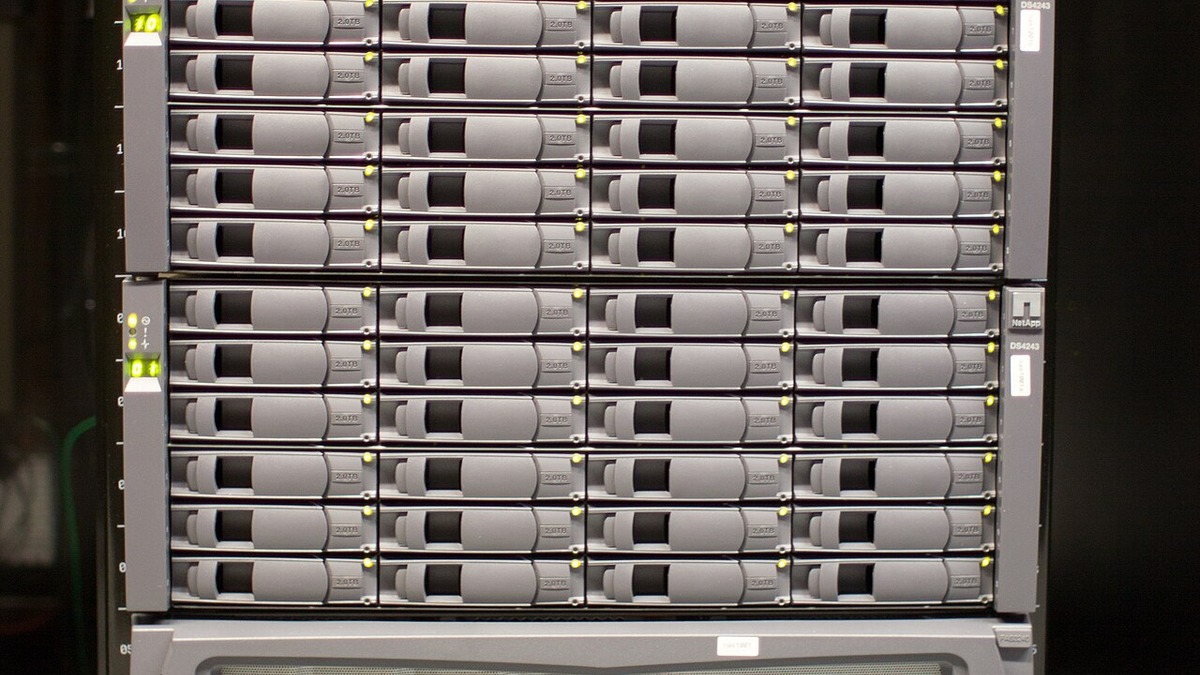 Running Llama 4 Maverick in full BF16 precision needs roughly 800GB of VRAM - about 10 H100 80GB GPUs. Quantized versions bring this into reach for smaller clusters.
Source: commons.wikimedia.org (Victorgrigas, CC BY-SA 3.0)
Running Llama 4 Maverick in full BF16 precision needs roughly 800GB of VRAM - about 10 H100 80GB GPUs. Quantized versions bring this into reach for smaller clusters.
Source: commons.wikimedia.org (Victorgrigas, CC BY-SA 3.0)
Known Gotchas
GPT-4o is retired. OpenAI removed GPT-4o from the API on February 16, 2026. If your code still specifies
model="gpt-4o", requests now fail. The current standard-tier replacement is GPT-5.1 ($1.25/$10 per M tokens, 128K context). Update your model references before or during your Llama 4 migration - don't let stale model names cause extra debugging.EU licensing still blocks self-hosting. Llama 4's Community License Agreement explicitly excludes EU-domiciled individuals and companies with principal place of business in the EU from installing or fine-tuning Llama 4 multimodal models. Since all Llama 4 models are multimodal, this covers every variant. End-users of products built on Llama 4 aren't restricted - only operators running the model. If your company is EU-based, consult legal before proceeding. Using a non-EU cloud provider doesn't clearly resolve the issue.
The 10M context window is theoretical. Scout's advertised 10M-token context was tested with limited evaluation coverage. The model was pre-trained on sequences up to 256K tokens. In practice, quality degrades noticeably past ~120K-300K tokens. Use 256K as your working limit for production prompts requiring high accuracy.
Coding tasks lag significantly. On the Aider Polyglot benchmark (real-world multi-file edits), Maverick scores around 16% - well below GPT-5.1. If code generation is your primary use case, test thoroughly before migrating. Llama 4 works fine for code explanation and review; it struggles with complex, multi-step code generation.
vLLM tool calling now requires a chat template flag. Earlier vLLM guidance only needed
--tool-call-parser llama4_pythonic. Current vLLM versions also require--chat-template examples/tool_chat_template_llama4_pythonic.jinja. Without the template, tool call formatting may be inconsistent. Update your serve commands if you upgraded vLLM.Compilation cache bug still present. You must set
VLLM_DISABLE_COMPILE_CACHE=1when serving Llama 4, or vLLM hits a compilation error due to Llama 4's chunked attention pattern. This is a known issue specific to Llama 4's architecture and persists in current vLLM releases.Long-context temperature scaling needed. When using Scout with context over ~100K tokens via vLLM, pass
--override-generation-config='{"attn_temperature_tuning": true}'or output quality degrades. This flag activates NoPE layer temperature scaling designed for Llama 4's iRoPE architecture.Ollama doesn't support
tool_choice. If your GPT-4 code usestool_choice="required"or specifies a named function withtool_choice={"type": "function", "function": {"name": "..."}}, Ollama ignores it silently. Use vLLM for any production tool-calling workloads.Ollama doesn't support streaming with tool calls.
stream=Truecombined withtoolswill error in Ollama. Setstream=Falsefor tool-calling requests when using Ollama.llama.cpp tool_call argument format bug. The
llama-serverbinary returnstool_callsarguments as a JSON object instead of a JSON string, which breaks strict OpenAI client parsing (GitHub issue #20198). Workaround: checkisinstance(args, dict)and skipjson.loads()if true.Verbose outputs by default. Llama 4 models tend to over-explain and repeat themselves compared to GPT-5.1's more clipped style. Add "Be concise. Do not repeat yourself." to your system prompts to tighten output density.
tiktoken doesn't count Llama 4 tokens accurately. Llama 4 uses its own tokenizer with a larger vocabulary including many multimodal special tokens. If you're using
tiktokenfor token budget estimates, switch totransformers'AutoTokenizerfrom the Llama 4 model repo for accurate counts.The Assistants API is shutting down. If you use threads, runs, or file search through the Assistants API, you need to migrate regardless of whether you switch to Llama 4. OpenAI's Assistants API sunset is August 26, 2026. The replacement is OpenAI's Responses API. There's no equivalent in the self-hosted Llama 4 ecosystem - consider LlamaIndex for retrieval or LangChain for orchestration.
Llama 4 Behemoth is effectively shelved. Meta teased Behemoth (288B active parameters, ~2T total) at Llama 4's April 2025 launch. As of mid-2026, it hasn't been publicly released. Mid-training instability issues at 2-trillion-parameter scale appear to have stalled the release indefinitely. The current Scout and Maverick variants are the full Llama 4 lineup for self-hosting.
Benchmark controversy around Maverick. Meta submitted a non-public "experimental chat version" of Maverick to the LMArena leaderboard that scored second overall. The public release performs substantially lower - when LMArena applies style controls to isolate content quality, Maverick drops from 2nd to 5th place. Factor this into your evaluation.
No Llama 4 small model. Unlike Llama 3.x which had 8B and 70B options, Llama 4 only ships the large MoE variants. If you need a lightweight model for latency-sensitive or resource-constrained tasks, Llama 4 Scout is the smallest option at 17B active parameters - still requiring 24GB VRAM minimum for a quantized run.
FAQ
Can I use the same Python OpenAI SDK?
Yes. Point the base_url to your local vLLM or Ollama endpoint and set any api_key string. The SDK works without modification for chat completions, streaming, and tool calling.
My code still says model="gpt-4o". What happens now?
GPT-4o was retired from the OpenAI API on February 16, 2026. Requests specifying gpt-4o now fail. Update to gpt-5-1 for the current standard tier before or during your migration to Llama 4.
Will my system prompts work without changes?
Mostly. GPT-5.1's tuning produces more concise, naturally hedged defaults. Llama 4 follows instructions more literally and can be more verbose. Expect to tune system prompts for response length and tone, but no structural rewrites.
Is there an OpenAI-to-Llama proxy or compatibility layer?
No official one. vLLM and Ollama both expose native OpenAI-compatible endpoints, which is the standard approach. Third-party proxies like LiteLLM can also route OpenAI-format requests to local Llama servers.
Does Llama 4 support the legacy functions parameter?
No. The functions parameter was deprecated by OpenAI and isn't implemented in Llama 4 servers. Convert functions to the tools array format (wrapping each function in {"type": "function", "function": {...}}) before migrating.
Can I use the Assistants API features (threads, file search, code interpreter)?
No, and that's true whether you stay on OpenAI or move to Llama 4. OpenAI's Assistants API is shutting down on August 26, 2026. Teams using threads, runs, or file search need to migrate to the Responses API (OpenAI) or rebuild the functionality with a framework like LlamaIndex for retrieval.
Sources:
- Meta Llama 4 announcement - ai.meta.com
- Llama 4 Scout on Hugging Face
- Llama 4 Maverick on Hugging Face
- vLLM Llama 4 blog post - vllm.ai
- vLLM v0.20 release notes - github.com/vllm-project
- vLLM tool calling docs - docs.vllm.ai
- Welcome Llama 4 on Hugging Face blog
- Ollama Llama 4 library - ollama.com
- Ollama OpenAI compatibility - ollama.com
- GPT-4o API retirement - venturebeat.com
- OpenAI Assistants API deprecation announcement - community.openai.com
- OpenAI API pricing - openai.com
- Groq Llama 4 pricing - groq.com
- Llama 4 EU license analysis - zansara.dev
- llama.cpp tool_call args bug #20198 - github.com
- Llama 4 long-context struggles - the-decoder.com
- Llama 4 Behemoth status 2026 - serenitiesai.com
- Local AI runtimes May 2026 update - codersera.com
✓ Last verified June 5, 2026

