
Switching from Claude Code to OpenAI Codex
A practical guide to switching from Claude Code to OpenAI Codex CLI, covering command mapping, sandbox differences, feature parity, and workflow adjustments.
 8 min read
TL;DR
- Both tools cost $20/month through their respective Pro/Plus plans, so pricing isn't a deciding factor
- Codex runs commands inside a sandbox by default, while Claude Code executes directly in your local environment
- Your CLAUDE.md files translate to AGENTS.md with minor reformatting
- Low difficulty - most developers adjust within a few sessions, though MCP server configs need rebuilding
Why People Switch
Claude Code and OpenAI Codex are both terminal-native AI coding agents, but they approach the job differently. Claude Code runs directly in your shell, reading and writing files on your machine with no abstraction layer. Codex wraps everything in a sandbox - a constrained environment that limits what the agent can touch without your approval.
Some developers move to Codex because they want that safety boundary. Others switch because Codex's GPT-5.3-Codex model leads Terminal-Bench 2.0 at 77.3%, compared to Claude's 65.4% on the same benchmark. Terminal-heavy workflows - DevOps scripts, infrastructure automation, CLI tool development - tend to benefit from Codex's stronger performance in that domain.
There are also practical reasons. Codex ships with a cloud agent at chatgpt.com/codex, IDE extensions for VS Code and Cursor, and a macOS desktop app. If you already pay for ChatGPT Plus, Codex is included at no extra cost. And Codex's built-in /review and /fork slash commands handle code review workflows that would require separate tooling in Claude Code.
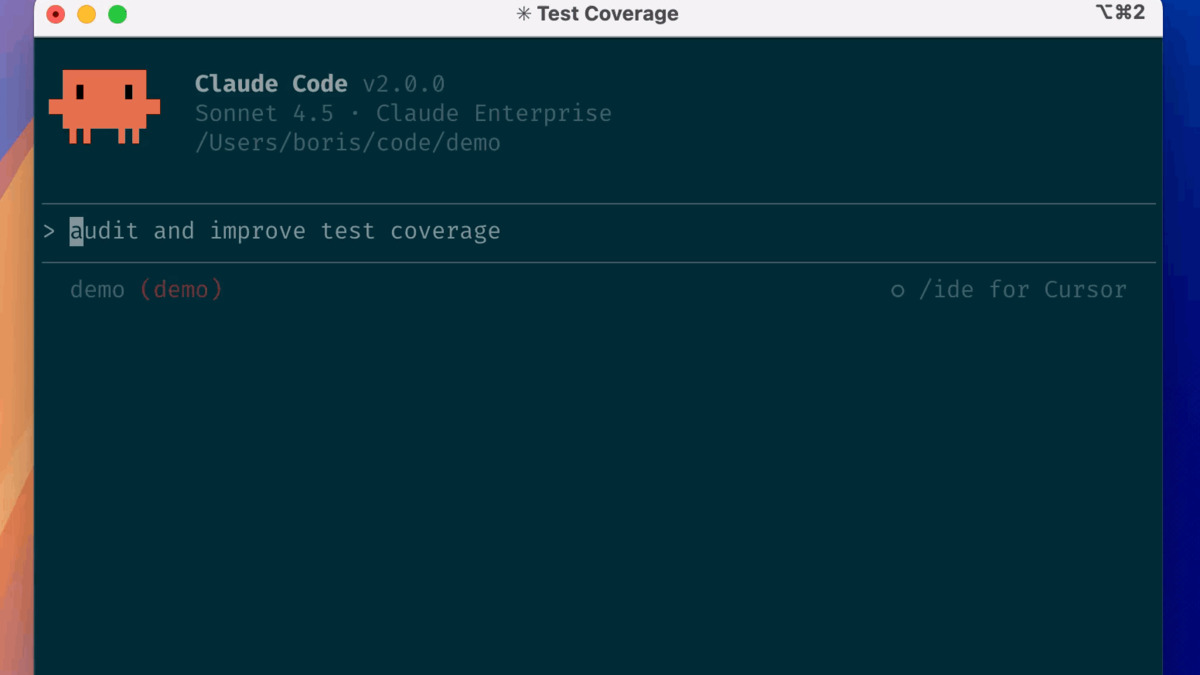 Claude Code's terminal interface runs directly in your shell with no sandbox layer.
Source: github.com
Claude Code's terminal interface runs directly in your shell with no sandbox layer.
Source: github.com
Feature Parity Table
| Feature | Claude Code | OpenAI Codex CLI | Notes |
|---|---|---|---|
| Installation | npm i -g @anthropic-ai/claude-code | npm i -g @openai/codex | Both install via npm |
| Config file | CLAUDE.md | AGENTS.md | Similar layered structure |
| Sandbox | None (runs locally) | Landlock + seccomp | Codex sandboxes by default |
| Approval modes | Ask/auto-accept | Read-only / Auto / Full Access | Codex has three tiers |
| MCP support | Yes (STDIO + HTTP) | Yes (STDIO + HTTP) | Both support MCP servers |
| Multimodal input | Limited (clipboard paste) | -i screenshot.png flag | Codex has native image input |
| Web search | Not built-in | Built-in, cached by default | Codex searches the web natively |
| Agent teams | Parallel multi-agent (experimental) | Subagents | Different parallelism models |
| Slash commands | /init, /bug, /config, /vim | /review, /fork, /model, /theme | Different command sets |
| IDE integration | VS Code, JetBrains | VS Code, Cursor | Both have IDE extensions |
| Git integration | Manual git workflow | Built-in /review for diffs | Codex has review commands |
| Cloud mode | Not available | chatgpt.com/codex | Codex has async cloud agent |
| Open source | Yes (GitHub) | Yes (Rust + TypeScript) | Both are open source |
| Models | Opus 4.6, Sonnet 4.6 | GPT-5.4, GPT-5.3-Codex | Different model families |
For a deeper comparison of these tools against each other and other options, see our Codex vs Claude Code vs OpenCode comparison.
Workflow Differences
Sandbox vs Local Execution
This is the biggest conceptual shift. Claude Code trusts your environment. When it runs npm install or git commit, those commands execute on your actual machine with your actual permissions. You're the safety net.
Codex takes the opposite approach. By default, commands run inside a constrained sandbox using Linux's Landlock and seccomp. The sandbox controls which files Codex can modify and whether it can access the network. When a task stays inside those boundaries, Codex keeps working without stopping for confirmation.
Three approval modes control how tight the sandbox is:
- Read-only - Codex browses files but won't make changes until you approve
- Auto (default) - Reads, edits, and runs commands within your working directory; asks before going outside scope or using the network
- Full Access - No restrictions, including network access
If you're used to Claude Code's direct execution, start with Auto mode. It feels similar but adds a safety layer you'll appreciate when running unfamiliar scripts.
Config Files - CLAUDE.md to AGENTS.md
Claude Code reads CLAUDE.md for project instructions. Codex reads AGENTS.md. The format is nearly identical - both use markdown with layered scoping (global, project, directory).
The migration is straightforward. Rename your CLAUDE.md to AGENTS.md and adjust any Claude-specific references. Codex's AGENTS.md supports the same features: project-level instructions, per-directory overrides, and behavioral guidelines.
One difference: Codex builds its instruction chain once per session, reading files in a specific precedence order. Global scope (~/.codex/AGENTS.md) loads first, then project-level files override it. Claude Code reloads CLAUDE.md more dynamically.
MCP Servers
Both tools support Model Context Protocol servers, but the configuration lives in different places. Claude Code stores MCP config in its settings or via --mcp-config flags. Codex stores it in ~/.codex/config.toml or manages it through codex mcp CLI commands.
You'll need to reconfigure each MCP server for Codex. The servers themselves are compatible since MCP is an open standard, but the connection setup differs.
 Both Claude Code and Codex CLI operate in the terminal, but their execution models differ notably.
Source: pexels.com
Both Claude Code and Codex CLI operate in the terminal, but their execution models differ notably.
Source: pexels.com
Command Mapping
| Task | Claude Code | Codex CLI |
|---|---|---|
| Start interactive session | claude | codex |
| One-shot prompt | claude "fix this bug" | codex "fix this bug" |
| Review changes | Manual prompt | /review |
| Fork conversation | Not available | /fork |
| Switch model | Not available in CLI | /model |
| Change theme | Not available | /theme |
| Resume session | claude --resume | codex resume |
| Set approval mode | Permission prompts | /permissions or --ask-for-approval |
| Non-interactive mode | claude -p "prompt" | codex exec "prompt" |
| Add image context | Clipboard paste (limited) | -i screenshot.png |
| Web search | Not built-in | Enabled by default |
| Target directory | --cwd <path> | --cd <path> |
What You Gain
Built-in sandbox. If security matters to your workflow, Codex's Landlock + seccomp sandbox is a genuine advantage. You get autonomous execution within safe boundaries instead of choosing between full trust and constant approval prompts.
Slash commands for code review. The /review command summarizes issues in your working tree, focusing on behavior changes and missing tests. /fork clones a conversation so you can explore alternative approaches without losing your current thread.
Multimodal input. Paste a screenshot of a UI bug or a hand-drawn architecture diagram directly into Codex with the -i flag. Claude Code's screenshot support requires workarounds and doesn't work reliably across platforms.
Web search out of the box. Codex searches the web by default and serves results from OpenAI's index. No configuration needed. Claude Code doesn't include web search in its terminal mode.
Cloud tasks. Launch long-running tasks on OpenAI's cloud infrastructure from the CLI, then pull the resulting diffs back locally. Claude Code has no equivalent.
What You Lose
Direct local execution. Claude Code's lack of a sandbox is also its strength - there's no friction between the agent and your environment. Every tool, every path, every environment variable works exactly as it does when you type commands yourself.
Agent teams. Claude Code's agent teams feature spawns multiple Claude instances that work in parallel on different parts of a task. Codex has subagents, but the multi-agent coordination isn't as mature. For complex tasks that benefit from parallelism - research across multiple files, cross-layer refactors - Claude Code still has an edge.
Hooks. Claude Code supports hooks that run before or after actions, including team coordination hooks like TeammateIdle and TaskCompleted. Codex doesn't have an equivalent system for triggering custom logic around agent actions.
Response speed for prototyping. Multiple developers report that Claude Code generates code faster for rapid prototyping and UI development, according to Northflank's comparison. If speed of iteration matters more than terminal-specific benchmarks, that's a real tradeoff.
Step-by-Step Migration
1. Install Codex CLI
npm i -g @openai/codex
Run codex once to authenticate with your ChatGPT account or API key. You'll need a ChatGPT Plus ($20/month), Pro ($200/month), or Business plan.
2. Convert Your Config
Copy your CLAUDE.md to AGENTS.md in each project root:
cp CLAUDE.md AGENTS.md
Edit AGENTS.md to remove Claude-specific references. The markdown format works as-is for most instructions.
For global settings, move ~/.claude/CLAUDE.md to ~/.codex/AGENTS.md.
3. Reconfigure MCP Servers
If you use MCP servers, add them to your Codex config:
codex mcp add <server-name> --stdio "command args"
Or edit ~/.codex/config.toml directly to add STDIO or streaming HTTP servers.
4. Adjust Your Workflow
Start with Auto mode (the default). It gives you a similar experience to Claude Code while adding sandbox protection. If you need network access or cross-directory work, switch to Full Access with /permissions.
5. Learn the Slash Commands
Type / in Codex to see all available commands. The most useful ones for Claude Code migrants:
/review- replaces manual "review my changes" prompts/fork- creates a branch conversation for exploring alternatives/model- switches between GPT-5.4 and GPT-5.3-Codex mid-session
Pricing Comparison
Both tools are included in their platform's consumer subscription. No separate purchase is required.
| Plan | Claude Code Access | Codex CLI Access |
|---|---|---|
| Pro / Plus ($20/mo) | Included | Included |
| Max 5x / Pro ($100-200/mo) | 5x-20x usage | Unlimited |
| Teams / Business ($25-30/user/mo) | Included | Included |
| API (pay-per-token) | $3/$15 per 1M tokens (Opus) | $1.50/$6 per 1M tokens (Codex) |
On the API tier, Codex is significantly cheaper. The codex model runs $1.50 per million input tokens and $6 per million output tokens, with a 75% prompt caching discount. Claude Opus 4.6 costs $3/$15 per million tokens. For API-heavy workflows, that price difference adds up fast.
For a broader view of coding tool costs, check our AI coding tools pricing comparison.
FAQ
Can I use both Claude Code and Codex at the same time?
Yes. Many developers run both. Some use Claude Code for architecture decisions and deep refactors, then Codex for review and terminal-native tasks.
Will my CLAUDE.md file work in Codex without changes?
Mostly. Rename it to AGENTS.md and remove Claude-specific references. The markdown format and layered scoping are compatible.
Does Codex support Claude Code's agent teams?
Codex has subagents for parallelizing work, but it doesn't match Claude Code's full agent teams feature with coordinator-teammate coordination and team hooks.
Is Codex better for DevOps and terminal-heavy work?
GPT-5.3-Codex scores 77.3% on Terminal-Bench 2.0 versus Claude's 65.4%. For scripts, infrastructure automation, and CLI tools, Codex has a measurable advantage.
Can I run Codex without a sandbox?
Yes, using --dangerously-bypass-approvals-and-sandbox, but only do this inside an externally hardened environment like a container or VM.
Does Codex work on Windows?
Experimentally, through WSL (Windows Subsystem for Linux). Native Windows support isn't available yet.
Sources:
- OpenAI Codex CLI - Official Documentation
- OpenAI Codex CLI Features
- Codex Sandboxing Documentation
- AGENTS.md Custom Instructions Guide
- OpenAI Codex CLI GitHub Repository
- Claude Code Overview Documentation
- Claude Code Agent Teams Documentation
- Codex vs Claude Code 2026 Benchmark Comparison - SmartScope
- Claude Code vs OpenAI Codex - Northflank
- Codex vs Claude Code Comparison - MorphLLM
✓ Last verified March 26, 2026

