
Apple M5 Max
Apple's flagship SoC with 40-core GPU, per-core Neural Accelerators, 614 GB/s bandwidth, and 4x AI performance over M4 Max.
 9 min read
Overview
The Apple M5 Max is the flagship chip in Apple's fifth-generation Apple Silicon family, announced March 3, 2026, with the updated MacBook Pro 14-inch and 16-inch. It's built on TSMC's 3nm process using what Apple calls Fusion Architecture - a two-die design that combines CPU and GPU dies into a single SoC while maintaining a unified memory subsystem. The memory bandwidth jumps to 614 GB/s, up from 546 GB/s on the M4 Max, and the GPU gains a new architectural feature: Neural Accelerators embedded in each of the 40 GPU cores. That last part is a meaningful departure from the M4 Max, which had the same core count but lacked per-core Neural Accelerators.
For local LLM inference, the M5 Max lands in an interesting spot. It sits between consumer hardware (RTX 5090 at 32GB, 1,792 GB/s) and server accelerators (H100 at 80GB, 3,350 GB/s). No consumer GPU can match its memory capacity at 128GB. No server accelerator is available in a laptop chassis drawing under 100W. That combination - 128GB, 614 GB/s, and a fanless-when-idle form factor - makes it the most practical option for running large local models. What it can't do is run frontier models that require multi-GPU setups with hundreds of gigabytes of combined VRAM. For a 70B parameter model at Q4_K_M, the M5 Max handles it natively at around 20 tok/s. For a 400B model, you need a server.
TL;DR
- 40-core GPU with Neural Accelerators in every core - a new architectural addition vs M4 Max
- 614 GB/s memory bandwidth and up to 128GB unified memory - same ceiling as M4 Max but 12% faster throughput
- Prompt processing up to 4x faster than M4 Max GPU compute, token generation 15-19% faster
- One specific benchmark: a 81-second prompt on M4 Max takes 18 seconds on M5 Max
- Best single-device option for local LLM inference at 70B+ scale; can't compete with multi-GPU setups for frontier models
- MacBook Pro 14-inch from $3,999, 16-inch from $4,499
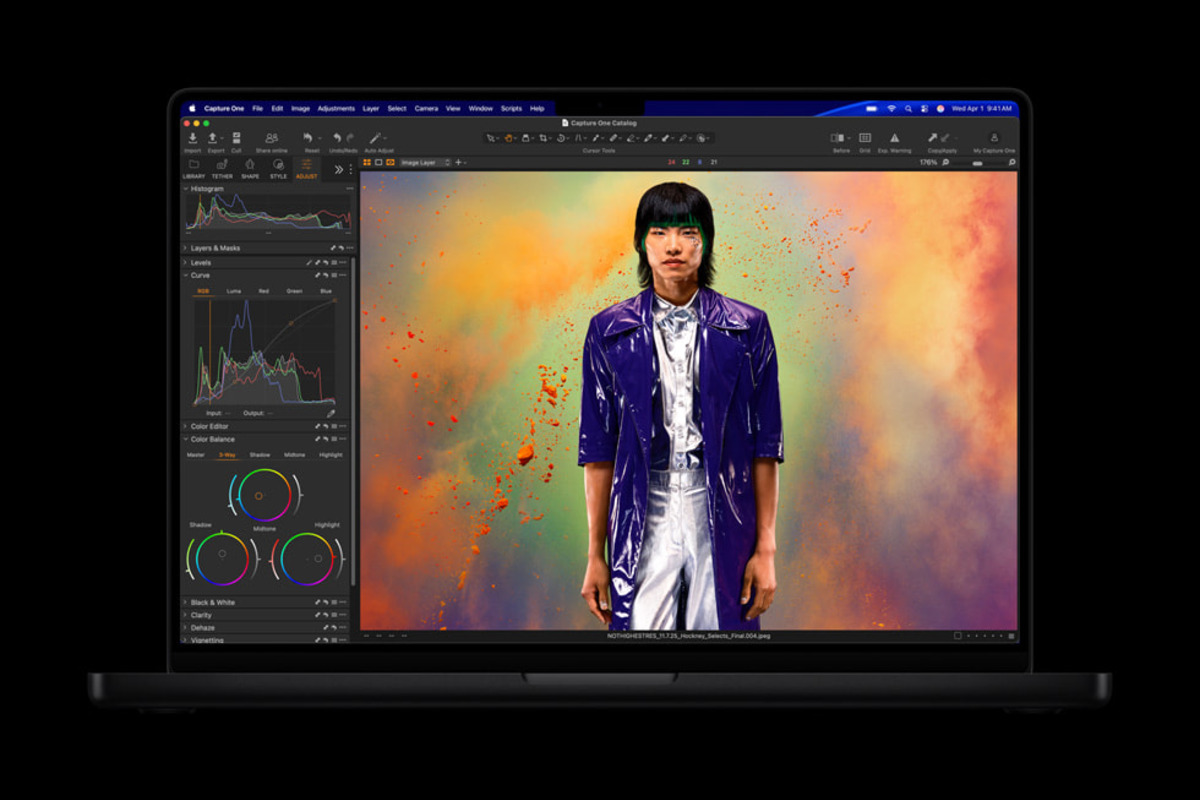 MacBook Pro M5 Max running LM Studio with Xcode - Apple's own demo for the M5 launch.
Source: apple.com/newsroom
MacBook Pro M5 Max running LM Studio with Xcode - Apple's own demo for the M5 launch.
Source: apple.com/newsroom
Key Specifications
| Specification | Details |
|---|---|
| Manufacturer | Apple |
| Product Family | Apple Silicon M5 |
| Architecture | ARM-based SoC (Fusion Architecture, two dies) |
| Process Node | TSMC 3nm |
| CPU Cores | 18 (6 "super" cores + 12 performance cores) |
| GPU Cores | Up to 40, with Neural Accelerator per core |
| Neural Engine | 16-core (higher bandwidth to memory vs M4) |
| Unified Memory | Up to 128 GB |
| Memory Bandwidth | 614 GB/s |
| FP8 Support | Not disclosed |
| AI Performance | 4x peak GPU AI compute vs M4 Max GPU |
| TOPS | Not officially disclosed by Apple |
| TDP (estimated) | ~92W (40-core GPU config) |
| Compute Frameworks | Apple Metal, MLX |
| Inference Frameworks | llama.cpp (Metal), MLX, Ollama |
| CUDA Support | No |
| Available In | MacBook Pro 14-inch, MacBook Pro 16-inch |
| Starting Price | $3,999 (MacBook Pro 14-inch M5 Max) |
| Announced | March 3, 2026 |
Performance Benchmarks
The headline number from Apple's own testing is a 4x improvement in peak GPU AI compute vs M4 Max. That sounds dramatic, and in prompt processing workloads it is. Token generation - the memory-bandwidth-bound phase of inference - improves more modestly because bandwidth only increased 12% (614 vs 546 GB/s).
LLM Inference Comparison
| Benchmark | M5 Max | M4 Max | RTX 5090 |
|---|---|---|---|
| Prompt processing | 4x faster | baseline | N/A (VRAM limited at 70B+) |
| Token generation | +15-19% | baseline | higher tok/s but 32GB limit |
| Max model size (Q4_K_M) | ~200B+ | ~200B+ | ~50B |
| Memory bandwidth | 614 GB/s | 546 GB/s | 1,792 GB/s |
The RTX 5090 row deserves context. On 7B and 13B models that fit comfortably in 32GB VRAM, the RTX 5090 at 1,792 GB/s bandwidth dominates - roughly 3x the token generation speed of the M5 Max. On 70B models at Q4_K_M (which needs ~40GB), the RTX 5090 can't fit the model without aggressive quantization. The M5 Max runs it natively.
Real-World Prompt Processing
Apple cited a specific example: a long prompt that took 81 seconds on M4 Max completes in 18 seconds on M5 Max. That's a 4.5x speedup on prompt evaluation - better than the stated "4x" claim. The Neural Accelerators embedded in each GPU core drive this improvement. Prompt processing is compute-bound, and the per-core Neural Accelerators provide targeted hardware for matrix operations that dominate the attention computation.
Token generation, by contrast, is memory-bandwidth-bound. The M5 Max is 12% faster in bandwidth terms, and Apple's 15-19% token generation improvement tracks with that number. If you're running batch size 1 on a 70B model, expect somewhere around 20-21 tok/s versus 17-18 tok/s on M4 Max. Useful improvement, not transformative.
Context Window and Model Size Capacity
At 128GB unified memory, the M5 Max has room for:
| Model | Quantization | Memory Needed | Remaining for KV Cache |
|---|---|---|---|
| Llama 3.1 8B | Q4_K_M | ~5 GB | ~123 GB |
| Llama 3.1 70B | Q4_K_M | ~40 GB | ~88 GB |
| Llama 3.1 70B | FP16 | ~140 GB | N/A (passes 128GB) |
| Mixtral 8x22B | Q4_K_M | ~80 GB | ~48 GB |
| Llama 3.1 405B | Q2_K | ~120 GB | ~8 GB |
The 405B row is striking: with very aggressive quantization, you can fit a 400B-class model in 128GB. Quality at Q2_K is poor, but for evaluation purposes or experimentation, it's an option that doesn't exist at all on any consumer GPU. Llama 3.1 70B at Q4_K_M leaves 88GB for KV cache, which means highly long context windows - tens of thousands of tokens - are feasible.
 The M5 Pro and M5 Max chips, built on TSMC 3nm with Fusion Architecture. The M5 Max doubles the GPU core count to 40.
Source: apple.com/newsroom
The M5 Pro and M5 Max chips, built on TSMC 3nm with Fusion Architecture. The M5 Max doubles the GPU core count to 40.
Source: apple.com/newsroom
Key Capabilities
Neural Accelerators in Every GPU Core
The M4 Max had 40 GPU cores. The M5 Max also has 40 GPU cores, but each one now contains a dedicated Neural Accelerator. Apple hasn't published the TOPS figure for this configuration, but the practical result is measurable: the 4x prompt processing improvement is directly tied to these per-core accelerators handling the matrix multiplications in the attention mechanism.
The key difference from the Neural Engine (which is a separate 16-core block) is placement. Neural Accelerators sit inside each GPU core, which means they share the GPU's high-bandwidth path to unified memory. The 16-core Neural Engine still exists and handles tasks like on-device model inference for Apple's own apps, but the per-GPU-core Neural Accelerators are what makes LLM prompt evaluation dramatically faster.
Fusion Architecture
The M5 Pro and M5 Max use a two-die design that Apple calls Fusion Architecture. This is a departure from previous Apple Silicon, where each chip was a single monolithic die. The Fusion Architecture connects two 3nm dies - one carrying the CPU cluster, and one carrying the GPU and media engines - via a high-bandwidth die-to-die interconnect. The unified memory subsystem spans both dies, so software doesn't need to manage data placement across the two physical dies.
The practical implication for AI workloads is mostly positive. Apple can scale the CPU and GPU independently across the M5 family, and the large chiplet approach improves manufacturing yield on 3nm. The interconnect bandwidth is high enough that there's no observable latency penalty for cross-die memory access in inference workloads.
128GB Unified Memory
The memory ceiling didn't move from M4 Max to M5 Max - both top out at 128GB. The difference is how fast that memory is accessed. At 614 GB/s, the M5 Max provides 12% more bandwidth than the M4 Max's 546 GB/s. For token generation at batch size 1 (which is almost completely bandwidth-limited), that translates roughly linearly into faster generation.
The more important point is what 128GB enables that no GPU alternative does: running 70B models at high quantization quality, with massive KV caches, on a single device. A RTX 5090 with 32GB forces you to either use heavy quantization (Q2_K or Q3_K_M) to fit 70B models, or split across multiple GPUs. The M5 Max runs Llama 3.1 70B Q4_K_M natively - no quantization compromises, no multi-device coordination.
16-Core Neural Engine
Apple's 16-core Neural Engine is a separate block from the GPU and its Neural Accelerators. For LLM inference, the Neural Engine isn't typically the bottleneck - llama.cpp, MLX, and Ollama all route inference compute to the GPU via Metal. The Neural Engine is more relevant for Apple's own on-device AI features (writing tools, image generation, Siri) and for models loaded through the Core ML framework. Apple notes that the M5's Neural Engine has a higher bandwidth connection to unified memory than the M4's - a meaningful improvement for workloads that do route through Core ML.
Pricing and Availability
The M5 Max is available as a MacBook Pro configuration only at launch. A Mac Studio with M5 Max is expected to follow, though Apple has not confirmed timing.
| Configuration | Price | Memory Options |
|---|---|---|
| MacBook Pro 14-inch M5 Max | From $3,999 | 36GB, 48GB, 64GB, 128GB |
| MacBook Pro 16-inch M5 Max | From $4,499 | 36GB, 48GB, 64GB, 128GB |
Base configurations start at 36GB. For serious local LLM inference - specifically for running 70B models at Q4_K_M - you need at least 48GB, which adds to the base price. The 128GB configuration is the flagship and the reason most AI practitioners will consider this chip. Prices for the 128GB configuration are significantly higher than the base.
The M4 Max Mac Studio with 128GB started at $3,999. A M5 Max Mac Studio, when it arrives, will likely land in a similar range. MacBook Pro prices include display, battery, keyboard, and trackpad - the total system cost is meaningful compared to a discrete GPU that still needs a full desktop build.
Pre-orders opened March 4, 2026. Units began shipping March 11, 2026.
Strengths and Weaknesses
Strengths
- 128GB unified memory is the highest capacity available in a consumer-class device - runs 70B models natively at high quantization quality
- Neural Accelerators in every GPU core drive real improvements in prompt processing (4x vs M4 Max, 18s vs 81s on Apple's example prompt)
- 614 GB/s bandwidth provides 12% more token generation speed than M4 Max
- Fusion Architecture scales manufacturing efficiency without sacrificing unified memory
- Complete system in one purchase - no PCIe slots, no PSU planning, no driver wrangling
- Silent or near-silent during typical inference loads on MacBook Pro; Mac Studio is quieter still
- Strong inference framework support via llama.cpp (Metal), MLX, and Ollama
- Power-efficient: whole-system draw of ~80-90W under inference, vs 400W+ for a RTX 5090 system
Weaknesses
- Can't run frontier models (GPT-4 class at hundreds of billions of parameters) that require multi-GPU server setups
- Token generation speed is 15-19% faster than M4 Max, not 4x - the prompt processing headline is misleading for throughput-focused users
- No CUDA means no vLLM, no TensorRT-LLM, no most training frameworks
- Memory isn't upgradeable - the configuration you buy is the configuration you keep
- 614 GB/s bandwidth is still far behind RTX 5090's 1,792 GB/s for small models that fit in 32GB VRAM
- Apple doesn't publish TOPS figures, which makes direct comparison with competing accelerators harder
- No FP8 hardware support in Metal
- Pricing starts at $3,999 for M5 Max MacBook Pro, and 128GB configurations cost considerably more
Related Coverage
- Apple M4 Max - The previous generation; 546 GB/s, same 128GB ceiling, no per-core Neural Accelerators
- NVIDIA RTX 5090 - 32GB GDDR7, 1,792 GB/s, fastest consumer GPU for models that fit in VRAM
- Google TPU v7 Ironwood - Where you go when you need multi-hundred-billion parameter inference at scale
Sources
- Apple Debuts M5 Pro and M5 Max
- Apple Introduces MacBook Pro with M5 Pro and M5 Max
- MacBook Pro 14-inch M5 Max Tech Specs - Apple Support
- TechCrunch: Apple Unveils M5 Pro and M5 Max with Fusion Architecture
- MacRumors: Apple Unveils MacBook Pro with M5 Pro and M5 Max
- MLX - Apple Machine Learning Framework
- llama.cpp GitHub Repository
✓ Last verified March 15, 2026

