
Which AI Model Should I Use? A Decision Guide
A practical guide to picking the right AI model for your needs, comparing ChatGPT, Claude, Gemini, Perplexity, and Copilot across writing, coding, research, and more.
 9 min read
You opened ChatGPT, typed a question, got a decent answer, and now you're wondering: is this actually the best tool for what I need? Maybe a friend swears by Claude. Maybe your coworker won't stop talking about Perplexity. With five major AI platforms competing for your attention in 2026, picking the right one isn't obvious.
I've spent months testing all of them across real tasks - drafting emails, analyzing spreadsheets, writing code, researching topics, and producing images. This guide cuts through the marketing and tells you which AI model works best for what, based on actual performance.
TL;DR
- Claude leads for writing and long documents, ChatGPT is the best all-rounder, Gemini wins on free tier generosity
- Perplexity is the pick for research with citations, and GitHub Copilot leads in-editor coding
- All five platforms charge around $20/month for their standard paid tier - the real difference is in what each one does best
- No coding or technical background needed to follow this guide
The Quick Decision Flowchart
Before we get into details, answer one question: what do you mostly want the AI to do?
- Write emails, essays, or marketing copy - Start with Claude
- A bit of everything - Start with ChatGPT
- Research with sources you can verify - Start with Perplexity
- Work inside Google Docs, Sheets, or Gmail - Start with Gemini
- Write or debug code - Start with Claude Code or GitHub Copilot
- Create images - Start with ChatGPT
- Spend nothing - Start with Gemini or Google's AI tools
That's the short version. The rest of this guide explains why.
Best for Writing - Claude
Anthropic's Claude consistently produces the most natural, well-structured prose among all the major AI models. In a blind comparison by Type.ai, Claude "won the writing rounds - and it wasn't even close." It follows nuanced style instructions better than its competitors and can output up to 128,000 tokens in a single pass, which makes it ideal for long-form content.
Where Claude really shines is when you need writing that doesn't sound like it was written by a machine. If you're drafting blog posts, client proposals, or even fiction, Claude's output requires less editing than alternatives. Its 200,000-token context window also means you can paste an entire report and ask it to summarize or restructure the whole thing.
Best for: Blog posts, essays, marketing copy, proposals, long document editing, creative writing.
If you want to understand more about what makes different models tick under the hood, our guide to large language models covers the basics.
 Choosing the right AI for writing can save hours of editing and revision.
Source: unsplash.com
Choosing the right AI for writing can save hours of editing and revision.
Source: unsplash.com
Best All-Rounder - ChatGPT
OpenAI's ChatGPT remains the most versatile option in 2026. It handles writing, analysis, math, coding, image generation, and conversation equally well. GPT-4o powers the standard experience, and it's consistently strong across every category without being the absolute leader in any single one.
ChatGPT's real advantage is its ecosystem. It has a massive plugin library, custom GPTs for specialized tasks, voice conversation mode, and deep integration with tools like Zapier and Microsoft products. If you only want to pay for one AI subscription, ChatGPT gives you the widest range of capabilities in a single package.
The free tier gives you access to GPT-4o mini with usage caps, which is surprisingly capable for casual use. The Plus plan at $20/month unlocks the full GPT-4o model with 150 messages per three-hour window, plus access to reasoning models like o3 and image generation.
Best for: General-purpose use, brainstorming, customer communication, image generation, people who want one tool for everything.
Best for Coding - Claude Code and GitHub Copilot
Coding is where the AI competition gets fierce. Two tools stand out for different reasons.
Claude Code took the top spot in developer satisfaction surveys in early 2026, with a 46% "most loved" rating. It runs on Opus 4.6, which scores 80.8% on SWE-bench (a benchmark that tests real-world coding tasks). Its 1-million-token context window means it can process entire codebases at once. For complex projects where you need the AI to understand how everything fits together, Claude Code is the strongest option.
GitHub Copilot remains the industry standard for in-editor code completion. It's fast, unobtrusive, and saves real time on repetitive patterns. If you already use VS Code or JetBrains and want AI suggestions as you type, Copilot's tight integration with GitHub repositories, issues, and pull requests makes it hard to beat.
For a detailed comparison of all the AI coding options, check our best AI coding assistants roundup.
 AI coding assistants now handle everything from autocomplete to full project scaffolding.
Source: unsplash.com
AI coding assistants now handle everything from autocomplete to full project scaffolding.
Source: unsplash.com
Best for Research - Perplexity
If you need accurate, sourced answers to factual questions, Perplexity is the clear winner. It was built specifically as an AI search engine, and it shows. Every answer comes with inline citations, so you can verify claims against the original sources. Its Academic mode pulls from peer-reviewed papers, and the citations tend to be more authoritative than what ChatGPT or Gemini provide.
Perplexity's Deep Research feature creates complete reports in under three minutes. By comparison, ChatGPT's Deep Research takes 5 to 30 minutes for similar tasks. The tradeoff is depth - ChatGPT produces longer, more synthesized reports when you have the time to wait.
The free tier gives you unlimited standard searches and five Pro searches per day. The Pro plan at $20/month unlocks unlimited Pro queries and 20 deep research queries daily.
Best for: Fact-checking, academic research, market research, any task where you need citations. For a deeper dive into research workflows, see our AI deep research guide.
Best for Google Users - Gemini
Google's Gemini (formerly Bard) is the natural choice if you live inside the Google ecosystem. It integrates directly with Gmail, Google Docs, Google Sheets, and Google Drive. Need to summarize a long email thread? Ask Gemini inside Gmail. Want to create a formula in Sheets? Gemini handles it natively.
Gemini also offers the most generous free tier by volume. Google provides around 100 free image generations per day through the app, and the free chat tier uses Gemini Flash, which is fast and capable for everyday questions.
The Advanced plan at $19.99/month gives you Gemini 3 and 2.5 Pro models, a one-million-token context window, 2TB of Google One storage, and 1,000 monthly AI credits. If you're already paying for Google One, the upgrade math works in your favor.
Best for: Gmail power users, Google Workspace teams, people who want strong AI without leaving Google apps, budget-conscious users who want a generous free tier.
Best Free Option
If you don't want to spend anything, your best bets are:
- Gemini Free - Access to Gemini Flash, generous image generation limits, integrated with Google services
- ChatGPT Free - GPT-4o mini with usage caps, basic image generation (roughly 5 to 15 images per day)
- Perplexity Free - Unlimited standard searches, five Pro searches per day
- Claude Free - Access to Sonnet model with daily message limits
- DeepSeek - Completely free web chat with a capable model
None of these free tiers are unlimited. You'll hit caps on messages, features, or model quality. But for casual, occasional use, they're truly useful - and a solid way to test each platform before committing to a subscription.
The Comparison Table
| Category | Best Pick | Runner-Up | Price (Paid Tier) |
|---|---|---|---|
| Writing | Claude | ChatGPT | $20/mo |
| Coding | Claude Code | GitHub Copilot | $20/mo (Pro) |
| Research | Perplexity | Gemini | $20/mo |
| Image Generation | ChatGPT (GPT Image) | Gemini | $20/mo |
| Data Analysis | ChatGPT | Claude | $20/mo |
| Google Integration | Gemini | ChatGPT | $19.99/mo |
| Free Tier | Gemini | Perplexity | $0 |
| All-Rounder | ChatGPT | Claude | $20/mo |
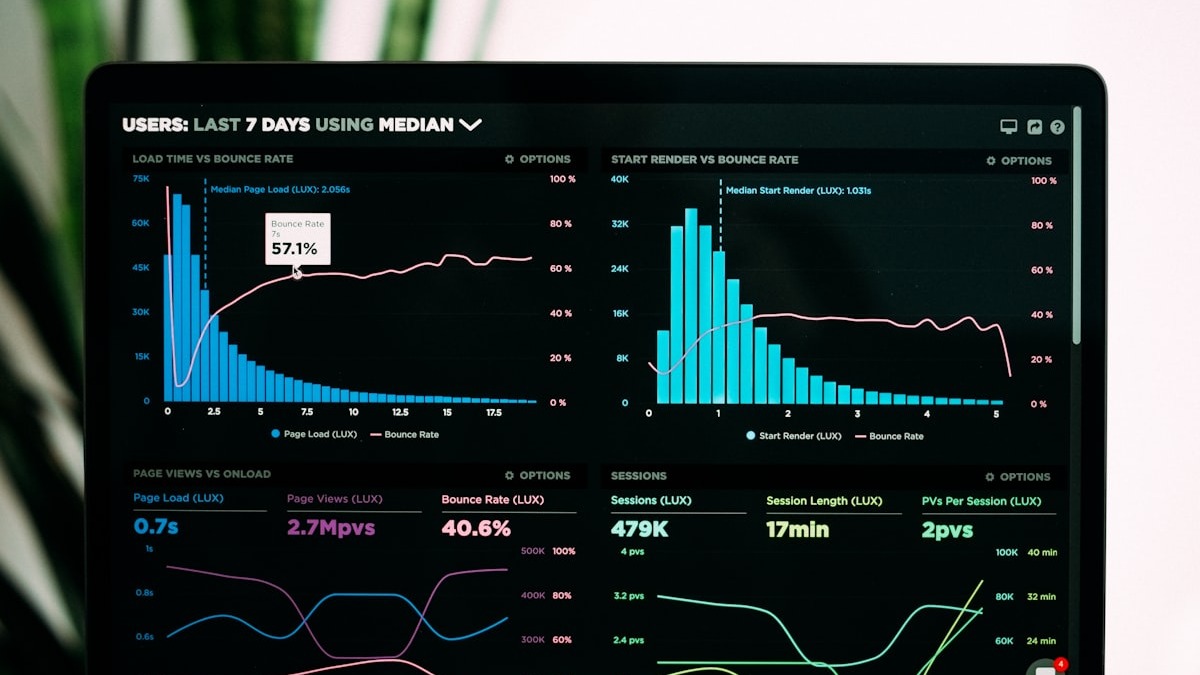 For data analysis and visualization, ChatGPT's Code Interpreter remains the most accessible option.
Source: unsplash.com
For data analysis and visualization, ChatGPT's Code Interpreter remains the most accessible option.
Source: unsplash.com
What About Data Analysis?
ChatGPT's Code Interpreter (now called Advanced Data Analysis) is still the easiest way to analyze data with AI. You upload a CSV or Excel file, describe what you want to know, and ChatGPT writes Python code behind the scenes to crunch the numbers and produce charts. No coding knowledge required.
Claude can also handle data analysis well, especially for interpreting results and writing up findings. But ChatGPT's ability to run code directly and produce visualizations in the chat gives it the edge for hands-on number crunching. For a full walkthrough of this workflow, see our AI data analysis guide.
What About Image Generation?
ChatGPT with GPT Image 1.5 (the successor to DALL-E 3) is the most reliable option for AI image generation in 2026. It handles text rendering better than any competitor, interprets complex prompts accurately, and produces photorealistic results. The downside: image generation isn't available on the free tier.
Gemini's Nano Banana Pro produces arguably higher-quality images in some tests, with a 94% text rendering accuracy rate. And Google's free tier is far more generous - up to 100 images per day through the Gemini app. If volume matters more than precision, Gemini wins here.
For a deep dive into all your image generation options, our AI image generation beginner's guide covers everything from prompting techniques to tool comparisons.
Pricing at a Glance
Every major AI platform has converged around a $20/month standard tier. The differences show up in what you get for that money and at the premium end.
| Platform | Free | Standard | Premium |
|---|---|---|---|
| ChatGPT | GPT-4o mini (capped) | Plus: $20/mo | Pro: $200/mo |
| Claude | Sonnet (capped) | Pro: $20/mo | Max: $100-200/mo |
| Gemini | Flash (generous) | Advanced: $19.99/mo | Ultra: ~$42/mo |
| Perplexity | 5 Pro searches/day | Pro: $20/mo | - |
| Copilot | Basic (capped) | Pro: $10/mo | - |
The $20/month tier on any of these platforms gives you a truly capable AI assistant. The premium tiers ($100-$200/month) are for power users who hit rate limits daily or need access to the absolute strongest models.
FAQ
Which AI model is best for beginners?
ChatGPT has the largest user community, the most tutorials, and the most intuitive interface. Start there if you've never used AI before.
Can I use multiple AI tools at once?
Yes, and many people do. A common setup: Perplexity for research, Claude for writing, ChatGPT for images and data analysis. Most free tiers let you try this without spending anything.
Is the free tier good enough?
For occasional, casual use, yes. You'll hit message limits and miss premium features, but all free tiers are surprisingly capable for everyday questions and light tasks.
How often do AI models change?
Frequently. Major updates happen every few months, and pricing tiers shift roughly once or twice a year. The recommendations in this guide are current as of March 2026.
Do I need technical skills to use these tools?
No. All five platforms are designed for non-technical users. You type in plain language, and the AI responds. Coding assistants like Copilot are the exception - those assume some programming knowledge.
Is my data safe with these AI tools?
All major providers have privacy policies, but specifics vary. ChatGPT and Claude both offer options to disable chat history for training. For sensitive business data, check each platform's enterprise tier, which typically includes stronger data protection guarantees.
Sources:
- Claude vs ChatGPT vs Gemini: Best AI Comparison 2026 - Improvado
- AI Pricing Compared 2026 - FindSkill.ai
- Who Wrote it Better? Claude vs ChatGPT vs Gemini - Type.ai
- Best AI Coding Tools 2026 - NxCode
- Google Deep Research vs Perplexity vs ChatGPT - FreeAcademy
- Best AI Chatbots 2026 - Zapier
- AI Image Pricing 2026 - IntuitionLabs
✓ Last verified March 26, 2026

