
What Is Fine-Tuning? Customizing AI Models Explained
Fine-tuning trains a pre-built AI model on your own data so it learns your specific task, tone, or domain - here is how it works, what it costs, and when to use it.
 9 min read
Fine-tuning is the process of taking a pre-trained AI model and training it further on your own data so it gets better at a specific task. Think of it as hiring a skilled generalist and then giving them specialized on-the-job training. The base model already knows language, grammar, and general knowledge. Fine-tuning teaches it your vocabulary, your format preferences, and your domain expertise.
TL;DR
- Fine-tuning retrains an existing AI model on a smaller, focused dataset to improve performance on specific tasks
- Methods range from full fine-tuning (expensive, powerful) to LoRA and QLoRA (cheap, nearly as good)
- Start with prompt engineering, try RAG next, and only fine-tune when those aren't enough
- OpenAI, Google Vertex AI, and Hugging Face all offer fine-tuning - costs start under $10 for small jobs
What Fine-Tuning Actually Does
Large language models like GPT-4.1 or Llama 4 are trained on massive datasets covering almost every topic imaginable. That broad training makes them flexible, but it also means they're generalists. They can write a poem, summarize a legal contract, and explain quantum physics - but they won't naturally match your company's tone of voice or know the specific format you need for medical discharge summaries.
Fine-tuning fixes that gap. You give the model a dataset of examples that show exactly how you want it to behave, and it adjusts its internal parameters to match those patterns.
An analogy that works well: a base model is like a new employee who graduated top of their class but has never worked in your industry. They're smart and capable, but they don't know your internal jargon, your templates, or your customers' expectations. Fine-tuning is the onboarding period where they study real examples of your work until they can produce output that fits seamlessly.
The technical process is straightforward. You prepare a dataset of input-output pairs (typically in JSONL format), upload it to a fine-tuning platform, select your base model, and start training. The platform runs your data through the model repeatedly, adjusting its weights slightly each time until the model's outputs closely match your examples.
 A visual representation of how neural networks process and adapt to new training data during fine-tuning.
Source: unsplash.com
A visual representation of how neural networks process and adapt to new training data during fine-tuning.
Source: unsplash.com
Types of Fine-Tuning
Not every fine-tuning job needs the same approach. The four main methods differ in cost, hardware requirements, and results.
Full Fine-Tuning
This updates every single parameter in the model. For a 7-billion parameter model, that means adjusting all 7 billion weights.
It delivers the best possible accuracy - typically 1-3% better than parameter-efficient methods on domain-specific tasks, according to benchmarks from Index.dev. But it requires enormous resources: roughly 60GB of VRAM for a 7B model, and training can take hours to days even on high-end GPUs. It also risks "catastrophic forgetting," where the model loses general knowledge while specializing.
For most teams, full fine-tuning is overkill. It's reserved for organizations with large datasets and big compute budgets.
LoRA (Low-Rank Adaptation)
LoRA changed the game for fine-tuning when Microsoft researchers introduced it in 2021. Instead of updating all parameters, LoRA freezes the original model weights and injects small trainable matrices - called adapters - into specific layers.
The sticky-note analogy works well: the base model is a textbook, and LoRA adds sticky notes in the margins. The textbook stays unchanged, but the sticky notes modify the model's behavior for your task. For a detailed walkthrough of LoRA in practice, see our finetuning and distillation guide.
LoRA trains only 0.5-5% of total parameters. A 7B model needs about 16GB of VRAM instead of 60GB. Training takes minutes to hours on a single GPU, and the resulting adapter file is just 10-100MB instead of a full 14GB+ model copy. According to Modal's analysis, LoRA reaches 95-98% of full fine-tuning performance.
QLoRA (Quantized LoRA)
QLoRA pushes efficiency even further by loading the base model in 4-bit precision before applying LoRA adapters on top. This shrinks a 7B model from about 14GB to roughly 4GB in memory.
The practical result: you can fine-tune a 7B model with just 6GB of VRAM on a consumer GPU like a RTX 3060. You can even fine-tune 70B+ models on a single RTX 4090 with 24GB. The accuracy loss compared to standard LoRA is normally under 2%, according to research by Modal and Red Hat.
RLHF (Reinforcement Learning from Human Feedback)
RLHF is a different kind of fine-tuning. Instead of showing the model correct outputs, human evaluators rank pairs of model responses - "this answer is better than that one." Those rankings train a reward model, which then guides the base model toward more human-preferred outputs using reinforcement learning techniques like PPO (Proximal Policy Optimization).
This is how companies like OpenAI and Anthropic align their models to be helpful, harmless, and honest. AWS describes it as "uniquely suited for tasks with goals that are complex, ill-defined, or difficult to specify" - you can't easily define "funny" mathematically, but humans can rate which jokes land better.
RLHF is generally not something individual developers do. It requires significant infrastructure and large numbers of human annotators.
Comparison at a Glance
| Method | VRAM (7B model) | Training time | Output size | Quality vs. full |
|---|---|---|---|---|
| Full fine-tuning | ~60GB | Hours to days | 14GB+ (full copy) | Baseline (best) |
| LoRA | ~16GB | Minutes to hours | 10-100MB (adapter) | 95-98% |
| QLoRA | ~6GB | Minutes to hours | 10-100MB (adapter) | 93-97% |
| RLHF | Varies (large) | Days to weeks | Full model | Different goal |
When to Fine-Tune vs. Use RAG or Prompting
Fine-tuning isn't always the right answer. Two other techniques - prompt engineering and RAG (Retrieval-Augmented Generation) - solve overlapping problems at lower cost. IBM's comparison framework puts it simply: use RAG for knowledge, fine-tuning for behavior.
If you're not familiar with RAG, our explainer on retrieval-augmented generation covers the basics. For prompt engineering techniques, see our prompt engineering guide.
| Need | Best approach | Why |
|---|---|---|
| The model's tone or format is wrong | Fine-tuning | Prompt engineering can only nudge so far; fine-tuning rewrites behavior |
| The model lacks domain-specific facts | RAG | Retrieval pulls in real-time data without retraining |
| The model needs to follow a rigid output schema | Fine-tuning | Consistent formatting is hard to achieve with prompts alone |
| You need real-time information | RAG | Fine-tuning captures a snapshot; RAG queries live data |
| Quick proof of concept | Prompt engineering | Takes hours, not days. No data preparation needed |
| The model doesn't know your internal docs | RAG | Embed and retrieve your documents at inference time |
The practical rule of thumb from production teams: start with prompt engineering (hours of work), escalate to RAG when you need access to specific data ($70-1,000/month for infrastructure), and only invest in fine-tuning when the other approaches aren't enough.
Many production systems combine all three. Prompt engineering sets the tone and guardrails, RAG provides factual grounding, and fine-tuning handles specialized behavior.
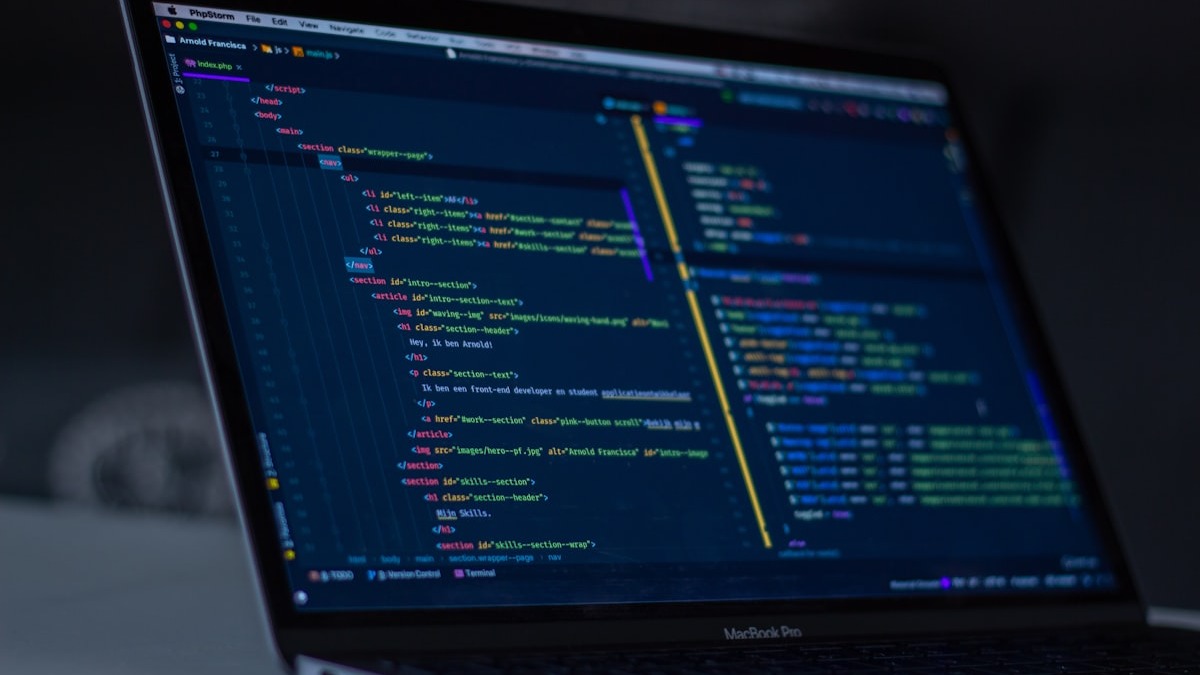 Fine-tuning usually involves writing training scripts in Python that handle data preparation, model loading, and training loops.
Source: unsplash.com
Fine-tuning usually involves writing training scripts in Python that handle data preparation, model loading, and training loops.
Source: unsplash.com
How to Fine-Tune on Major Platforms
OpenAI
OpenAI offers fine-tuning through its API and dashboard. As of March 2026, the supported models are GPT-4.1, GPT-4.1-mini, and GPT-4.1-nano.
Steps:
- Prepare your data in JSONL format with chat completion messages (system, user, assistant)
- Upload the file through the API or dashboard
- Create a fine-tuning job specifying the base model and training file
- Monitor progress in the dashboard - training usually takes minutes to hours
- Use your fine-tuned model via the same API, referencing the new model ID
OpenAI recommends starting with at least 50 well-crafted examples, though the minimum is 10. Quality matters far more than quantity.
For pricing comparisons across providers, check our LLM API pricing guide.
Google Vertex AI
Google moved all Gemini fine-tuning to Vertex AI after deprecating it from the Gemini API in May 2025. Vertex AI supports supervised fine-tuning for Gemini 2.5 Pro, Gemini 2.5 Flash, and Gemini 2.5 Flash-Lite.
Steps:
- Prepare labeled training data (text, image, audio, video, or document types supported)
- Upload data in JSONL format (up to 1GB, 10 million text examples maximum)
- Configure your tuning job and select the region
- Run supervised fine-tuning - Google recommends starting with 100 examples
- Assess using the integrated Gen AI evaluation service
- Deploy the tuned model for inference
Vertex AI also offers preference tuning, which is Google's version of RLHF - it lets you tune models with human feedback data.
Hugging Face (Open Source)
For open-source models, Hugging Face's ecosystem is the standard. The PEFT library (Parameter-Efficient Fine-Tuning) provides LoRA and QLoRA implementations that work with any Transformers-compatible model.
Steps:
- Pick a base model from the Hugging Face Hub (Llama 4, Mistral, Qwen, etc.)
- Prepare your dataset and upload it to the Hub or load it locally
- Install PEFT and Transformers libraries
- Write a training script using the
SFTTrainerfrom thetrllibrary - Train on your own GPU or rent one from cloud providers
- Push the adapter to the Hugging Face Hub or merge it into the base model
Hugging Face also offers AutoTrain, a no-code interface that handles the setup for you. If you're choosing between open-source models, our guide on how to choose an LLM can help narrow the field.
 Major cloud providers and open-source platforms now offer accessible fine-tuning workflows for teams of any size.
Source: unsplash.com
Major cloud providers and open-source platforms now offer accessible fine-tuning workflows for teams of any size.
Source: unsplash.com
Costs and Requirements
Fine-tuning costs depend on the method, model size, and platform.
| Platform | Model | Training cost | Inference (fine-tuned) |
|---|---|---|---|
| OpenAI | GPT-4.1 | $25/M training tokens | $2/M input, $8/M output |
| OpenAI | GPT-4.1-mini | $3/M training tokens | Standard API rates |
| Google Vertex AI | Gemini 2.5 Flash | Per-token training (see Vertex pricing) | Same as base model rates |
| Hugging Face (self-hosted) | Any open-source | GPU rental only ($0.50-$5/hr) | Your own infrastructure |
For small fine-tuning jobs - say 1,000 examples of moderate length - OpenAI's GPT-4.1-mini costs under $10. Larger jobs with tens of thousands of examples on GPT-4.1 can run into hundreds of dollars.
Self-hosted fine-tuning with QLoRA on a rented cloud GPU is often the cheapest option if you have the technical skills. A RTX 4090 rental runs about $0.50-$1/hour, and most LoRA jobs finish in under two hours.
FAQ
Can I fine-tune without writing code?
Yes. OpenAI's dashboard and Hugging Face's AutoTrain both offer no-code fine-tuning interfaces. Upload your data, pick a model, and start training.
How much data do I need to fine-tune a model?
OpenAI recommends starting with 50 examples. Google suggests 100. In practice, 200-500 high-quality examples produce noticeable improvements for most tasks.
Will fine-tuning make the model forget its general knowledge?
With LoRA and QLoRA, catastrophic forgetting is rare because the base weights stay frozen. Full fine-tuning carries more risk of forgetting.
How long does fine-tuning take?
On OpenAI's platform, small jobs finish in 5-15 minutes. Self-hosted LoRA training on a single GPU normally takes 30 minutes to 2 hours depending on dataset size.
Is fine-tuning the same as training a model from scratch?
No. Training from scratch builds a model from random weights using massive datasets and costs millions of dollars. Fine-tuning starts with an already-trained model and adjusts it with a much smaller dataset.
Can I fine-tune and use RAG together?
Absolutely. Many production systems fine-tune a model for tone and format, then use RAG to inject domain-specific facts at inference time. The approaches complement each other.
Sources:
- LoRA vs QLoRA: Best AI Model Fine-Tuning Platforms & Tools 2026 - Index.dev
- LoRA vs. QLoRA: Efficient Fine-Tuning Techniques for LLMs - Modal
- RAG vs Fine-Tuning vs Prompt Engineering - IBM
- Supervised Fine-Tuning - OpenAI API Documentation
- About Supervised Fine-Tuning for Gemini Models - Google Cloud
- PEFT: Parameter-Efficient Fine-Tuning - Hugging Face
- What is RLHF? - AWS
- LoRA vs. QLoRA - Red Hat
✓ Last verified March 26, 2026

