
AI for Small Business Marketing - A Beginner's Guide
A practical, step-by-step guide to using AI tools for content creation, email, social media, and ads - no marketing experience required.
 9 min read
You don't need a marketing agency. You don't need to hire a copywriter. If you run a small business and feel like marketing eats hours you don't have, AI tools can change that equation fast.
According to the SBE Council's 2026 Small Business Tech Use Survey, 82% of small business employers have now invested in at least one AI tool - and marketing is the number one use case. The tools exist, most have free tiers, and they work. This guide shows you exactly where to start.
TL;DR
- AI can cut your monthly marketing workload from 10-15 hours to 2-3 hours for content creation alone
- Four tools cover most small business marketing needs: ChatGPT, Canva, Mailchimp, and Buffer
- Start with one use case - email, social, or content - before spreading to multiple tools
- Setup takes 1-2 hours; weekly maintenance runs 2-3 hours after that
Why Marketing Is the #1 AI Use Case for Small Businesses
Marketing is the task most business owners know they should be doing more of - and the one they run out of time for first. Writing a weekly email newsletter from scratch takes 2-3 hours. With AI, the first draft takes under 15 minutes. Designing social posts for three platforms used to require either a graphic designer or a solid design eye. Canva's AI can create brand-consistent visuals from a text description in minutes.
The adoption numbers reflect this. In the SBE Council's 2026 survey, 82% of small business employers had invested in AI tools. Businesses that haven't made the switch aren't saving time - they're falling behind on output volume.
The good news is that you don't need to overhaul anything. Most AI marketing tools slot into what you're already doing. You're still writing emails and posting on social media - you're just not starting from a blank page.
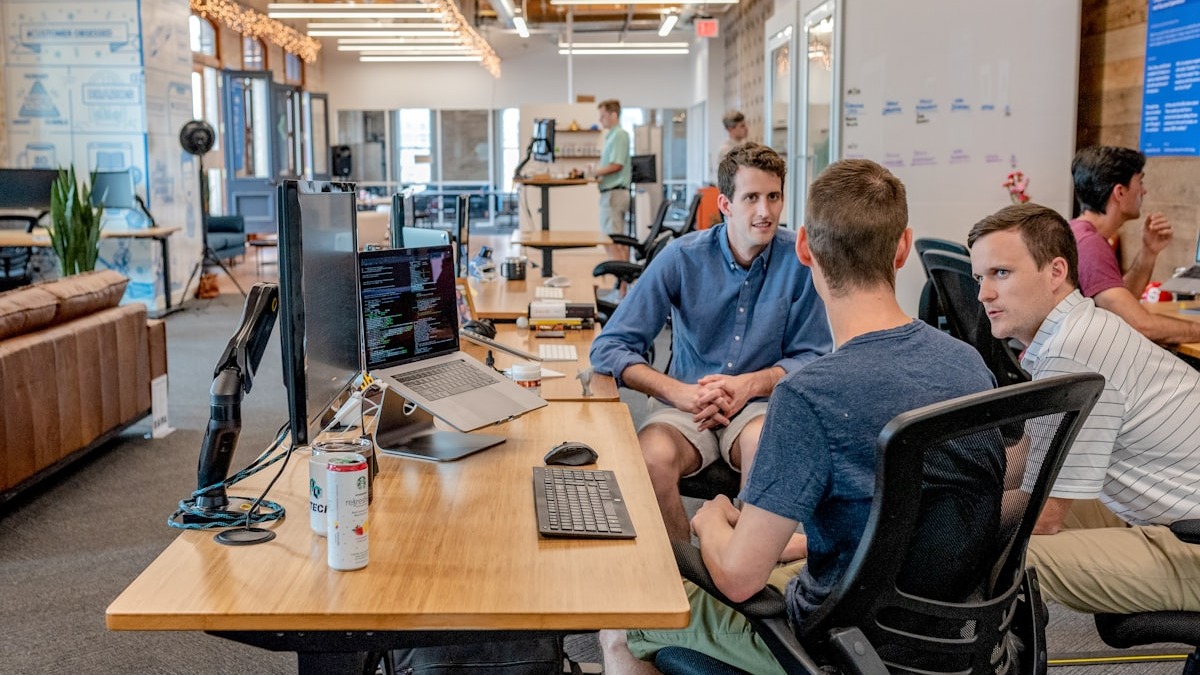 With AI drafting the first version, a small business owner can produce a week's worth of marketing content in an afternoon.
Source: unsplash.com
With AI drafting the first version, a small business owner can produce a week's worth of marketing content in an afternoon.
Source: unsplash.com
The Four Areas Where AI Makes the Biggest Difference
Not every AI marketing tool is worth your time. Four areas consistently deliver measurable results for small businesses with no marketing team.
1. Content Creation
Blog posts, product descriptions, landing page copy, FAQ pages, email sequences - AI can draft all of them. The key is treating AI as a first-draft engine, not a finished product.
A practical content workflow:
- Give ChatGPT or Claude a specific brief - your product, your target customer, and the goal of the piece
- Read the draft carefully and add your specific details, your business's voice, and any local context
- Replace generic phrases with real details from your actual experience
A landscaping company in Phoenix, for example, publishes three seasonal care blog posts per week. Each AI draft takes about 15 minutes. Adding photos from actual job sites and personalizing the local references takes another 10 minutes. The posts rank in local search and drive quote requests.
The prompt structure that works consistently:
Write a [content type] for [describe your business].
The target reader is [describe your ideal customer].
The goal is [specific action you want them to take].
Tone: [casual/professional/warm/direct].
Length: approximately [word count].
Paste that into ChatGPT, fill in the brackets, and iterate. The first version won't be perfect. The second usually is.
2. Email Marketing
Email has the highest return on investment of any marketing channel. According to DemandSage's 2026 email marketing statistics, businesses earn an average of $36 for every $1 spent. AI makes that channel accessible even without a dedicated email marketer.
Mailchimp's "Write with AI" feature works directly inside the email editor. You describe the email's purpose - a seasonal promotion, a product launch, a customer check-in - and it generates subject lines, body copy, and a call to action. Published Mailchimp benchmarks show AI-suggested subject lines improve open rates by 10-20% for most small business campaigns.
The setup that covers the highest-impact email tasks for a new business:
- Connect your email list to Mailchimp (free up to 500 contacts)
- Set up a welcome email using their AI automation templates
- Write one newsletter per week using the "Write with AI" drafting feature
That's it. Three steps. Once the welcome automation runs, every new subscriber gets a first impression without any manual work on your end.
For more options across the category, see our comparison of best AI email assistants for 2026.
3. Social Media
Social media is where small businesses lose the most time. Posting consistently across Instagram, Facebook, and LinkedIn is a part-time job without AI support. With the right tools, one person can manage all three in about two hours per week.
A weekly workflow that works:
- Spend 15 minutes in ChatGPT generating a content calendar - 5 topic ideas with draft captions for the week
- Open Canva and use Magic Studio to turn each topic into a visual, auto-resized for each platform
- Schedule everything in Buffer (free tier supports three channels)
Marketing teams that have adopted this workflow report cutting their monthly social planning from 12-16 hours to 3-4 hours. The important caveat: edited AI content consistently beats raw AI content. Audiences can detect generic captions. Adding one specific detail - a customer name, a local reference, a real photo from your business - makes a visible difference in engagement.
Canva launched Canva AI 2.0 in 2026 with a new integration with Anthropic's Claude that pulls your saved brand guidelines automatically and generates fully layered, editable designs from a single prompt. It can also produce ad creative from your CRM data if you connect a sales tool.
 Batch-creating a week of social content with AI cuts scheduling time from several hours to under 30 minutes.
Source: unsplash.com
Batch-creating a week of social content with AI cuts scheduling time from several hours to under 30 minutes.
Source: unsplash.com
For a full breakdown of scheduling and analytics tools, see our guide to best AI social media tools for 2026.
4. Paid Advertising
Even a modest $200/month ad budget performs better when you test multiple versions. AI handles the first step - producing ad copy variations - faster and cheaper than hiring a copywriter for each test.
HubSpot's Campaign Assistant is free. You describe your product and target audience, and it produces several headline and body copy options for Google and Meta ads. Run multiple variants simultaneously, let the platforms optimize for 48-72 hours, then cut the underperformers.
The improvement in results comes mostly from the fact that you're testing more variations, not from any magic in the AI copy itself. More variations tested equals better odds of finding what resonates.
Where to Start: Pick One Pain Point
Attempting all four areas at once usually leads to tool fatigue. The most consistent pattern among small businesses that have successfully adopted AI marketing: pick one painful, recurring task, use AI to solve just that, then expand once you have a routine.
Most small businesses need two or three well-chosen tools used consistently - not a dozen used occasionally.
Ask yourself five questions to find your entry point:
- What marketing task do you skip most often because you don't have time for it?
- Do you have an email list? When did you last send to it?
- Are you posting on social media? How often, honestly?
- Do you run paid ads? Are you testing more than one version of your copy?
- What's the biggest gap between what you're doing now and what you know you should be doing?
Most small business owners start with email (highest ROI, lowest setup effort) or social captions (most immediate time savings). Blog content makes more sense if search traffic is part of how you get customers.
What It Costs
An effective AI marketing stack for a small business runs under $60 per month - or fully free to start.
| Tool | Use Case | Free Tier | Paid Plan |
|---|---|---|---|
| ChatGPT | Content drafts, captions, copy | Limited GPT-4o mini | $20/month (Plus) |
| Canva | Visuals, social graphics, ad creative | 5GB storage, core tools | $15/month (Pro) |
| Mailchimp | Email campaigns, automation | Up to 500 contacts | $13+/month |
| Buffer | Social scheduling | 3 channels, 10 posts each | $6-18/month |
| HubSpot Campaign Assistant | Ad copy generation | Fully free | Free |
Start with all five on free tiers. Only upgrade when you hit a specific limit - like needing more than 500 email contacts or more than 3 social channels in Buffer. Most small businesses stay on free or entry-level plans for 6-12 months before needing more.
For a broader view across categories, see our roundup of best AI tools for small business in 2026.
The Three Mistakes That Kill Results
Using too many tools at once. Signing up for eight platforms and using each one twice produces nothing. Pick two or three and use them every week. Depth beats breadth.
Publishing raw AI output without editing. AI-generated copy without human revision reads flat, and audiences increasingly notice the difference. Every piece needs at least one editing pass - add specifics, adjust tone, cut anything that sounds like it could apply to any business anywhere. That editing step is where the actual value comes from.
Skipping the brand voice setup. Most AI tools let you define your business's tone, style, and voice upfront. Five minutes on this at the start saves significant editing time later. In Mailchimp it's under "Brand Voice" settings. In Canva it's the Brand Kit. In ChatGPT you can paste a description of your tone and examples at the start of any conversation.
The US Small Business Administration offers free AI workshops and resources specifically for small business owners at sba.gov. If you want structured guidance rather than trial and error, that's the cheapest starting point available.
FAQ
Do I need technical skills to use these tools?
No. ChatGPT, Canva, Mailchimp, and Buffer are all designed for non-technical users. If you can describe your business in a few sentences, you have the skills to get started.
How long does it take to see results?
Time savings show up within the first week. Better marketing outcomes - higher open rates, more engagement - take 4-8 weeks of consistent output to measure accurately.
Is AI-created marketing content allowed on social platforms?
Yes. None of the major social platforms prohibit AI-assisted content. Disclosure isn't required for commercial marketing content (rules differ for political advertising).
Can AI replace a marketing agency for a small business?
For content production, email drafting, social scheduling, and basic ad copy testing, mostly yes. For brand strategy, complex paid media campaigns, or PR, a specialist still adds value most small businesses can't replicate with general-purpose AI tools.
What's the most common mistake small businesses make with AI marketing?
Publishing content without editing it. Generic AI copy that isn't personalized to your business, your customers, or your location underperforms - and it's usually obvious to readers that no human touched it.
Sources:
✓ Last verified June 18, 2026

