
How to Spot AI Fakes: Photos, Video, and Voice Calls
A practical guide to catching AI-generated photos, deepfake videos, and cloned voice scam calls, plus the free tools that check for you.
 8 min read
Photo: pexels.com
A few years ago, the advice for spotting an AI-generated image was simple: count the fingers. That trick barely works anymore. Image generators fixed hands, video generators fixed blinking, and voice cloning tools need as little as three seconds of audio to convincingly copy someone's voice. If you're relying on gut instinct alone to tell real from fake in 2026, you're going to lose that bet more often than you'd think.
TL;DR
- Visual red flags still exist, but built-in checkers (Gemini, Chrome, contentcredentials.org) catch far more than the eye does
- Deepfake photos fool people almost as often as a coin flip, while deepfake videos are actually easier for humans to catch than for AI - the opposite of what most people assume
- Takes about 10 minutes to learn the checks; no technical background needed
Why This Is Worth Learning Now
Deepfake-related fraud has caused $2.19 billion in publicly documented losses worldwide since 2019, according to a Surfshark analysis of the AI Incident Database, Resemble AI, and OECD data through March 2026. Of that, $1.65 billion was reported in 2025 alone. Investment scams that use deepfaked video of celebrities or officials account for more than half of it.
The identity verification industry has scrambled to keep up. Injection attacks, where fraudsters feed a pre-recorded or AI-generated face directly into a webcam feed instead of showing up in person, have jumped 783% according to the vendors tracked in our best AI identity verification tools comparison. Platforms are responding in kind: Tinder, Zoom, and DocuSign now support World ID's human-verification checks, and YouTube quietly started auto-labeling AI video whether the creator discloses it.
 Biometric checks like fingerprint and face scans are one layer of defense against synthetic identities, but they're only as good as the liveness detection behind them.
Source: pexels.com
Biometric checks like fingerprint and face scans are one layer of defense against synthetic identities, but they're only as good as the liveness detection behind them.
Source: pexels.com
None of that means you need to distrust every photo and phone call you get. It means knowing where to look, and which tools do the looking for you.
Spotting a Fake Photo
The honest starting point: you can't reliably spot a well-made AI image by eye alone anymore. Malwarebytes put it bluntly in a July 2026 piece on the topic - modern generators usually render hands, teeth, and text correctly now, so treating those as reliable tells is out of date advice.
That said, a few visual habits are still worth checking, especially on lower-effort fakes:
- Hands and jewelry - extra or fused fingers, wrong joint angles, or earrings that don't match left to right
- Text in the scene - signage, labels, or book spines that are garbled or nonsensical
- Shadows - shadows from different objects in the same scene should fall in the same direction, matching one light source
- Skin and eyes - an overly smooth, waxy texture in certain lighting, or mismatched reflections between the two eyes
For anything that matters more than a passing glance, use the tools instead of your eyes:
- Ask Gemini directly. Upload the image in the Gemini app and ask "was this made or edited with AI?" Gemini checks it against Google DeepMind's SynthID watermark, an invisible signal baked into the pixels at creation time that survives cropping, filters, and re-compression.
- Right-click in Chrome. Google rolled this out at I/O 2026: right-click any image on the desktop browser and a built-in option scans it for both SynthID and C2PA Content Credentials, returning a verdict of real, AI-generated, or AI-edited.
- Check contentcredentials.org/verify directly. Drop in a file or paste a URL and the site reads the image's Content Credentials manifest, if one exists, showing who signed it, what tool created or edited it, and whether AI was involved. It's free and takes about 30 seconds.
- Reverse image search. Google Images, TinEye, or Bing Visual Search can show where a photo first appeared online. No match doesn't prove an image is fake, especially for something newly posted, but a match to an unrelated old photo is a strong tell.
"You can't reliably spot AI images by eye anymore," Malwarebytes wrote in its July 2026 detection guide, recommending provenance tools over visual inspection as the default approach.
Content Credentials and SynthID aren't foolproof. A screenshot, a re-upload through a platform that strips metadata, or an old photo predating C2PA adoption will all come back with no credential attached. Absence of a watermark means "unknown," not "definitely real."
Spotting a Fake Video
Video is the one category where humans currently do better than machines, which surprises most people. A University of Florida study led by Professor Natalie Ebner, published January 7, 2026 in Cognitive Research: Principles and Implications, found that human participants correctly identified real versus fabricated videos about two-thirds of the time, while detection algorithms performed near chance. For still images, the result flipped completely: AI detectors hit around 97% accuracy while human participants did no better than a coin flip.
 Video carries more cues than a single photo, which is exactly why humans still out-detect algorithms on fake video, even as photo fakes get harder to catch by eye.
Source: pexels.com
Video carries more cues than a single photo, which is exactly why humans still out-detect algorithms on fake video, even as photo fakes get harder to catch by eye.
Source: pexels.com
Co-author Brian Cahill's explanation for that gap: "videos have more cues, it's a richer context. There's more stuff for the human brain to pick up on." A few things to watch for:
- Profile turns - most deepfake models train mostly on front-facing footage, so a face rotating to a full side profile is where the rendering tends to break down
- Jawline and ear edges - blurring or warping around these areas, especially during quick head movement
- Background consistency - people or objects behind the subject with missing limbs, warped furniture, or text that shifts between frames
- Mismatched shadows - the same physics check as photos, but easier to catch across multiple frames
One outdated tip worth retiring: unusual blinking patterns. That was a real tell around 2018, but current models fixed it, so it's no longer a useful signal.
If you need a technical answer rather than a gut check, some detection tools now analyze physiological signals AI doesn't simulate. Intel's FakeCatcher looks for remote photoplethysmography, subtle color changes in skin caused by blood flow, which a synthetic face doesn't produce because it's generated from visual patterns rather than an actual circulatory system.
Not every synthetic face on screen is a scam, either. Legitimate businesses use AI video avatar tools like HeyGen and Synthesia for training videos and localized marketing, always with disclosure. The difference is context: an avatar reading a script for a company update is not the same threat model as a video call from someone claiming to be a person you know.
Spotting a Fake Voice or Call
Voice is the hardest of the three to verify in the moment, because a clone needs only a few seconds of source audio and modern models no longer produce the pauses or flat intonation that used to give them away.
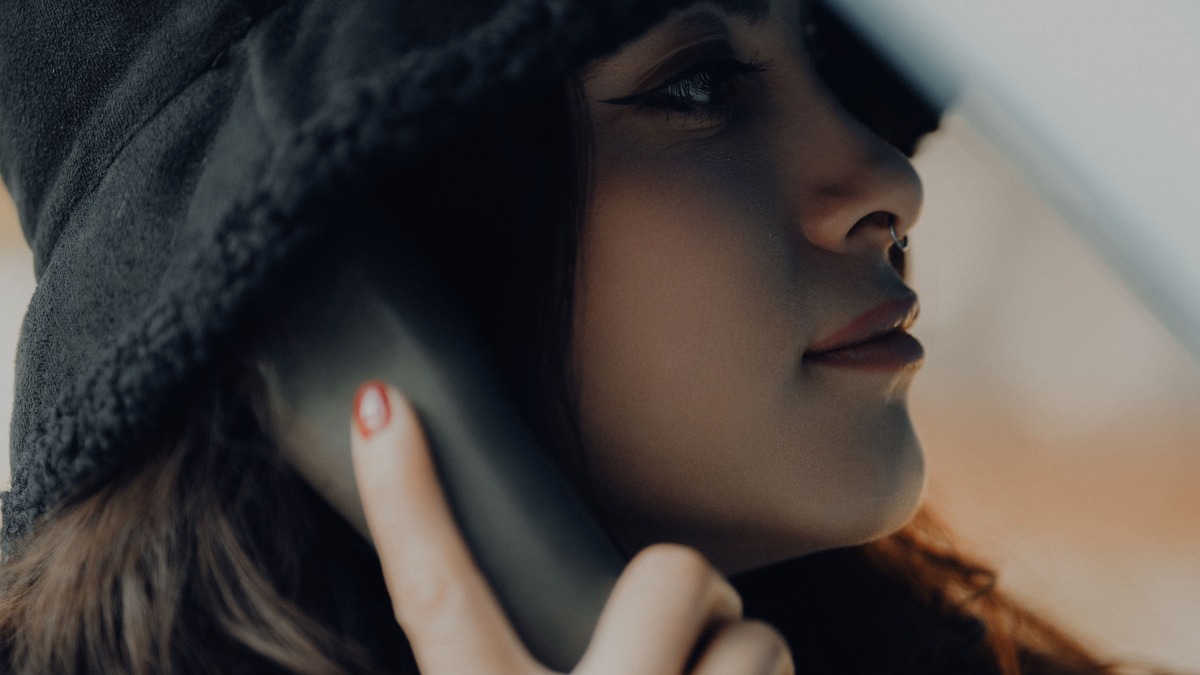 A cloned voice can sound completely normal now. The scam usually reveals itself in the request, not the voice.
Source: pexels.com
A cloned voice can sound completely normal now. The scam usually reveals itself in the request, not the voice.
Source: pexels.com
Since the voice itself often won't tip you off, treat the shape of the call as the signal instead:
- Urgency - a demand to act immediately, especially involving money, is the oldest scam pattern there is and still the most reliable one
- Secrecy - a request not to tell anyone else, including other family members
- Unusual payment methods - gift cards, wire transfers, or cryptocurrency; no legitimate authority, bank, or family emergency runs through those
- Caller ID spoofing - the name and number on your screen can be faked to match someone you know, so don't treat a familiar number as proof
Verification steps that actually work
- Hang up and call back manually. Don't hit redial. Dial the person's number from your own saved contacts, not the number the call came from.
- Ask something only they'd know. Pick a detail that isn't on social media or public records.
- Set a family safe word. Since a clone can be built from as little as three seconds of audio, agree in advance on a word or phrase a scammer couldn't guess, and use it to confirm identity on any call involving money or an emergency.
If you work with voice tools professionally rather than worrying about being targeted by one, our best AI voice cloning tools comparison covers the legitimate side of this technology, including the consent requirements the reputable providers enforce.
Quick Reference: Which Tool for Which Job
| Tool | Checks | Cost | Best for |
|---|---|---|---|
| Gemini app | SynthID watermark in images | Free | Quick check on a single photo |
| Chrome right-click scan | SynthID + C2PA in images | Free | Browsing and spot-checking as you go |
| contentcredentials.org/verify | C2PA manifest (any file type with credentials) | Free | Checking provenance and edit history |
| Google reverse image search / TinEye | Where an image has appeared before | Free | Checking if a photo is reused or old |
| Intel FakeCatcher (enterprise) | Physiological signals in video | Enterprise licensing | Organizations screening high-stakes video |
What to Do If You Suspect a Fake
Don't share or forward it until you've checked it through at least one provenance tool above. If it's a call, hang up and verify through a separate channel before acting on anything involving money, credentials, or personal information. If you've already lost money to a suspected AI-assisted scam, report it to your bank right away and file a report with the FTC at ReportFraud.ftc.gov.
The pattern holds across photos, video, and voice: the technology keeps getting better at fooling the eye and the ear, but the tells that actually protect people, urgency, secrecy, and unusual payment requests, haven't changed in years.
Sources:
- How to tell if an image is AI-generated - Malwarebytes
- Machines spot deepfake pictures better than humans, but people outperform AI in detecting deepfake videos - University of Florida
- Content Credentials - Verify
- SynthID - Google DeepMind
- Google SynthID comes to Chrome, Search - Yahoo Tech
- Google Expands SynthID Adoption for AI Watermarking - InfoQ
- Global deepfake fraud reaches $2.19B - Surfshark
- AI Voice Cloning Scams - How to Spot and Stop Them - ScamAdviser
- AI 'voice cloning' scams are on the rise - CNN
✓ Last verified July 21, 2026

