
GStack Guide - Garry Tan's Claude Code Skill Pack
GStack turns Claude Code into a virtual dev team with 28 slash commands for planning, review, QA, security, and deployment - all open source and free.
 10 min read
GStack is an open-source skill pack that turns Claude Code into a structured virtual software development team. Created by Garry Tan, the president and CEO of Y Combinator, it gives you 28 slash commands that activate distinct "cognitive modes" - a CEO who challenges your product scope, a staff engineer who reviews your code, a QA lead who opens a real browser to test your app, and a security officer who runs threat models. Installation takes about 30 seconds.
TL;DR
- GStack adds 28 role-based slash commands to Claude Code, covering planning through deployment
- Install in 30 seconds with a single
git clonecommand - MIT licensed, completely free - Covers the full sprint lifecycle:
/office-hoursto brainstorm,/reviewfor code review,/qafor browser testing,/shipto release - Created by Y Combinator CEO Garry Tan, who claims 10,000+ lines of code per week using this setup
What Is GStack and Why Does It Exist?
Most developers use Claude Code as a single general-purpose assistant. You ask it to write code, review code, fix bugs, and deploy - all in the same conversational mode. GStack's premise is that this approach misses something important: different phases of software development need different thinking.
Garry Tan put it this way in the project's documentation: "Planning is not review. Review is not shipping...I want explicit gears."
GStack solves this by packaging 28 slash commands that each activate a specialized role. When you type /plan-ceo-review, Claude doesn't just review your plan. It becomes a product strategist who challenges your scope with four modes: expansion, selective expansion, hold, and reduction. When you type /cso, it becomes a security auditor running OWASP Top 10 and STRIDE threat modeling.
The whole thing is open source under the MIT license, free to use, and runs completely on your machine. No SaaS fees, no telemetry (it's opt-in and disabled by default), and nothing changes your PATH or runs as a background daemon beyond the browser binary.
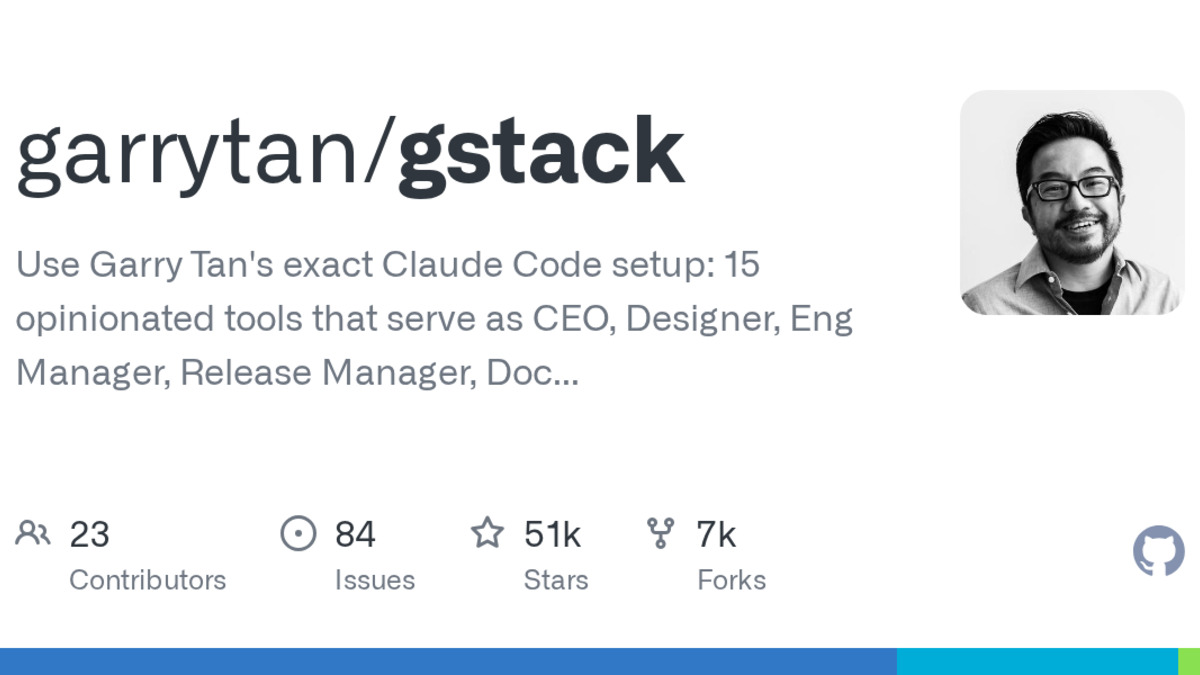 The GStack repository on GitHub, which crossed 39,000 stars within 11 days of its March 12, 2026 launch.
Source: github.com
The GStack repository on GitHub, which crossed 39,000 stars within 11 days of its March 12, 2026 launch.
Source: github.com
Who Is Garry Tan?
Tan isn't a newcomer to building software. He was the 10th employee at Palantir, where he designed the company logo. He co-founded Posterous, a blogging platform bought by Twitter in 2012. He served as a Y Combinator partner from 2011 to 2015, building internal tools like Bookface and the Demo Day website. He co-founded Initialized Capital before returning to YC as president and CEO. He holds a BS in Computer Systems Engineering from Stanford.
GStack grew out of Tan's daily coding practice with Claude Code. He's claimed that using this setup, he averaged 10,000 lines of code and 100 pull requests per week over a 50-day period, and produced over 600,000 lines of production code (35% tests) in 60 days. Those numbers have drawn both admiration and skepticism - more on that later.
Installation
GStack requires Claude Code, Git, and Bun v1.0 or later. There are three installation methods depending on your setup.
Personal Installation (Most Common)
This installs GStack globally for your user account:
git clone --single-branch --depth 1 https://github.com/garrytan/gstack.git ~/.claude/skills/gstack && cd ~/.claude/skills/gstack && ./setup
The setup script places skill files in ~/.claude/skills/gstack/, installs the browser binary, and adds node_modules. Everything stays inside your .claude/ directory.
Team Installation (Vendor Into Your Repo)
If you want your entire team using the same GStack version, copy it into your project:
cp -Rf ~/.claude/skills/gstack .claude/skills/gstack && rm -rf .claude/skills/gstack/.git && cd .claude/skills/gstack && ./setup
This commits the skill pack alongside your code so everyone gets identical behavior.
Codex, Gemini CLI, or Cursor
GStack also supports non-Claude hosts:
git clone --single-branch --depth 1 https://github.com/garrytan/gstack.git .agents/skills/gstack
cd .agents/skills/gstack && ./setup --host codex
Replace codex with gemini or cursor as needed.
The 28 Commands by Phase
GStack organizes its commands into a seven-stage sprint cycle: Think, Plan, Build, Review, Test, Ship, Reflect. Here's how the key commands break down.
Planning
| Command | Role | What It Does |
|---|---|---|
/office-hours | Discovery consultant | Asks six forcing questions before any code gets written |
/plan-ceo-review | Product strategist | Challenges scope with four modes (expansion, selective expansion, hold, reduction) |
/plan-eng-review | Architect | Locks design decisions, data flow, and edge cases |
/plan-design-review | Design auditor | Rates each design dimension 0-10 and proposes improvements |
/autoplan | Pipeline | Runs CEO, design, and eng review automatically, surfacing only taste decisions |
Development and Review
| Command | Role | What It Does |
|---|---|---|
/review | Staff engineer | Auto-fixes obvious issues, flags completeness gaps |
/investigate | Debugger | Traces root causes systematically, stops after three failed fixes |
/design-review | Designer-engineer | Performs design audit then fixes findings atomically |
/codex | Second opinion | Independent OpenAI Codex CLI review in three modes |
Testing and Security
| Command | Role | What It Does |
|---|---|---|
/qa | QA lead | Opens real browser, finds bugs, fixes with regression tests |
/qa-only | QA reporter | Bug discovery without code changes |
/cso | Security auditor | OWASP Top 10 + STRIDE threat modeling |
/benchmark | Performance engineer | Baselines load times and Core Web Vitals |
Deployment
| Command | Role | What It Does |
|---|---|---|
/ship | Release engineer | Syncs main, runs tests, audits coverage, opens PR |
/land-and-deploy | Deployment | Merges PR, waits for CI, verifies production health |
/canary | SRE | Post-deploy monitoring for console errors and regressions |
/document-release | Technical writer | Updates all project docs to match shipped features |
Safety and Utilities
| Command | Role | What It Does |
|---|---|---|
/careful | Guard | Warns before destructive commands (rm -rf, DROP TABLE, force-push) |
/freeze | Lock | Restricts edits to a single directory during debugging |
/guard | Combined | Activates both /careful and /freeze for production safety |
/browse | Browser automation | Real Chromium with ~100ms latency per command |
/retro | Engineering manager | Weekly per-person breakdowns, shipping streaks, test health |
A Typical Workflow - From Idea to Production
The real value of GStack isn't any single command. It's how they chain together. A typical development sprint flows like this:
Brainstorm with
/office-hours. You describe your idea. GStack asks six forcing questions to sharpen requirements before anyone touches code. Think of it as a YC office hours session with a very persistent mentor.Scope with
/plan-ceo-review. The plan gets a product review. Should you expand the scope? Cut features? The command challenges assumptions and forces explicit decisions about what to build and what to skip.Architect with
/plan-eng-review. The approved scope becomes a technical design. Data models, API contracts, edge cases, failure modes - all locked down before implementation starts.Build. Write code normally using Claude Code. GStack doesn't change how you write code; it changes what happens before and after.
Review with
/review. Your diff gets inspected by a staff-engineer persona that auto-fixes obvious issues (formatting, imports, naming) and flags deeper concerns (race conditions, N+1 queries, missing error handling).Test with
/qa. The QA lead reads your git diff, identifies which pages and routes your changes affect, opens a real browser, tests each one, fixes bugs it finds with atomic commits, and re-verifies.Ship with
/ship. Syncs your branch with main, runs the test suite, audits test coverage, and opens a pull request. If everything passes,/land-and-deploymerges and monitors production.Reflect with
/retro. At the end of the week, get a retrospective with commit history analysis, shipping streaks, and test health metrics.
You don't have to use every command. Some developers only use /review and /qa. Others run the full pipeline. GStack is opt-in at every step - a key philosophical difference from alternatives like Superpowers, which enforces a mandatory TDD pipeline.
How the Browser Daemon Works
The /browse command is one of GStack's most distinctive features. Unlike standard browser MCP tools that start a new browser session for each task, GStack runs a persistent Chromium process powered by Playwright.
Cold start takes about 3 seconds. Every later command runs in 100 to 200 milliseconds - the project documentation claims this is 20x faster than Chrome MCP tools. The browser daemon uses Playwright's accessibility tree with a ref system (@e1, @e2, etc.) that lets the AI identify and interact with page elements efficiently.
Key browser commands:
$B connect- Launches a visible Chrome window with a green shimmer indicator so you can watch the AI navigate$B disconnect- Returns to headless mode$B handoff- Opens a visible browser when the agent hits a CAPTCHA or authentication wall; you solve it, then the agent resumes
The /setup-browser-cookies command imports cookies from your real Chrome installation, so the AI can test authenticated pages without you manually logging in each time. The browser persists cookies, tabs, and localStorage between commands.
GStack's tech stack is 79.6% TypeScript and 18.3% Go, compiled into a single ~58MB binary via Bun (not Node.js). It runs localhost-only with bearer token authentication.
GStack vs Superpowers
Two skill packs dominate Claude Code right now. Superpowers has roughly 106,000 GitHub stars and enforces a rigid TDD-first pipeline. GStack has around 39,000 stars (as of late March 2026) and takes a role-based, opt-in approach. If you're exploring AI coding tools more broadly, it helps to understand where each one fits.
| Dimension | Superpowers | GStack |
|---|---|---|
| Approach | Mandatory 7-phase pipeline | Opt-in slash commands |
| TDD | Required - code without tests gets deleted | Available but not enforced |
| Visual QA | HTML mockups in browser | Full headless Chromium for live site testing |
| Security | Not a focus | /cso runs OWASP + STRIDE |
| Deployment | Ends at merge/PR | Full release pipeline with monitoring |
| Best for | Libraries, SDKs, complex production systems | Web apps, product-led development, full lifecycle |
A Particula Tech analysis found that the two tools complement each other well: "Superpowers owns the implementation loop, GStack owns everything before and after it." Some teams use GStack for planning and QA, then Superpowers for the actual TDD-driven coding phase.
The Controversy
GStack's reception has been polarized. Within 48 hours of its March 12, 2026 launch, the repo hit 10,000 GitHub stars and trended on Product Hunt. One CTO reportedly called it "god mode." TechCrunch covered the debate in detail.
But the backlash was equally loud. Critics argued that GStack is "just prompts in text files" - that many developers had built similar setups privately. Some felt Tan's prominence as YC's CEO gave the project outsized attention. Others questioned the productivity claims: 600,000+ lines of code in 60 days is hard to independently verify, and the metrics could be inflated by generated boilerplate.
Then there's the "cyber psychosis" comment. At SXSW 2026, during an on-stage interview with Bill Gurley, Tan said he was sleeping only four hours a night and joked that he had "cyber psychosis" - adding that a third of the CEOs he knows have it too. His assistant later told TechCrunch he was joking, but the comment fed into concerns about unsustainable AI-driven work habits.
The balanced take: GStack's individual commands aren't revolutionary. Prompt engineering for role-based AI behavior isn't new. What GStack does well is package these prompts into a coherent, opinionated workflow that covers the full development lifecycle - and the browser daemon adds genuine technical value beyond what plain prompts can achieve. Whether it deserves 39,000 stars or 390 is a debate about celebrity influence in open source, not about the tool's utility.
FAQ
Does GStack work with editors other than Claude Code?
Yes. GStack supports Codex, Gemini CLI, and Cursor via the --host flag during setup. Install to .agents/skills/gstack instead of .claude/skills/gstack.
Is GStack free?
Completely. It's MIT licensed with no SaaS fees. You still need a Claude Code subscription (or equivalent for other hosts), but GStack itself costs nothing.
Do I need to use all 28 commands?
No. GStack is opt-in at every step. Many developers start with just /review and /qa, then gradually adopt more commands as they get comfortable with the workflow.
Does GStack send my code anywhere?
No. Everything runs locally. Telemetry is opt-in and disabled by default. When enabled, it only tracks skill name, duration, success/fail, version, and OS - never code, file paths, or prompts.
Can I use GStack and Superpowers together?
Yes. Several teams use GStack for planning (/office-hours, /plan-ceo-review) and QA (/qa, /cso), while using Superpowers for TDD-driven implementation. The tools target different parts of the development lifecycle.
What's the minimum setup to get started?
You need Claude Code, Git, and Bun v1.0+. The install command clones the repo and runs setup in about 30 seconds. No Docker, no cloud services, no API keys beyond what Claude Code already needs.
If you're new to AI-assisted coding, our what is vibe coding guide covers the basics. For a broader look at how Claude Code compares to other coding tools, see our Claude Code vs Cursor vs Codex comparison.
Sources:
- GStack GitHub Repository
- GStack Official Site
- Why Garry Tan's Claude Code Setup Has Gotten So Much Love, and Hate - TechCrunch
- Garry Tan Releases gstack - MarkTechPost
- Superpowers vs GStack: Which AI Coding Skill Pack Actually Works? - Particula Tech
- gstack Fully Explained - YouMind
- Garry Tan - Wikipedia
- GStack on Product Hunt
✓ Last verified March 27, 2026

